Create Needed by Create: Copycat Bits copycatbits-1.21.1-1.1.0.jar
requiredMatching file found Matched file: Create 6.0.10 for mc1.21.1
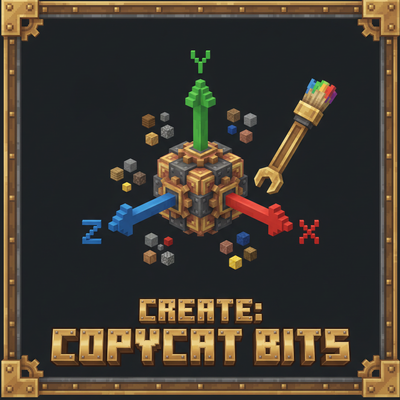
CurseForge · Minecraft mod
Sub-voxel 1px Copycat blocks, a 3D Blender-style voxel sculptor, and a chromatic paint brush with adjustable opacity! Mix connected and normal bits in the same block.
Quick answer
Create: Copycat Bits copycatbits-1.21.1-1.1.0.jar targets 1.21.1 with NeoForge. The project page does not say whether this file belongs on the client, dedicated server, or both. All 1 required mods have matching files.
Where it goes
The project page does not say whether this file belongs on the client, dedicated server, or both.
The source does not explicitly classify this release as client-only or server-only.
copycatbits-1.21.1-1.1.0.jar on 1.21.1 NeoForge. Every mod below is checked against that same setup.
Install Create first. We found matching files for this game-version and loader setup.
We only count dependency files that match this setup. A file for another loader does not fill the gap.
Before you install it
Built for Create: Copycat Bits copycatbits-1.21.1-1.1.0.jar on 1.21.1 NeoForge. Pick another file and the loader, install side or required mods may change.
Use copycatbits-1.21.1-1.1.0.jar. It targets 1.21.1 with NeoForge; another release may have different loader, side or dependency requirements.
Install Create first. We found matching files for this game-version and loader setup.
The project page does not say whether this file belongs on the client, dedicated server, or both.
Use the “Get this file” button beside copycatbits-1.21.1-1.1.0.jar. It opens that exact file at the source.
About this project

Create: Copycat Bits is a survival-friendly sub-voxel building addon for Create that lets you sculpt, detail, and paint custom blocks down to the individual 1×1×1 pixel level (sub-voxels)—all from inside a dedicated 3D survival editor or directly in the world!
Unlike traditional microblock mods where blocks must be of a single type, Copycat Bits lets you place both Normal Copycat Bits (1px) and Connected Copycat Bits (1px) inside the exact same block space:
Right-click any Copycat Bit block with the Copycat Voxel Sculptor to open a survival-friendly 3D editing viewport:
Layer: 1–16): Slice through the block layer by layer. Hides layers above and renders layers below semi-transparently so you can sculpt interiors or precise patterns.#RRGGBB), pick from a Saturation/Value palette, and adjust paint opacity directly in the editor!Right-click air to open the HSV & Hex Color Picker with Paint Opacity (0%–100%):
Just like Create's standard Copycat blocks, you can right-click with any block in hand to clone its texture onto contiguous bits (or Sneak + Right-click for a single bit) without consuming the block. Full support for biome-tinted blocks (Grass, Leaves) and multi-layer overlays.
1.21.1NeoForge (Requires NeoForge 21.1.77+)Project description from CurseForge.
Pick your setup
Choose the version and loader you play, then open the matching release.
Check the dependencies, then try the file in a copied instance before changing a world you care about.
Recent files
25 Nov 2026
22 Nov 2026
Looking for an older file? The official CurseForge project page is in Resources.
 mod
Introduces raid dens to Cobblemon!
 mod
Why is it called Puzzles? That's the puzzle.
 mod
Expand the capabilities of Cobblemon's battle engine!
