Fabric API Needed by farmfps-1.0.0-mc1.20.3.jar
requiredNo matching file

CurseForge · Minecraft mod
100% client-side Fabric mod that boosts FPS near mob grinders and redstone farms: caps dropped items and XP, throttles particles and sounds, culls far mobs and block entities, and calms piston redraws. Works on any server.
Quick answer
farmfps-1.0.0-mc1.20.3.jar targets 1.20.3 with Fabric. The project page does not say whether this file belongs on the client, dedicated server, or both. 1 required mod needs a matching file.
Where it goes
The project page does not say whether this file belongs on the client, dedicated server, or both.
The source does not explicitly classify this release as client-only or server-only.
farmfps-1.0.0-mc1.20.3.jar on 1.20.3. Every mod below is checked against that same setup.
Install Fabric API first, but 1 required mod has no matching file for this setup. Do not mix loader builds to force a match.
We only count dependency files that match this setup. A file for another loader does not fill the gap.
Before you install it
Built for farmfps-1.0.0-mc1.20.3.jar on 1.20.3. Pick another file and the loader, install side or required mods may change.
Use farmfps-1.0.0-mc1.20.3.jar. It targets 1.20.3 with Fabric; another release may have different loader, side or dependency requirements.
Install Fabric API first, but 1 required mod has no matching file for this setup. Do not mix loader builds to force a match.
The project page does not say whether this file belongs on the client, dedicated server, or both.
Use the “Get this file” button beside farmfps-1.0.0-mc1.20.3.jar. It opens that exact file at the source.
About this project
Stop lagging near your farms. FarmFPS is a 100% client-side Fabric mod that keeps your frame rate smooth around mob grinders, item sorters and redstone contraptions. Your server, your farm's mechanics and your drop rates are never touched. Only what your game draws and plays is reduced.
Works on desktop and on Android launchers (PojavLauncher, Amethyst, Mojo).
Big farms make the client do a lot of useless work: hundreds of dropped items, piles of XP orbs, particles, repeated sounds, pistons moving thousands of times and chunks being rebuilt over and over. FarmFPS detects busy chunks and trims that work automatically.
Block hiding is limited to farm-related blocks (redstone, rails, crops, storage and similar). Natural blocks such as stone, deepslate, dirt, sand, water, lava and ores can never be hidden, so FarmFPS cannot be used as an X-ray. Dropped items are not restricted.
One screen, no extra config mod needed:
/farmfps in chat, orFour pages of big toggles and sliders (touch friendly), with hover tooltips. Presets: Balanced, Mega-Farm, Potato PC. A master switch turns everything off and returns the game to vanilla.
Is this a cheat? Can I get banned? It only changes what your own game draws and plays. It sends nothing extra and changes no gameplay or packets.
Will it hurt my farm's output? No. Drops, mob spawns and redstone work exactly the same; you just see less of them.
Something looks wrong near a farm. Turn off "Skip light", "Hide redstone blk" or "Flat light farms" in the settings, or use the master switch to compare with vanilla.
Where do I report bugs? Use the Issues tab and attach your latest.log and Minecraft version.
All Rights Reserved.
Project description from CurseForge.
Pick your setup
Choose the version and loader you play, then open the matching release.
Showing the newest 12 of 24 game versions. Older files are in the list below.
Check the dependencies, then try the file in a copied instance before changing a world you care about.
Recent files
25 Nov 2026
Looking for an older file? The official CurseForge project page is in Resources.
 mod
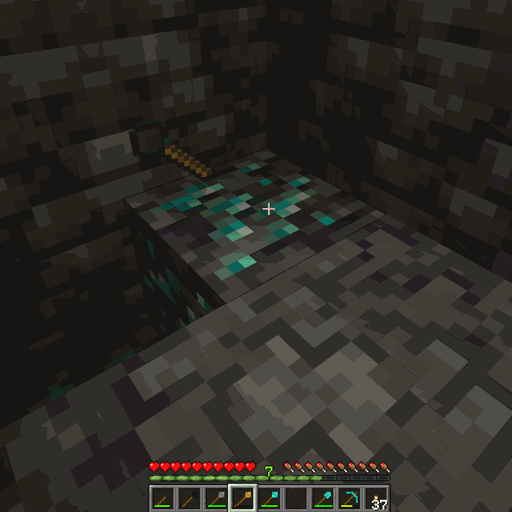
Fully configurable Ore Detectors that do not break the balance of the game, and still make prospecting a challenge, without forcing you to hollow out the entire world.
 mod
Press Ctrl+Z to immediately undo the previous operation
 mod
Every tooltip, more modern, sharper, cleaner.