Minecraft version
Back to mods 
CurseForge · Minecraft mod
AnimCue
Synchronized multi-actor interactive animation library for Minecraft—bringing shared-timeline entity, vehicle, item, and block animations to players and modders.
Choose a version Pick your version below, then grab the matching file.
Quick answer
Which AnimCue release matches 26.2 NeoForge?
Best match for your filters AnimCue 0.1.2 - NeoForge 26.2
Game version 26.2
Loader NeoForge
AnimCue 0.1.2 - NeoForge 26.2 targets 26.2 with NeoForge. The project page does not say whether this file belongs on the client, dedicated server, or both. No extra mods listed for this file.
Where it goes
Is AnimCue required on the client, server, or both?
The project page does not say whether this file belongs on the client, dedicated server, or both.
Client Source doesn’t say
Dedicated server Source doesn’t say
Loader for this release NeoForge
Required install it here Optional supported, not mandatory Not supported do not install here Source doesn’t say do not assume
The source does not explicitly classify this release as client-only or server-only.
What else does AnimCue 0.1.2 - NeoForge 26.2 need?
AnimCue 0.1.2 - NeoForge 26.2 on 26.2 NeoForge. Every mod below is checked against that same setup.
This file does not list any required mods. Do not add a library just because a different file uses it.
This file does not list any required or optional mods.
Before you install it
Add AnimCue without breaking your instance.
Built for AnimCue 0.1.2 - NeoForge 26.2 on 26.2 NeoForge. Pick another file and the loader, install side or required mods may change.
- 01
Stick to this file
Use AnimCue 0.1.2 - NeoForge 26.2. It targets 26.2 with NeoForge; another release may have different loader, side or dependency requirements.
- 02
Bring the mods it needs
This file does not list any required mods. Do not add a library just because a different file uses it.
- 03
Put it on the correct side
The project page does not say whether this file belongs on the client, dedicated server, or both.
- 04
Pick the file you checked
Use the “Get this file” button beside AnimCue 0.1.2 - NeoForge 26.2. It opens that exact file at the source.
About this project
What does AnimCue add?
AnimCue
AnimCue is a multi-loader, multi-version Minecraft library that powers synchronized, multi-actor interactive animations across players, mobs, vehicles, items, and blocks on one shared timeline.
Instead of snapping characters into place or juggling loosely timed solo animations, AnimCue keeps every participant spatially aligned and frame-synchronized—from creature grapples and paired combat finishers to animated vehicle boarding sequences.
Combat, Creature & PvP Showcase
AnimCue drives synchronized multi-entity interactions for vanilla mobs, modded creatures, and players alike—combining shared root displacement, per-bone articulation, and world-coordinate handoff in a single Bedrock-format animation file.
| Iron Golem vs. Ravager Clash | Player vs. Ravager Clash |
|---|---|
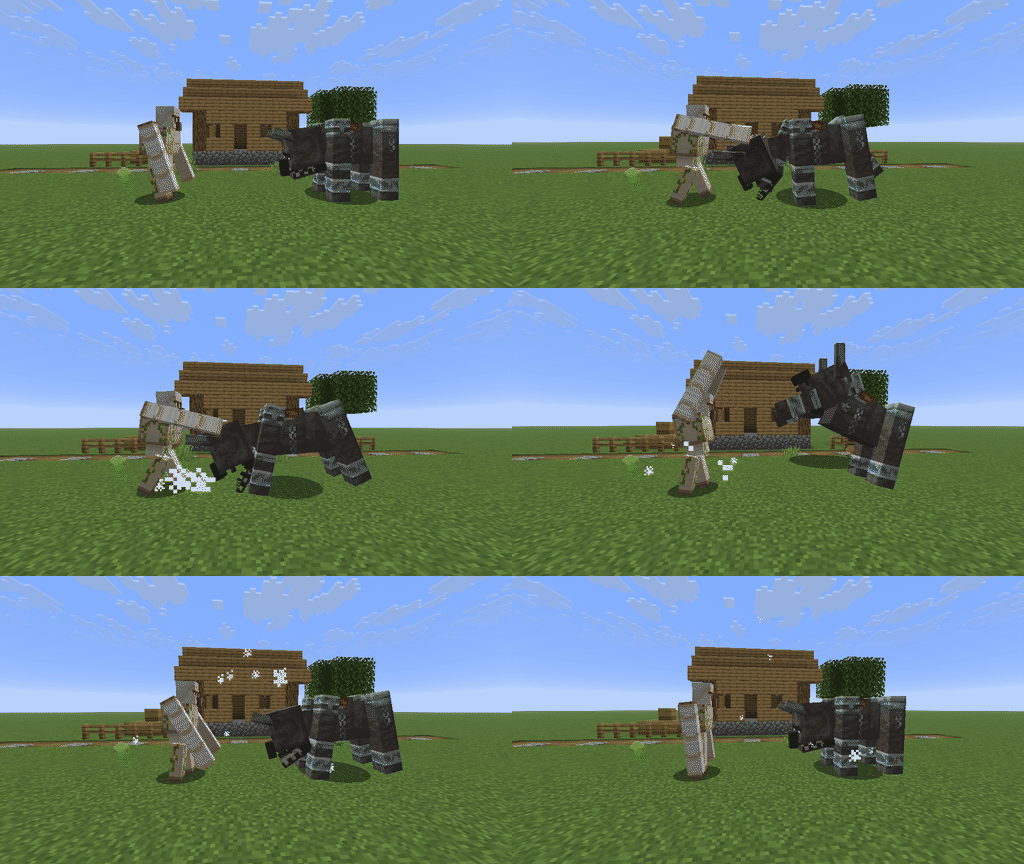 |
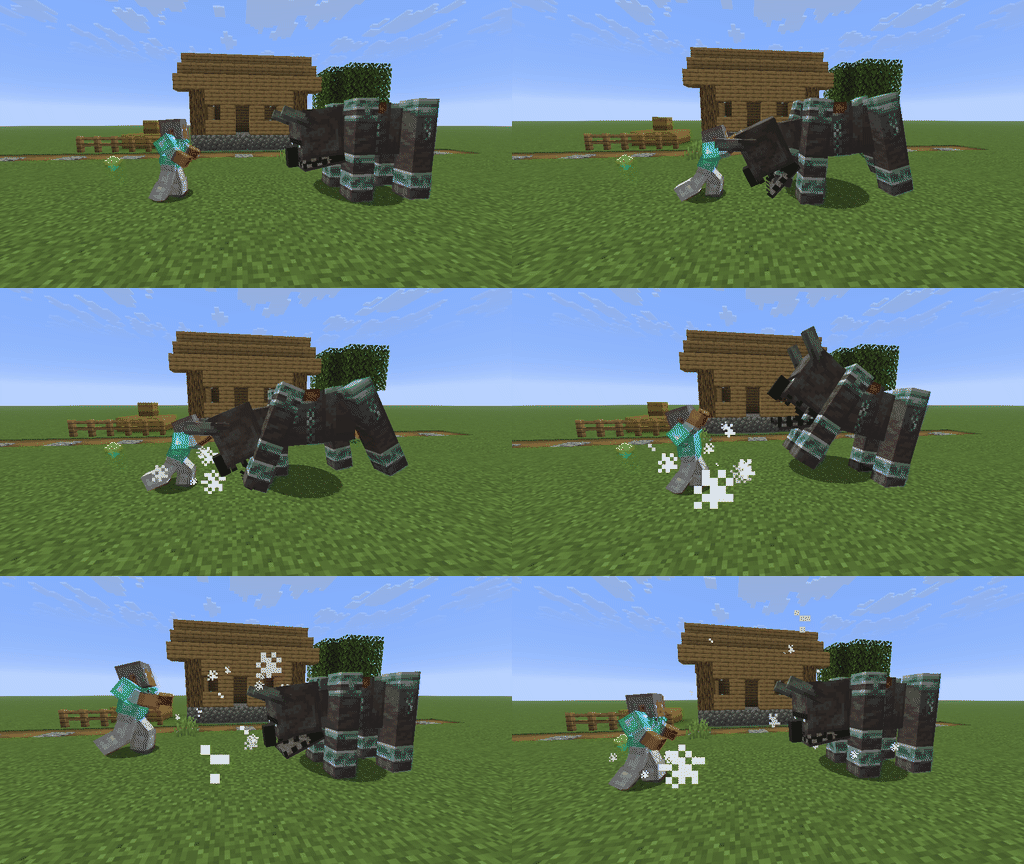 |
| Synchronized mob-to-mob horn-lock wrestling with shared root motion and recoil. | Player and Ravager locked in a coordinated close-quarters shove and counter. |
| Ravager Grab & Throw | Player vs. Player Execution |
|---|---|
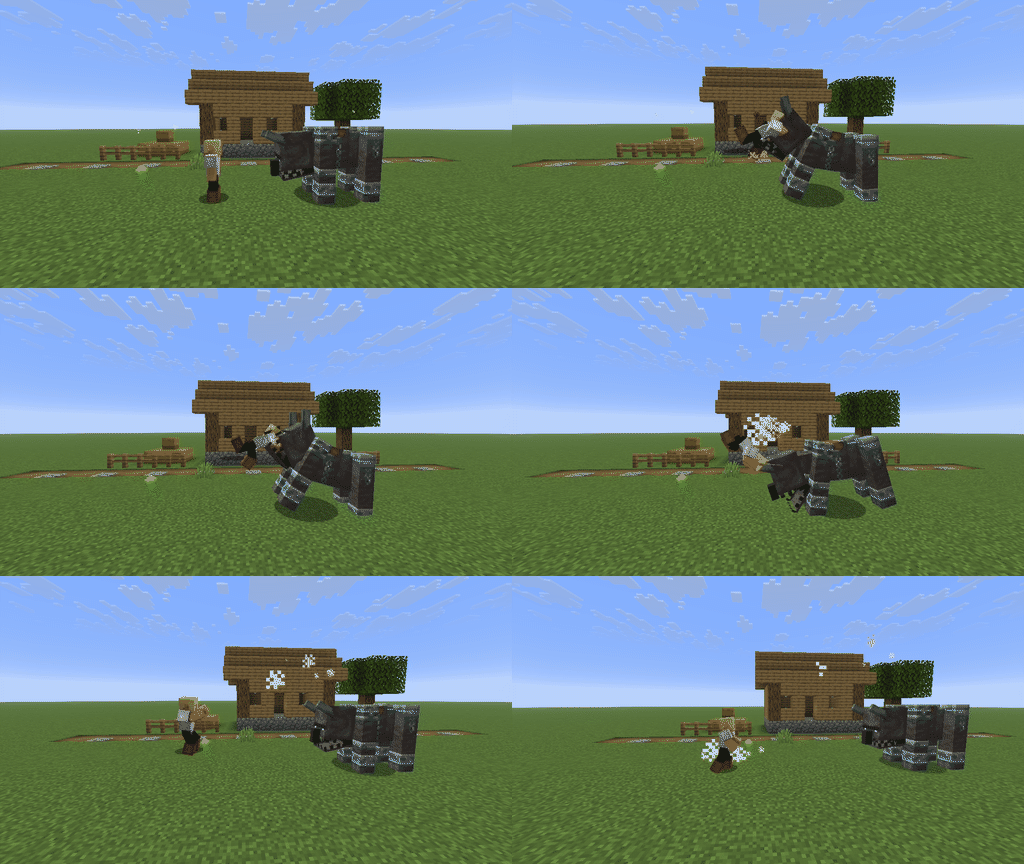 |
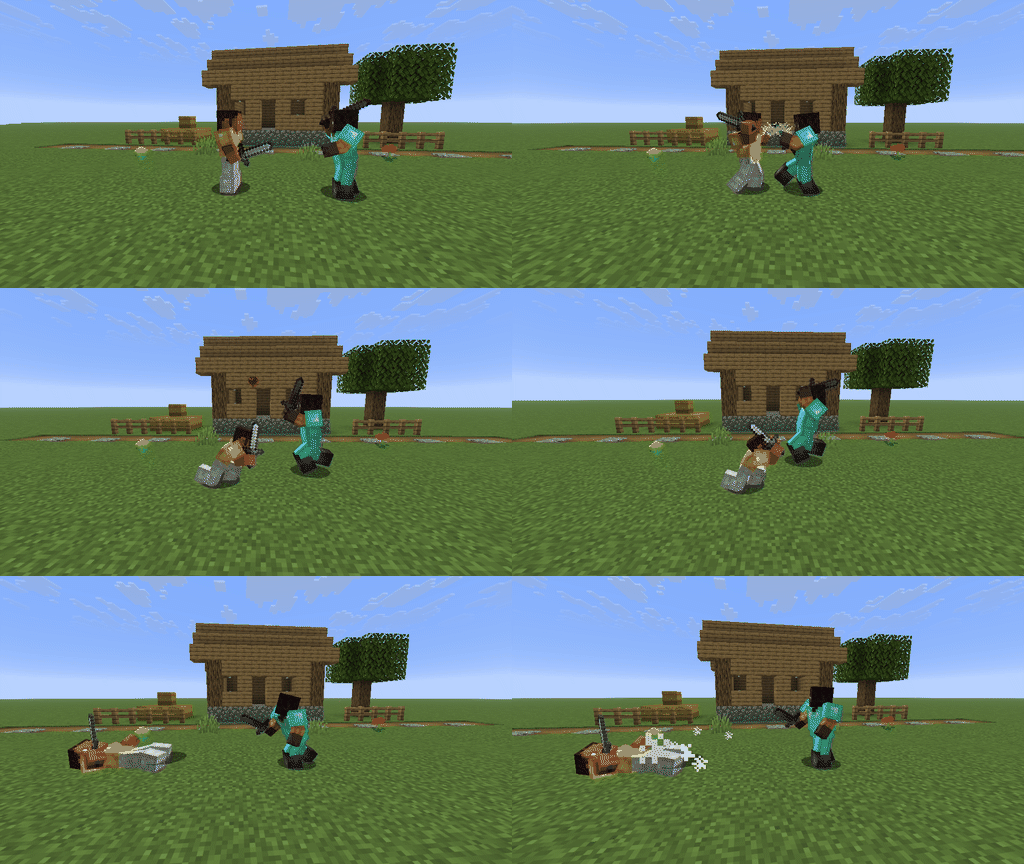 |
| Jaw grab, overhead lift, multi-spin launch, and seamless world-coordinate release. | Paired two-player sword finisher choreographed on one synchronized timeline. |
Vehicle Boarding Showcase
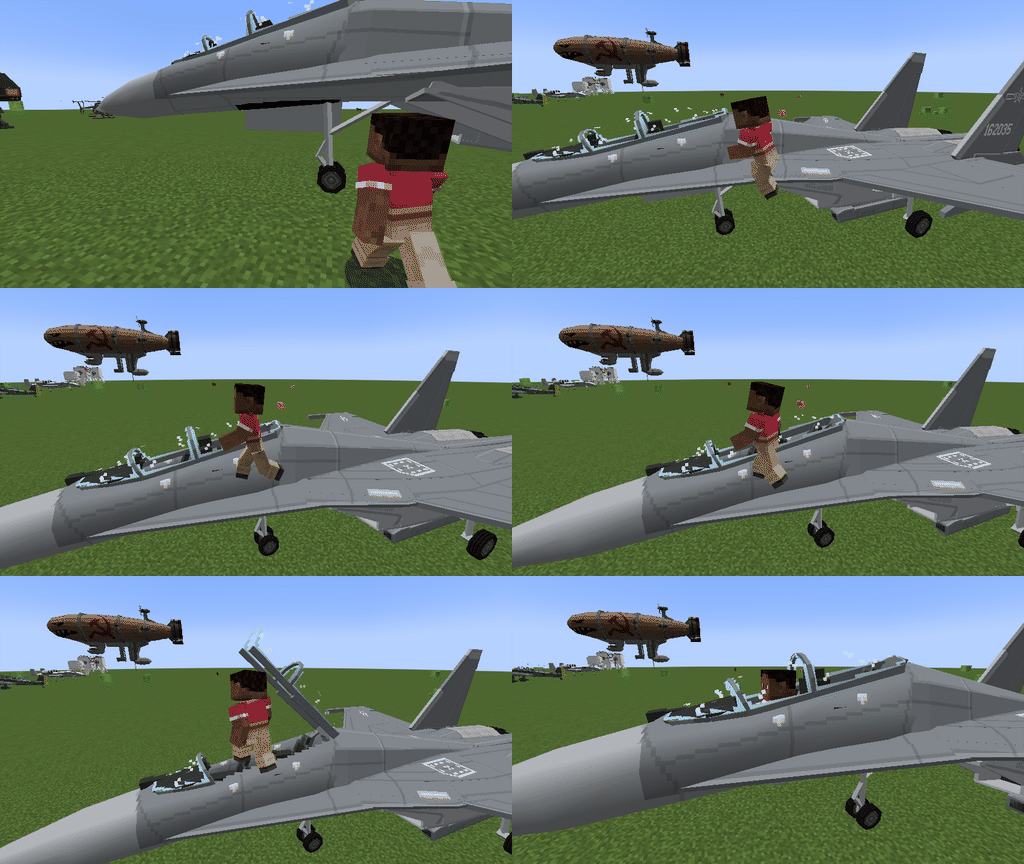
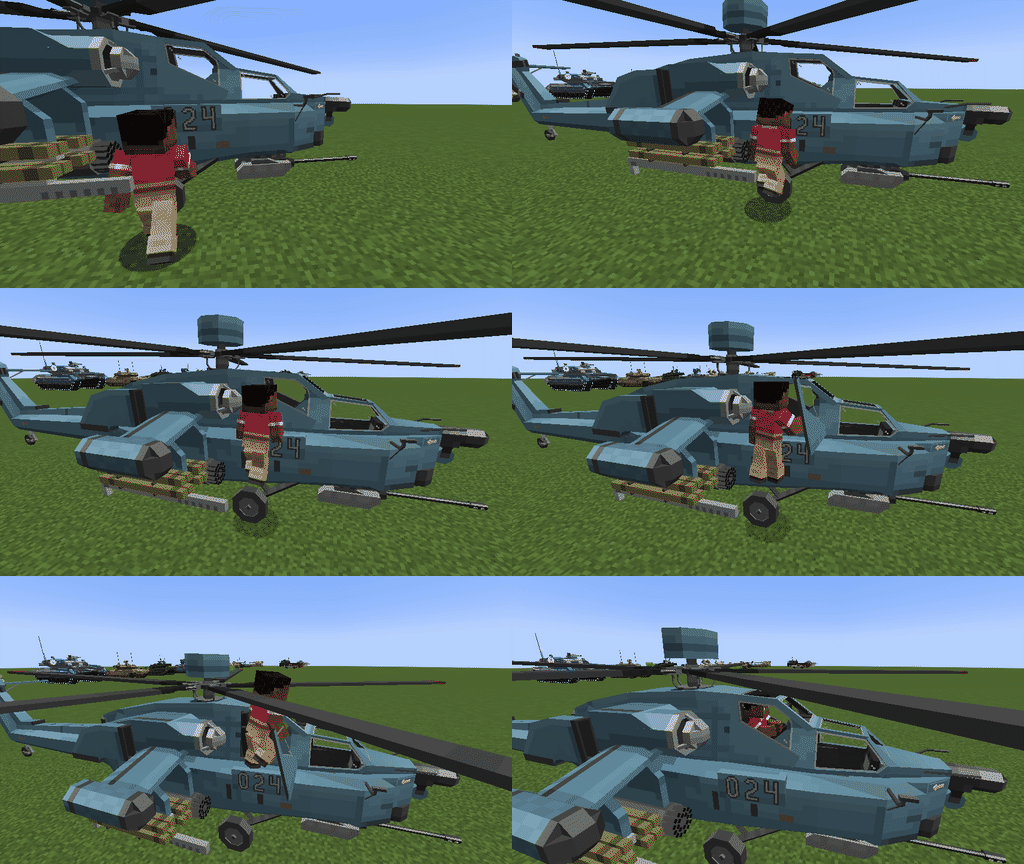
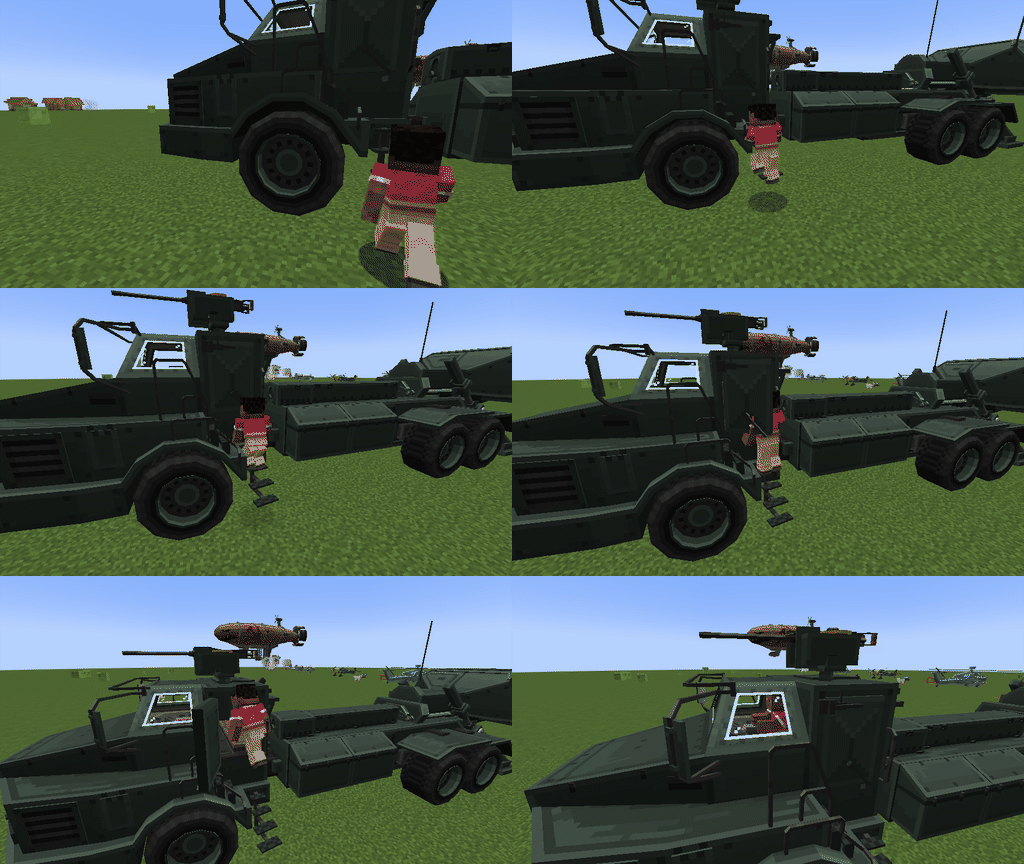
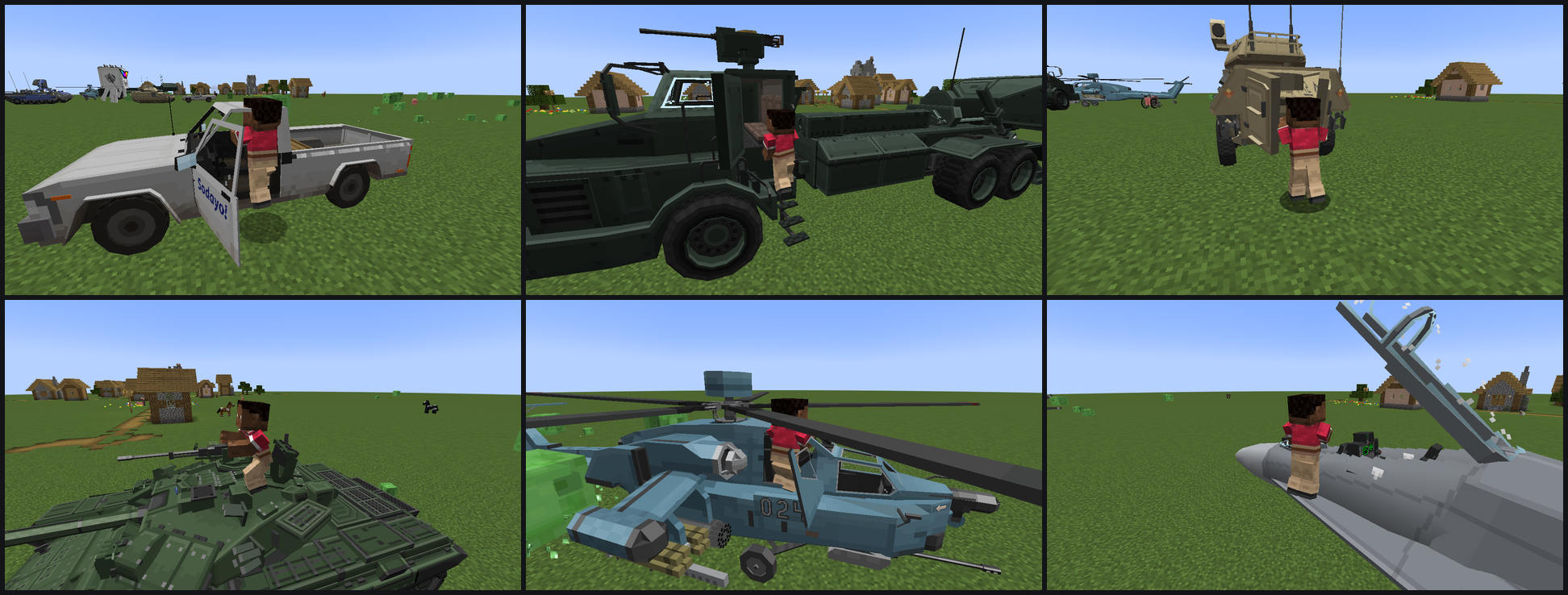
Built with AnimCue in the showcase addon Superb Warfare: Boarding, synchronizing player limbs, carrier motion, and moving vehicle doors, hatches, and ladders:
| J-16 Canopy Boarding | Mi-28 Side-Door Entry | FH-77 Ladder Boarding |
|---|---|---|
 |
 |
 |
For Players
- Library Mod: Install AnimCue when required by another mod or addon that uses interactive animations. On its own, AnimCue does not alter vanilla gameplay.
- Client & Server: Install on both the client and the server for full multiplayer synchronization.
- Optional Player Animation Mods:
- Minecraft 1.21.1 / 26.1.2 / 26.2: Supports Player Animation Library (PAL) and PAL More Rotation for richer full-body player bone motion.
- Minecraft 1.20.1: Supports playerAnimator and PAL More Rotation.
Supported Platforms
| Minecraft | Fabric | NeoForge | Forge |
|---|---|---|---|
| 26.2 | Yes | Yes | — |
| 26.1.2 | Yes | Yes | — |
| 1.21.1 | Yes | Yes | — |
| 1.20.1 | Yes | — | Yes |
For Modders
AnimCue extends standard Bedrock / GeckoLib / PAL animation JSON files with a top-level interactive_animation:interactions block—letting you author complex multi-actor scenes in one file and trigger them cleanly from Java.
Core Capabilities
- Single-File Multi-Actor Scenes: Coordinate up to 64 participants per scene (entities, players, items, and blocks) on one shared timeline.
- Root & Bone Animation Channels: Combine whole-actor movement via
interactive_animation:root(16 model units = 1 block, unbounded degree rotation) with per-boneposition,rotation,scale, andbendchannels usinglinearorcatmullrominterpolation. - Flexible Binding & Bone Remapping: Bind live
Entity,ItemStack, orBlockStateinstances by role name or order, with optional authored-to-model bone remapping (Bindings#mapBones). - Alignment, Control Leases & World Handoff: Built-in snap/transition alignment tolerances, optional approach path checks, carrier following, timeline markers, world-coordinate release (
SceneHandle#useWorldCoordinates), and reference-counted AI/movement/attack/interaction leases (AnimationControls). - Camera Tracks & Modes: Optional per-scene
cameratrack alongsideAUTO,VANILLA,FOLLOW, andLOCKEDcamera modes. - Ecosystem Integration: Works cleanly with GeckoLib 4 & 5 (
GeckoSubjects), PAL & PAL More Rotation, KBR renderers, and vanilla Minecraft models. - Dedicated Blockbench Plugin: Author and visually preview multi-actor timelines with AnimCue Studio (published separately for Blockbench Desktop & Web).
Maven Dependency
repositories {
    maven {
        name = "Sighs Maven"
        url = uri("https://maven.sighs.cc/repository/maven-public/")
    }
}

dependencies {
    // Replace <loader>-<mc> with your target, e.g. neoforge-1.21.1, fabric-1.21.1, forge-1.20.1, neoforge-26.2
    implementation "com.kltyton:interactive_animation-<loader>-<mc>:0.1.0"
}
Documentation & Links
- Source Code: GitHub — kltyton/AnimCue
- Wiki (English): Getting Started · Animation Format · Playback API · Client Rendering & Camera
- Wiki (简体中文): 中文首页
- Blockbench Plugin: AnimCue Studio
- Showcase Addon: Superb Warfare: Boarding
- License: GNU Lesser General Public License v3.0 or later (LGPL-3.0-or-later)
Project description from CurseForge.
Pick your setup
AnimCue by Minecraft version and loader
Choose the version and loader you play, then open the matching release.
Minecraft version
26.1.2
2 loader buildsMinecraft version
1.21.1
2 loader buildsMinecraft version
1.20.1
2 loader buildsCheck the dependencies, then try the file in a copied instance before changing a world you care about.
Recent files
AnimCue versions and loaders
AnimCue 0.1.2 - NeoForge 26.2
interactive_animation-neoforge-26.2-0.1.2.jar
27 Nov 2026
Client Source doesn’t say Server Source doesn’t say Dependencies No extras listed Listed on Release listing
Check the 26.2 · NeoForge setup NeoForge26.2 release
AnimCue 0.1.1 - NeoForge 26.2
interactive_animation-neoforge-26.2-0.1.1.jar
26 Nov 2026
Client Source doesn’t say Server Source doesn’t say Dependencies No extras listed Listed on Release listing
Check the 26.2 · NeoForge setup NeoForge26.2 release
AnimCue 0.1.0 (NeoForge 26.2)
interactive_animation-neoforge-26.2-0.1.0.jar
24 Nov 2026
Client Source doesn’t say Server Source doesn’t say Dependencies No extras listed Listed on Release listing
Check the 26.2 · NeoForge setup NeoForge26.2 release
Looking for an older file? The official CurseForge project page is in Resources.
 mod
CurseForge · Minecraft
LightSpeedRe - Launch optimizations
Reduces your waiting time by loading modpacks significantly faster (currently 48% - 71%)
 mod
Modrinth · Minecraft
LightSpeedRe
Reduces your waiting time by loading modpacks significantly faster (currently 48% - 71%)
 mod
CurseForge · Minecraft
Nicktale FX
Combat effects and animated Blockbench models library for Nicktale mods.