Minecraft version
Back to mods 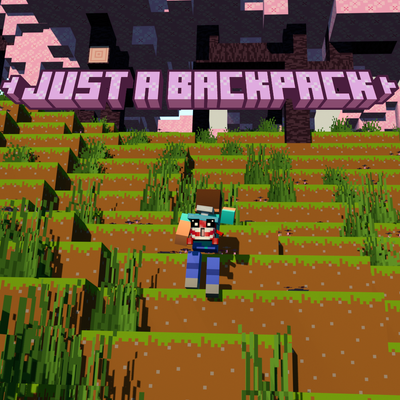
CurseForge · Minecraft mod
A Just a Backpack
It's a Backpack. Not more.
Choose a version Pick your version below, then grab the matching file.
Quick answer
Which A Just a Backpack release should I use?
Latest stable file justabackpack-26.3-fabric-0.1.0.jar
Game version 26.3
Loader Fabric
A Just a Backpack justabackpack-26.3-fabric-0.1.0.jar targets 26.3 with Fabric. The project page does not say whether this file belongs on the client, dedicated server, or both. No extra mods listed for this file.
Where it goes
Is A Just a Backpack required on the client, server, or both?
The project page does not say whether this file belongs on the client, dedicated server, or both.
Client Source doesn’t say
Dedicated server Source doesn’t say
Loader for this release Fabric
Required install it here Optional supported, not mandatory Not supported do not install here Source doesn’t say do not assume
The source does not explicitly classify this release as client-only or server-only.
What else does A Just a Backpack justabackpack-26.3-fabric-0.1.0.jar need?
justabackpack-26.3-fabric-0.1.0.jar. Change the file and its required mods may change too.
This file does not list any required mods. Do not add a library just because a different file uses it.
This file does not list any required or optional mods.
Before you install it
Add A Just a Backpack without breaking your instance.
Built for A Just a Backpack justabackpack-26.3-fabric-0.1.0.jar. Pick another file and the loader, install side or required mods may change.
- 01
Stick to this file
Use justabackpack-26.3-fabric-0.1.0.jar. It targets 26.3 with Fabric; another release may have different loader, side or dependency requirements.
- 02
Bring the mods it needs
This file does not list any required mods. Do not add a library just because a different file uses it.
- 03
Put it on the correct side
The project page does not say whether this file belongs on the client, dedicated server, or both.
- 04
Pick the file you checked
Use the “Get this file” button beside justabackpack-26.3-fabric-0.1.0.jar. It opens that exact file at the source.
About this project
What does A Just a Backpack add?
Just a Backpack.
It’s not a big mod, but it’s highly customizable—believe it or not—for backpacks. For our favorite game.
Customization
After installing the mod and opening the config folder, you’ll find a folder called “Backpacks.” In this folder, you can place your own backpack style—whether you created it yourself or downloaded it from the internet—by simply putting your .bbmodel file there. Then, when you enter a world, you’ll see your model in the customization tab. And when you join a server with this mod installed, everyone will see your local backpack model (provided the server has the mod installed). For server owners, this is a great opportunity to customize backpacks however they like—simply by placing the desired model in the same folder on their server’s hosting.
Essentially, the backpack no longer has any functions other than storage.
Description
The backpack has 27 storage slots and customization options. The mod is ideal for those who are tired of the million features found in other backpacks, and for those who want a simple yet attractive portable storage solution for their resources.
Requirements
Curios API
Communication
The mod is actively under development, and you can contribute your ideas on our Discord. Once a week, we’ll select the best ideas for backpacks and add them to the mod. We’d also love to hear your thoughts on what’s missing from the mod and what features you’d like to see added. Thank you for your attention!
Project description from CurseForge.
Pick your setup
A Just a Backpack by Minecraft version and loader
Choose the version and loader you play, then open the matching release.
Minecraft version
1.21.1
1 loader buildCheck the dependencies, then try the file in a copied instance before changing a world you care about.
Recent files
A Just a Backpack versions and loaders
justabackpack-26.3-fabric-0.1.0.jar
26 Nov 2026
Client Source doesn’t say Server Source doesn’t say Dependencies No extras listed Listed on Release listing
Check the 26.3 · Fabric setup Fabric26.3 release
justabackpack-0.1.0+neoforge-26.3.jar
justabackpack-0.1.0-neoforge-26.3.jar
25 Nov 2026
Client Source doesn’t say Server Source doesn’t say Dependencies No extras listed Listed on Release listing
Check the 26.3 · NeoForge setup NeoForge26.3 release
justabackpack-0.1.0+neoforge-1.21.1.jar
justabackpack-0.1.0-neoforge-1.21.1.jar
25 Nov 2026
Client Source doesn’t say Server Source doesn’t say Dependencies No extras listed Listed on Release listing
Check the 1.21.1 · NeoForge setup 1.21.1NeoForge release
Looking for an older file? The official CurseForge project page is in Resources.
 mod
CurseForge + Modrinth · Minecraft
NuclearCraft: Neoteric
This is a re-creation of old but gold NuclearCraft on a modern MC version
 mod
CurseForge · Minecraft
ChestListView
Just a simple client-side mod that adds a list view button to vanilla type storage
 mod
CurseForge · Minecraft
HubExtended
An extension mod for the hub server