Create Needed by Create: Don't Lose The Control 1.5.1
requiredMatching file found Matched file: Create 6.0.10 for mc1.21.1
CurseForge · Minecraft mod
Create addon: track the distance to your base, output redstone by distance and see a live HUD in your goggles.
Quick answer
Create: Don't Lose The Control 1.5.1 targets 1.21.1 with NeoForge. The project page does not say whether this file belongs on the client, dedicated server, or both. All 3 required mods have matching files.
Where it goes
The project page does not say whether this file belongs on the client, dedicated server, or both.
The source does not explicitly classify this release as client-only or server-only.
Create: Don't Lose The Control 1.5.1. Change the file and its required mods may change too.
Install Create, Create Aeronautics, Sable first. We found matching files for this game-version and loader setup. 1 comes through another mod in the chain.
1 extra mod was pulled in by another dependency. Indented rows show who needs each one. We only count dependency files that match this setup. A file for another loader does not fill the gap.
Before you install it
Built for Create: Don't Lose The Control 1.5.1. Pick another file and the loader, install side or required mods may change.
Use Create: Don't Lose The Control 1.5.1. It targets 1.21.1 with NeoForge; another release may have different loader, side or dependency requirements.
Install Create, Create Aeronautics, Sable first. We found matching files for this game-version and loader setup. 1 comes through another mod in the chain.
The project page does not say whether this file belongs on the client, dedicated server, or both.
Use the “Get this file” button beside Create: Don't Lose The Control 1.5.1. It opens that exact file at the source.
About this project
An addon for Create and Create: Aeronautics: never lose track of your base (or your airship) again.
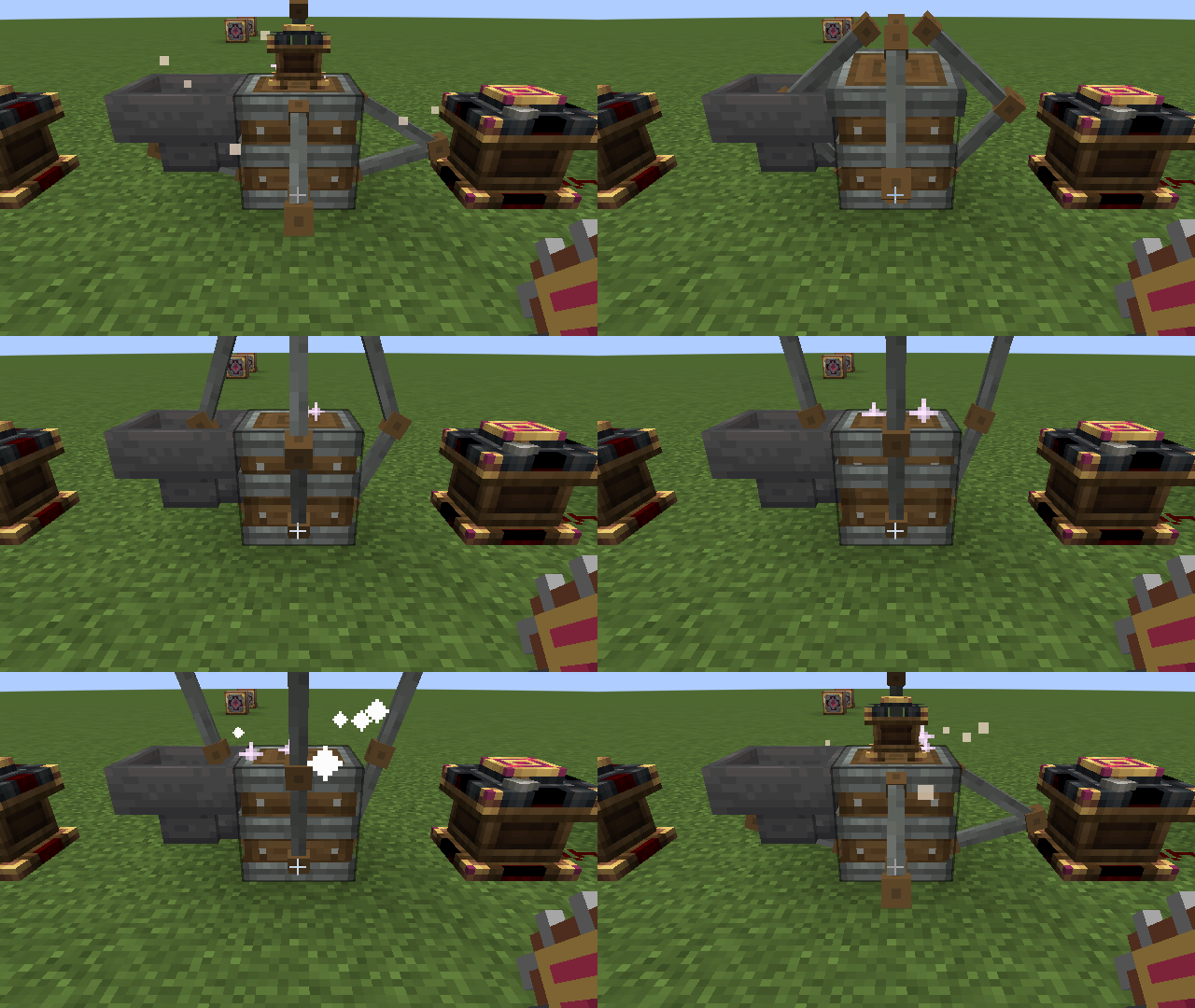
Build a small "precision" production line: craft chips, assemble an animated machine (the Precision Upgrader) and use it to turn ordinary blocks into versions that know the distance to a reference point.
| Block / Item | How to get it | What it does |
|---|---|---|
| Precision Chip | Crafting: Andesite Casing on top of a Precision Mechanism | Base part for everything |
| Precision Box | Crafting: Chip surrounded by 4 Andesite Casings | Becomes the Upgrader |
| Precision Handlers | Mechanical Crafter (4×3): 4 buttons / 4 shafts / 4 chips | Right-click a Precision Box to turn it into a Precision Upgrader |
| Precision Upgrader | Precision Box + Handlers | Animated machine (works with funnels, chutes and hoppers) |
| Precision Magnetite | Upgrader: Chip + Lodestone | A compass bound to it shows the direction and the distance |
| Precision Navigation Table | Upgrader: Chip + Navigation Table | Redstone output by distance (4 modes + GUI) and a Display Link source |
| Precision Link | Upgrader: Chip + Redstone Link | Display Link target that sends the data to your goggles |
| Goggles Display | Upgrader: Chip + Engineer's Goggles | Wearable goggles with a real-time HUD (they still work as Engineer's Goggles) |
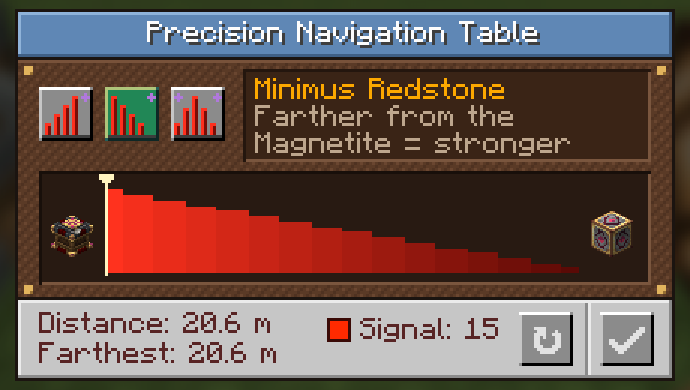
It works exactly like the Navigation Table from Create: Aeronautics, but with a compass bound to a Precision Magnetite it outputs redstone based on the distance:
The reference is the farthest distance the table has ever been from the Magnetite (it only grows), so "halfway" really exists. Sneak + right-click with an empty hand opens a Create-style GUI.
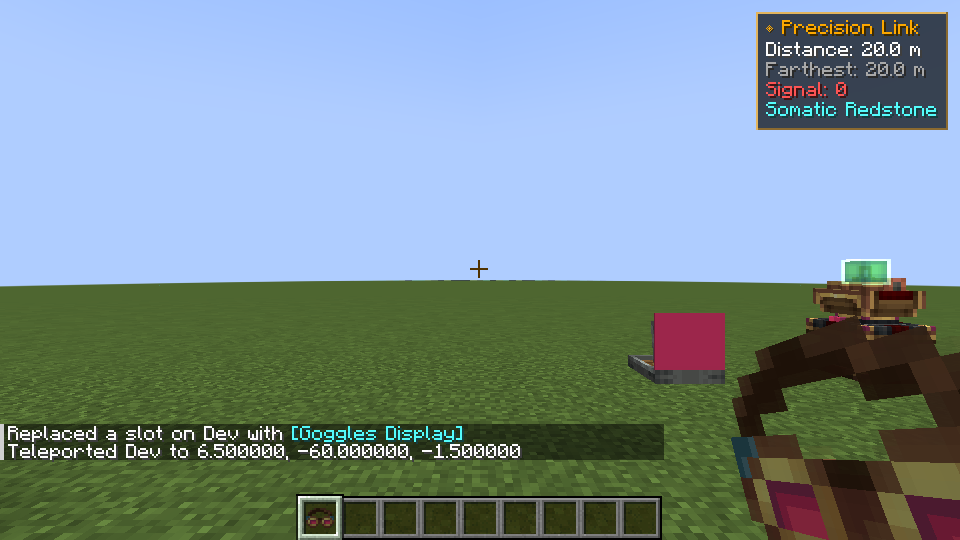
Navigation Table ➜ Display Link ➜ Precision Link ➜ goggles on your head. Choose what to show and where (9 HUD positions, 3 sizes) in the Display Link screen. The HUD updates every 2 ticks without lag: the server only sends a tiny packet to players wearing paired goggles, and only when something changes.
Addon para Create e Create: Aeronautics: nunca mais perca o controle de onde está a sua base (ou o seu dirigível).
Project description from CurseForge.
Pick your setup
Choose the version and loader you play, then open the matching release.
Check the dependencies, then try the file in a copied instance before changing a world you care about.
Recent files
create_dont_lose_the_control-1.21.1-1.5.1.jar
27 Nov 2026
create_dont_lose_the_control-1.21.1-1.5.0.jar
27 Nov 2026
create_dont_lose_the_control-1.21.1-1.4.0.jar
25 Nov 2026
create_dont_lose_the_control-1.21.1-1.3.2.jar
25 Nov 2026
Looking for an older file? The official CurseForge project page is in Resources.
 mod
A guided first-launch setup screen that picks your keybinds, video quality, audio and shader settings for you, with a custom loading screen and title screen.
 mod
Detailed lighting, retractable generator floodlights, and a complete fuel production system with storage tanks and connected pipes.
 mod
Build radio towers, tune receivers, and play live internet stations through wireless speakers. Includes tabletop radios, pocket radios, and remotes for Minecraft 1.21.1 NeoForge.