Fabric API Needed by chatlanes-3.0.1.jar
requiredMatching file found Matched file: [26.3] Fabric API 0.166.2+26.3

CurseForge · Minecraft mod
Split your chat into customizable tabs: channels, private messages and system output each get their own lane. With unread counters, sounds, search, saved history and per-server profiles.
Quick answer
chatlanes-3.0.1.jar targets 26.3 with Fabric. The project page does not say whether this file belongs on the client, dedicated server, or both. All 1 required mods have matching files.
Where it goes
The project page does not say whether this file belongs on the client, dedicated server, or both.
The source does not explicitly classify this release as client-only or server-only.
chatlanes-3.0.1.jar. Change the file and its required mods may change too.
Install Fabric API first. We found matching files for this game-version and loader setup. 1 comes through another mod in the chain.
1 extra mod was pulled in by another dependency. Indented rows show who needs each one. We only count dependency files that match this setup. A file for another loader does not fill the gap.
Before you install it
Built for chatlanes-3.0.1.jar. Pick another file and the loader, install side or required mods may change.
Use chatlanes-3.0.1.jar. It targets 26.3 with Fabric; another release may have different loader, side or dependency requirements.
Install Fabric API first. We found matching files for this game-version and loader setup. 1 comes through another mod in the chain.
The project page does not say whether this file belongs on the client, dedicated server, or both.
Use the “Get this file” button beside chatlanes-3.0.1.jar. It opens that exact file at the source.
About this project
ChatLanes sorts your Minecraft chat into tabs – so global chat, trade offers, private messages and server output no longer get mixed into one endless wall of text.
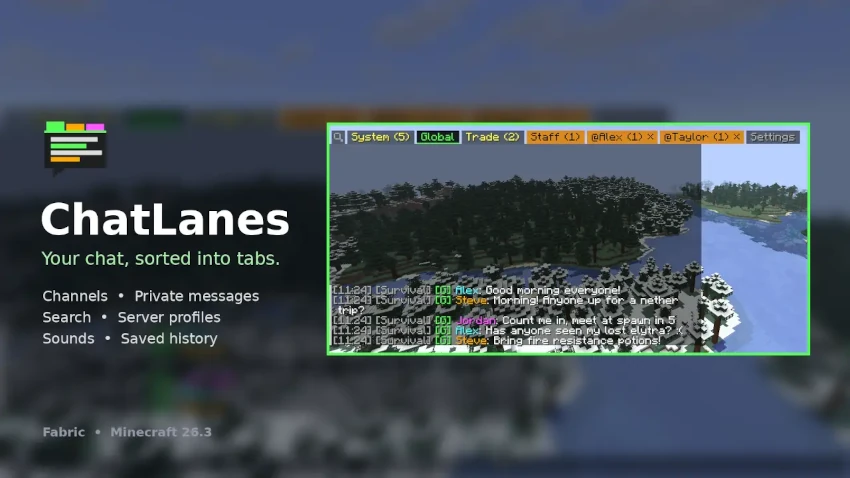
Tabs for every channel
[G], by text or by regex[Survival] in front of the tag are skipped automatically/listPrivate messages
@Name)/msg <player> … for you (command configurable)Never miss a message
Global (3) – per tab on or off[14:05]), globally or per channelSmart channel switching
/ch global), so you type directly into that channelSearch & history
Server profiles
Comfortable settings
/chatlanes, "Settings" in the tab bar or Mod Menuchatlanes-x.y.z.jar into your mods folderThe default profile comes with three tabs: System, Global ([G]) and Trade ([T]). Open the settings with K, click Edit on a tab and adjust the tag and switch command to match your server – the live test tells you immediately whether it works.
Does it work on any server? Yes. ChatLanes is client-side only and works with any server chat that marks its channels with a tag or text.
Can I use it in modpacks? Yes – ChatLanes is MIT-licensed.
Something isn't sorted correctly? Open the tab editor, paste the chat line into the test field and adjust the detection. Issues and ideas are welcome on GitHub.
Project description from CurseForge.
Pick your setup
Choose the version and loader you play, then open the matching release.
Check the dependencies, then try the file in a copied instance before changing a world you care about.
Recent files
28 Nov 2026
26 Nov 2026
Looking for an older file? The official CurseForge project page is in Resources.
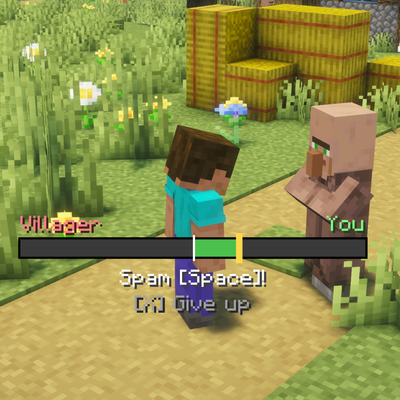 mod
Adds an arm wrestling minigame against villagers, golems, piglins and other players. Spam Space to win.
 mod
Create custom crafting recipes and custom crafts in-game with a Fabric recipe editor. Manage vanilla/modded recipes, worlds, recipe books, and servers. Now supports custom items (NBTs).
 mod
Add a store interface to your game that is limited to the purchase and sale of original items. You can recycle unwanted original materials into Ducat coins, which can then be used for other purchases