Fabric API Needed by Skin Deep 0.2.0 (26.3 Fabric)
requiredMatching file found Matched file: [26.3] Fabric API 0.166.2+26.3
CurseForge · Minecraft mod
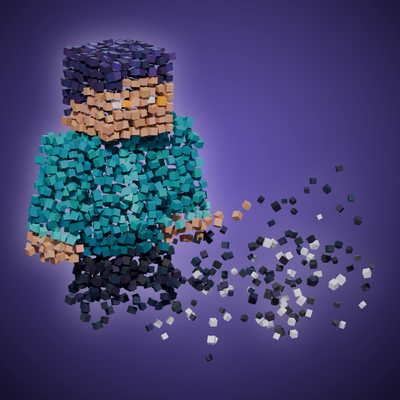
Your body comes apart into a swarm of voxels made from your own skin, then becomes a cube, a block, any mob or a boat.
Quick answer
Skin Deep 0.2.0 (26.3 Fabric) targets 26.3 with Fabric. The project page does not say whether this file belongs on the client, dedicated server, or both. All 1 required mods have matching files.
Where it goes
The project page does not say whether this file belongs on the client, dedicated server, or both.
The source does not explicitly classify this release as client-only or server-only.
Skin Deep 0.2.0 (26.3 Fabric). Change the file and its required mods may change too.
Install Fabric API first. We found matching files for this game-version and loader setup.
We only count dependency files that match this setup. A file for another loader does not fill the gap.
Before you install it
Built for Skin Deep 0.2.0 (26.3 Fabric). Pick another file and the loader, install side or required mods may change.
Use Skin Deep 0.2.0 (26.3 Fabric). It targets 26.3 with Fabric; another release may have different loader, side or dependency requirements.
Install Fabric API first. We found matching files for this game-version and loader setup.
The project page does not say whether this file belongs on the client, dedicated server, or both.
Use the “Get this file” button beside Skin Deep 0.2.0 (26.3 Fabric). It opens that exact file at the source.
About this project
Skin Deep gives you one power: your body can break apart into a swarm of little cubes, one for each pixel of your skin. The swarm still looks like you, same colors, same armor.
Press V to turn it on. From there you can let your body fall apart when you land from too high, teleport to a spot you're looking at, squeeze into a cube, disguise yourself as a block, morph into a mob, or walk on water and row away in a boat made of your own body.
It works with any skin. Press F5 to watch yourself.
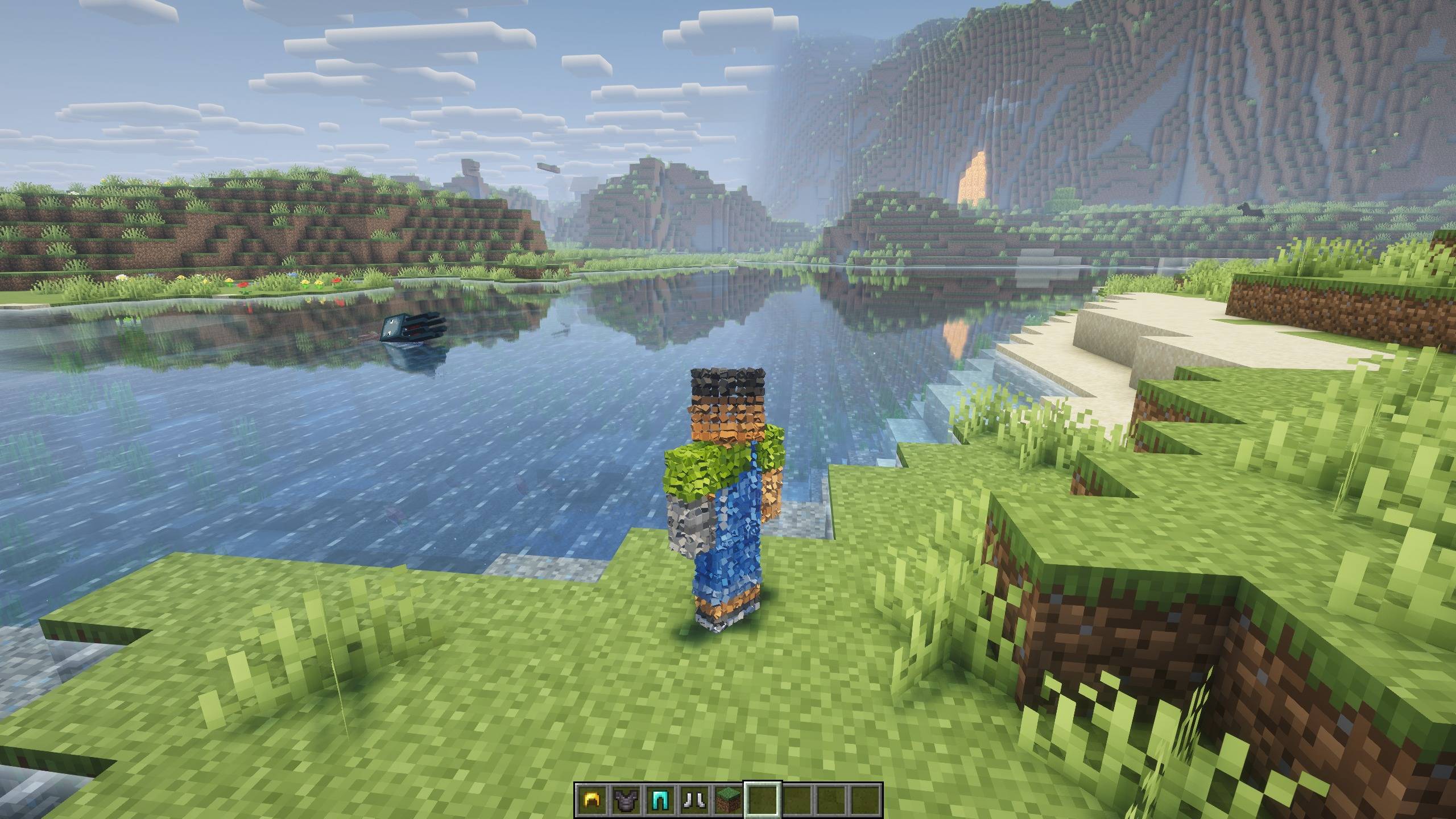
Press V and a wave runs up your body from the feet, turning it into voxels. Press it again and they come back together. The swarm uses the same textures and lighting as the normal player model, so you can't see the moment it switches back.
When you stand still the voxels float a little apart. When you sprint, a few of them get left behind. When you jump, the body stretches out and catches up with you after.
Slim and wide arms both work, and so does the second skin layer. In first person your arm turns into voxels too, as long as your hand is empty.
If a fall would hurt you, the bottom of your body splashes out across the ground. The voxels bounce and roll around, follow you if you walk off, and find their way back one by one. The higher the fall, the bigger the mess.
While the power is on, fall damage is halved and a fall can't kill you anymore, you always keep half a heart. This part needs the mod on the server.
Press J and a blue ghost of you shows up where you're looking, up to 50 blocks away. Press J again and your voxels fly over there, starting from your hand, and rebuild you on the other side. Left click cancels.
You have to be in swarm form and standing up. Needs the mod on the server.
Sneak with the power on and you pull together into a one-block cube that fits through one-block gaps. You unfold again once there's room.
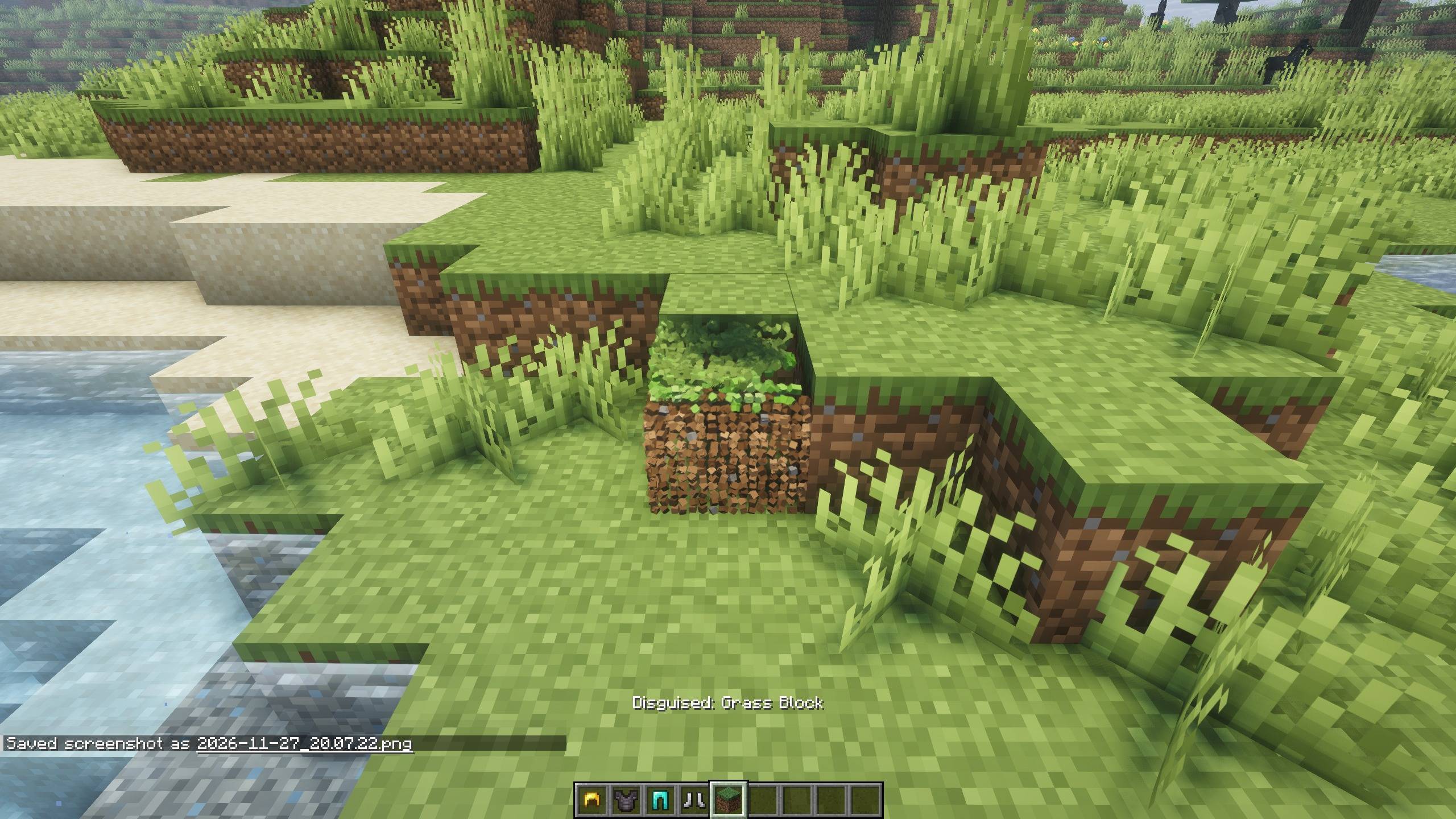
Hold a block and press B, and you turn into that block right where you stand. It takes the texture, rotation and lighting of the blocks around it, so if you hide as a log in a tree trunk, good luck to whoever is looking for you.
You can't move while you're a block. B or V turns you back into a cube.
Most normal blocks work, slabs, trapdoors and carpets included. Chests, beds and signs don't.
Right click a mob with the power on and your voxels rebuild into that mob, with its color, variant, size and gear. It walks when you walk and plays its own animations, so a chicken will flap its wings. You also get its hitbox, which means a chicken can go under a slab.
Right click another mob to switch, V to go back. While the power is on, right clicking a mob copies it instead of interacting with it (no trading, no milking).
Every mob works except the Ender Dragon. Modded mobs should work too if they use regular models.
With the power on, water holds you up. Step onto it and your whole body turns into a boat, the vanilla boat shape made out of your voxels, with paddles that row when you move. From then on it drives like a normal boat. If you hit the shore you get out and walk onto land.
Sneak on the water to turn human and drop in. Sneak + right click while you're in the water brings the power back and you float up again.
Falling into water from any height doesn't hurt. All of this needs the mod on the server.
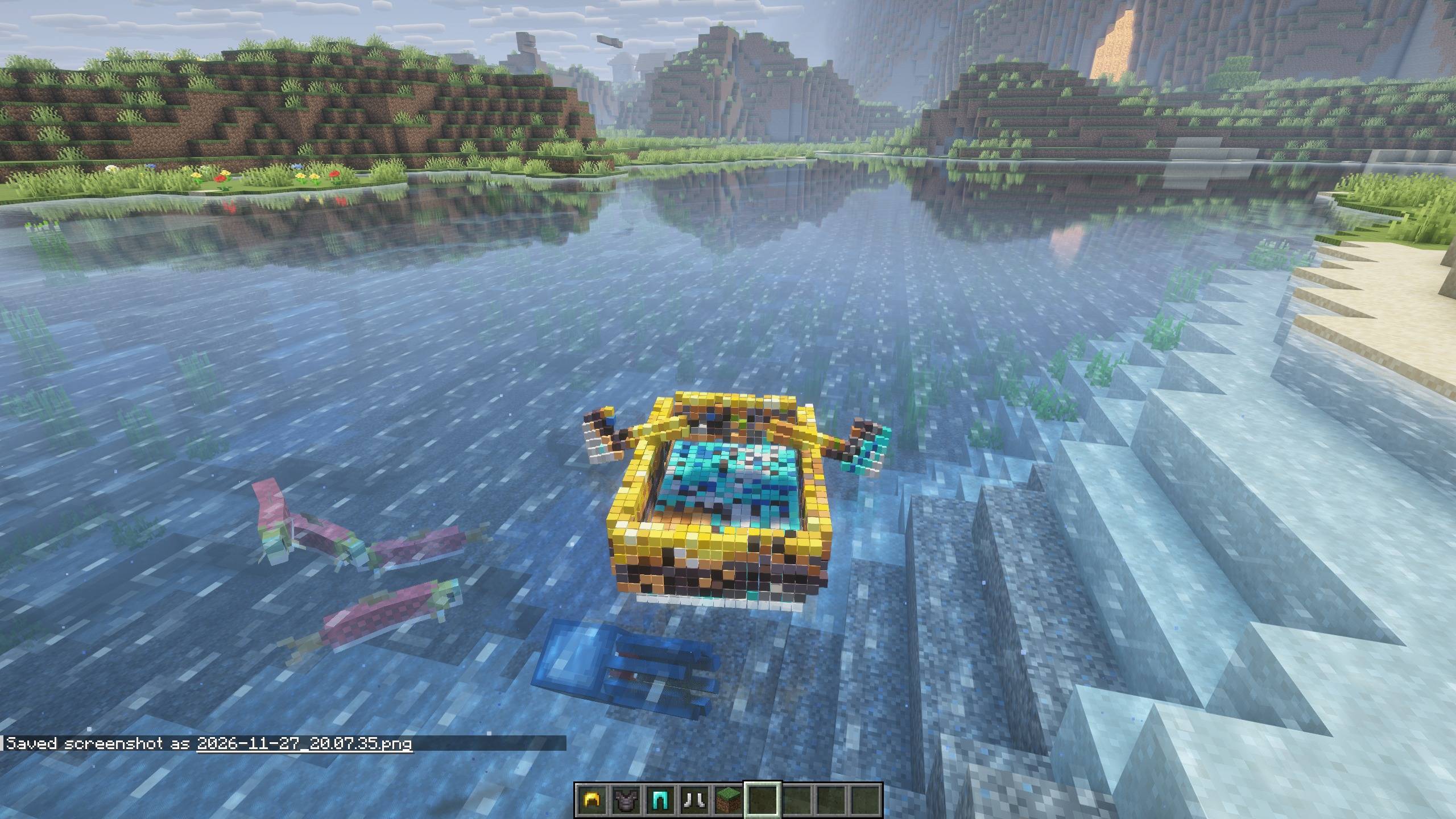
Your armor turns into voxels too, with dyed leather, trims and the enchantment glint. If you put on or take off a piece while you're a swarm, only the voxels that change get swapped.
You can change the keys in Options > Controls > Skin Deep.
| Key | What it does |
|---|---|
| V | Power on / off. Also brings you back from a mob or a block |
| J (power on, standing) | Transfer: first press to aim, second press to go. Left click cancels |
| Sneak (power on) | Cube. On water, turn human and drop in |
| B (power on, block in hand) | Turn into that block, or back into a cube |
| Right click a mob (power on) | Turn into that mob |
| Sneak + right click (in water, power off) | Power back on, you float up |
| Minecraft | NeoForge | Forge | Fabric |
|---|---|---|---|
| 26.3 | yes | no | yes, with Fabric API |
| 1.21.1 | yes | no | yes, with Fabric API |
| 1.20.1 | yes | yes (same file as NeoForge) | yes, with Fabric API |
It's best with the mod on the server and on everyone's game. Then everybody sees each other as swarms.
If you're the only one with it, on a vanilla server for example, the power still works but you're the only one who sees it. Transfer, water walking and the boat, the fall damage reduction and the cube/block/mob hitboxes are turned off in that case.
Players who don't have the mod can still join a server that has it. They'll see you as a regular player.
Each swarm is about 1,000 to 2,500 voxels, computed on the CPU, and usually takes under a millisecond per frame. A few players transformed at once is fine. Dozens at the same time will cost you some FPS.
It's still a beta, so a few things are missing:
Does it change my skin? No. The mod doesn't edit or upload anything, it reads your skin from the way the game draws you.
Do I need it on the server? For the visuals, no. For the transfer, the water, the boat, the fall damage and the hitboxes, yes.
Can other players see my swarm? Yes, if they have the mod and the server has it too.
Is it balanced for survival? The power is free and has no cooldown, it's mostly a visual thing. What actually helps you in survival is the reduced fall damage, the transfer, walking on water and the disguises. If you run a server and don't want that, leave the mod off the server.
Does it work with animation mods? The swarm copies the real player rendering, so a lot of them should work. I haven't tested many yet, so tell me how it goes.
Can I put it in my modpack? Sure, go ahead, no need to ask. Keep the file unmodified and credit the mod.
Found a bug? Leave a comment with your loader, Minecraft version, mod list and the log. A screenshot helps a lot.
Project description from CurseForge.
Pick your setup
Choose the version and loader you play, then open the matching release.
Check the dependencies, then try the file in a copied instance before changing a world you care about.
Recent files
skindeep-0.2.0-26.3-fabric.jar
28 Nov 2026
skindeep-0.2.0-26.3-neoforge.jar
28 Nov 2026
skindeep-0.2.0-1.20.1-fabric.jar
28 Nov 2026
skindeep-0.2.0-1.20.1-neoforge.jar
28 Nov 2026
skindeep-0.2.0-1.21.1-fabric.jar
28 Nov 2026
skindeep-0.2.0-1.21.1-neoforge.jar
28 Nov 2026
skindeep-0.1.0-26.3-fabric.jar
27 Nov 2026
skindeep-0.1.0-26.3-neoforge.jar
27 Nov 2026
skindeep-0.1.0-1.20.1-fabric.jar
27 Nov 2026
skindeep-0.1.0-1.20.1-neoforge.jar
27 Nov 2026
skindeep-0.1.0-1.21.1-fabric.jar
27 Nov 2026
skindeep-0.1.0-1.21.1-neoforge.jar
27 Nov 2026
Looking for an older file? The official CurseForge project page is in Resources.
 mod
QoL blocks that you wish existed in Create - Highly configurable, disable what you don't need
 mod
Catch an arrow or a melee blow in a buckler, carry its echo to the next encounter, and spend it on a shot or a shove.
 mod
Cast spells in Minecraft using your own voice! Speak magical commands into your microphone and watch them come to life in-game.