Minecraft version
Back to mods 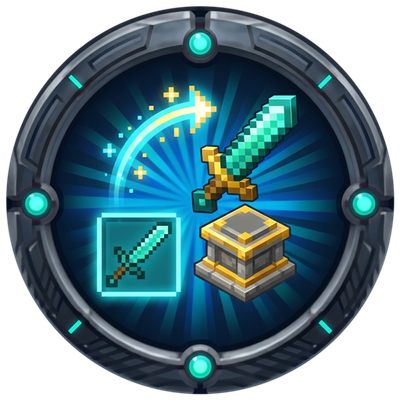
CurseForge · Minecraft mod
Context Item Models
Render context-aware 2D & 3D item models: 2D in GUI/inventory and 3D in hand, offhand, ground, item frames, head, and more.
Choose a version Pick your version below, then grab the matching file.
Quick answer
Which Context Item Models release matches 1.20.3?
Best match for your filters context_item_models-neoforge-1.0.0+1.20.4.jar
Game version 1.20.4, 1.20.3
Loader NeoForge
Context Item Models context_item_models-neoforge-1.0.0+1.20.4.jar targets 1.20.4, 1.20.3 with NeoForge. The project page does not say whether this file belongs on the client, dedicated server, or both. No extra mods listed for this file.
Where it goes
Is Context Item Models required on the client, server, or both?
The project page does not say whether this file belongs on the client, dedicated server, or both.
Client Source doesn’t say
Dedicated server Source doesn’t say
Loader for this release NeoForge
Required install it here Optional supported, not mandatory Not supported do not install here Source doesn’t say do not assume
The source does not explicitly classify this release as client-only or server-only.
What else does Context Item Models context_item_models-neoforge-1.0.0+1.20.4.jar need?
context_item_models-neoforge-1.0.0+1.20.4.jar on 1.20.3. Every mod below is checked against that same setup.
This file does not list any required mods. Do not add a library just because a different file uses it.
This file does not list any required or optional mods.
Before you install it
Add Context Item Models without breaking your instance.
Built for Context Item Models context_item_models-neoforge-1.0.0+1.20.4.jar on 1.20.3. Pick another file and the loader, install side or required mods may change.
- 01
Stick to this file
Use context_item_models-neoforge-1.0.0+1.20.4.jar. It targets 1.20.4, 1.20.3 with NeoForge; another release may have different loader, side or dependency requirements.
- 02
Bring the mods it needs
This file does not list any required mods. Do not add a library just because a different file uses it.
- 03
Put it on the correct side
The project page does not say whether this file belongs on the client, dedicated server, or both.
- 04
Pick the file you checked
Use the “Get this file” button beside context_item_models-neoforge-1.0.0+1.20.4.jar. It opens that exact file at the source.
About this project
What does Context Item Models add?
Context Item Models
Render different 2D and 3D item models depending on where and how an item is displayed.
Keep crisp 2D pixel art inside your inventory and hotbar, and seamlessly switch to detailed 3D models when held in hand, in your offhand, dropped on the ground, placed in an item frame, worn on the head, thrown as a projectile, submerged underwater, or enchanted.
✨ Key Features
100% Client-Side — Works in singleplayer and multiplayer servers without requiring installation on the server.
Multi-Loader & Multi-Version — Built for Fabric, Forge, and NeoForge, supporting Minecraft
1.20.1–1.21.4.Automatic
1.21.4+Legacy Bridge — Resource packs and mods using standardmodels/item/*.json"overrides"automatically work on Minecraft1.21.4without rewriting every item model.In-Game Configuration — Toggle features via Mod Menu (Fabric) or the native Mods → Config screen (Forge / NeoForge).
📦 Supported Versions & Loaders
| Loader | Supported Minecraft Versions |
|---|---|
| Fabric | 1.20.1, 1.20.4, 1.21.1, 1.21.3, 1.21.4 |
| Forge | 1.20.1 |
| NeoForge | 1.20.4, 1.21.1, 1.21.3, 1.21.4 |
⚙️ Context Predicates
All predicates use the context_item_models: namespace.
Display & Hand Contexts
| Predicate | Description | Value |
|---|---|---|
context_item_models:is_held |
Held in first-person or third-person hand | 1.0 |
context_item_models:first_third_person |
Distinguishes first-person vs. third-person hand view | 0.5 (1st) / 1.0 (3rd) |
context_item_models:is_offhand |
Held in the offhand slot | 1.0 |
context_item_models:is_gui |
Rendered in GUI / hotbar / inventory slots | 1.0 |
context_item_models:is_ground |
Dropped on the ground as an item entity | 1.0 |
context_item_models:is_fixed |
Displayed inside an Item Frame | 1.0 |
context_item_models:is_head |
Equipped in the head / helmet slot | 1.0 |
State & Entity Contexts
| Predicate | Description | Value |
|---|---|---|
context_item_models:is_projectile |
Rendered as a thrown projectile entity | 1.0 |
context_item_models:is_used |
Actively being used (eating, aiming, custom use) | 1.0 |
context_item_models:item_use |
Normalized item use progress | 0.0 – 1.0 |
context_item_models:is_submerged |
Holder entity is submerged underwater | 1.0 |
context_item_models:is_enchanted |
Item has an enchantment | 1.0 |
context_item_models:is_misc_entity_holding |
Held by Villager, Wandering Trader, Witch, Fox, or Panda | 1.0 |
context_item_models:shield_has_banner |
Shield has a banner pattern applied | 1.0 |
🛠️ Usage for Resource Pack & Mod Authors
Standard Model Overrides (1.20.1 – 1.21.4)
Place your rules in:
assets/<namespace>/models/item/<item>.json
On Minecraft 1.21.4, Context Item Models automatically bridges these overrides for you.
Example:
{
  "parent": "minecraft:item/handheld",
  "textures": {
    "layer0": "mymod:item/my_sword_2d"
  },
  "overrides": [
    {
      "predicate": {
        "context_item_models:is_held": 1.0
      },
      "model": "mymod:item/my_sword_3d"
    },
    {
      "predicate": {
        "context_item_models:is_ground": 1.0
      },
      "model": "mymod:item/my_sword_3d_ground"
    },
    {
      "predicate": {
        "context_item_models:is_fixed": 1.0
      },
      "model": "mymod:item/my_sword_3d_frame"
    }
  ]
}
💡 Priority Tip
Overrides are checked sequentially, so the last matching rule takes priority.
Recommended order:
Set your base/default 2D icon as the item model itself (
layer0).Add general rules first, such as
is_heldoris_ground.Place more specific rules, such as
is_enchantedoris_submerged, near the bottom.
🔧 Configuration
Settings are saved in:
config/context_item_models.json
They can also be edited in-game.
| Option | Default | Description |
|---|---|---|
enabled |
true |
Master toggle for context-based model switching. |
legacyOverridesBridge |
true |
Automatically bridges models/item/*.json overrides on Minecraft 1.21.4+. |
📜 License
Licensed under the MIT License.
© Cobblemore Studio
Project description from CurseForge.
Pick your setup
Context Item Models by Minecraft version and loader
Choose the version and loader you play, then open the matching release.
Minecraft version
1.21.3
2 loader buildsMinecraft version
1.21.1
2 loader buildsMinecraft version
1.21
2 loader buildsMinecraft version
1.20.4
2 loader buildsMinecraft version
1.20.3
2 loader buildsMinecraft version
1.20.1
2 loader buildsCheck the dependencies, then try the file in a copied instance before changing a world you care about.
Recent files
Context Item Models versions and loaders
context_item_models-neoforge-1.0.0+1.20.4.jar
context_item_models-neoforge-1.0.0-1.20.4.jar
27 Nov 2026
Client Source doesn’t say Server Source doesn’t say Dependencies No extras listed Listed on Release listing
Check the 1.20.3 · NeoForge setup 1.20.4NeoForge1.20.3 release
context_item_models-fabric-1.0.0+1.20.4.jar
context_item_models-fabric-1.0.0-1.20.4.jar
27 Nov 2026
Client Source doesn’t say Server Source doesn’t say Dependencies No extras listed Listed on Release listing
Check the 1.20.3 · Fabric setup Fabric1.20.41.20.3 release
Looking for an older file? The official CurseForge project page is in Resources.
 mod
CurseForge + Modrinth · Minecraft
Plague's Chat Timestamps
A Minecraft mod that adds customizable timestamps to chat!
 mod
CurseForge + Modrinth · Minecraft
CMD + Delete
Fix macOS text navigation shortcuts in chat/books/signs/etc & allows custom shortcuts: get native cmd + backspace, option + delete, cmd + arrows, and more!
 mod
Modrinth · Minecraft
BetterEnd
New Biomes, mysterious rituals and Mobs for your End