GeckoLib Needed by Minester Jam minester_jam-1.0.1-forge-1.20.1.jar
requiredMatching file found Matched file: geckolib-forge-1.20.1-4.8.6.jar
CurseForge · Minecraft mod
Craft and drive your favorite Monster Jam trucks in Minecraft!
Quick answer
Minester Jam minester_jam-1.0.1-forge-1.20.1.jar targets 1.20.1 with Forge. The project page does not say whether this file belongs on the client, dedicated server, or both. All 1 required mods have matching files.
Where it goes
The project page does not say whether this file belongs on the client, dedicated server, or both.
The source does not explicitly classify this release as client-only or server-only.
minester_jam-1.0.1-forge-1.20.1.jar. Change the file and its required mods may change too.
Install GeckoLib first. We found matching files for this game-version and loader setup.
We only count dependency files that match this setup. A file for another loader does not fill the gap.
Before you install it
Built for Minester Jam minester_jam-1.0.1-forge-1.20.1.jar. Pick another file and the loader, install side or required mods may change.
Use minester_jam-1.0.1-forge-1.20.1.jar. It targets 1.20.1 with Forge; another release may have different loader, side or dependency requirements.
Install GeckoLib first. We found matching files for this game-version and loader setup.
The project page does not say whether this file belongs on the client, dedicated server, or both.
Use the “Get this file” button beside minester_jam-1.0.1-forge-1.20.1.jar. It opens that exact file at the source.
About this project
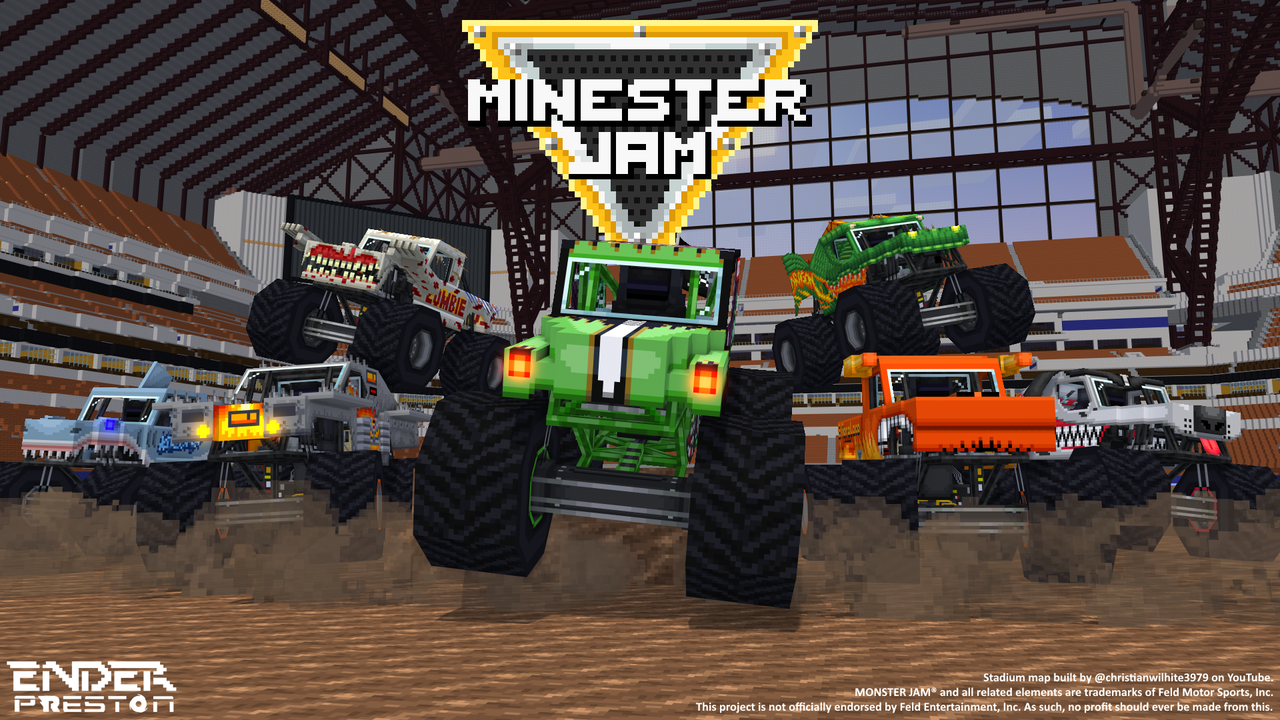 Minester Jam is a mod that adds several famous Monster Jam monster trucks to Minecraft, as well as crush cars, new materials, and more!
Getting Started:
In order to craft the trucks, you'll need two new materials: Rubber and Fiberglass. To get Rubber, you'll need a Rubber Tap and a Bowl. Place the Rubber Tap on a Jungle tree, and then place a bowl inside of it. Wait for the bowl to fill up, and then you can collect the Raw Rubber from the tap. Lastly, smelt the Raw Rubber in a furnace to get Rubber. 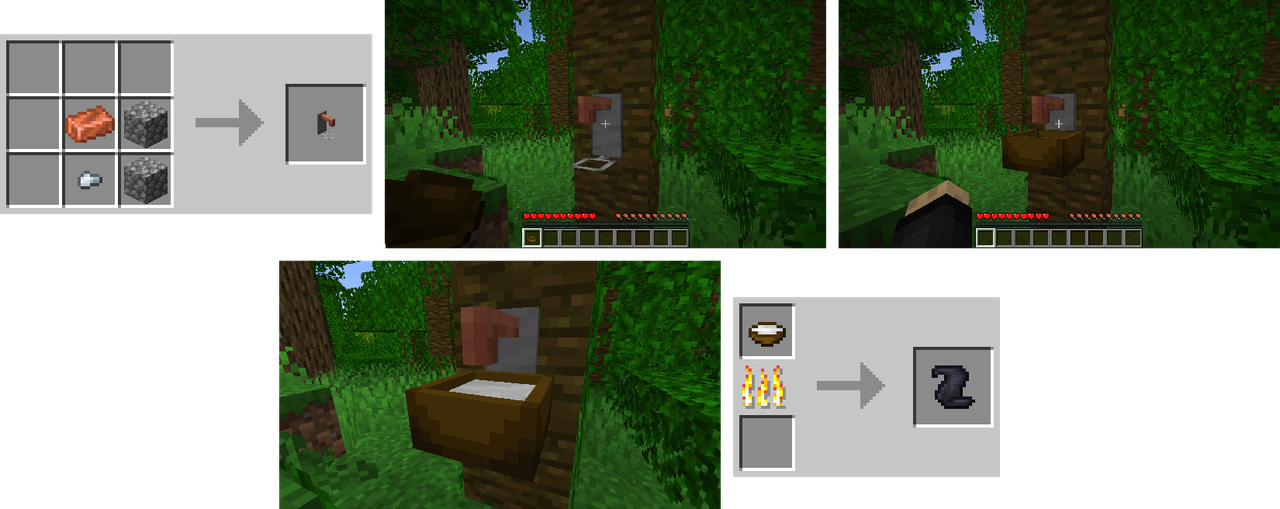 To get Fiberglass, you first need to craft clay and sand together to get Fiberglass Mixture. Then, the mixture can be smelted in a furnace to get Fiberglass.
 Besides these two materials, you'll also need a lot of iron and redstone. Once you've gathered all of your resources, you can start crafting the parts of your monster truck (the recipe book can help you with this part). Craft the rubber into Rubber Tires, craft the Rubber Tires into Monster Truck Tires, and then combine those into Monster Truck Axles. You're also gonna need a Monster Truck Engine and a Monster Truck Fuel Cell. Put all of those items together, and you'll have your very first Monster Truck! As for the fiberglass, that item is used to craft Fiberglass Templates, which are used to turn the bodyless monster trucks into Monster Jam trucks!
All of the most famous Monster Jam trucks are here, such as Grave Digger, Max-D, El Toro Loco, Monster Mutt, Megalodon, and more! I even added some famous independent trucks, such as Avenger and Excaliber! Is there a Monster Jam truck that you'd like to see get added? Feel free to let me know in my Discord server!
Project description from CurseForge.
Pick your setup
Choose the version and loader you play, then open the matching release.
Check the dependencies, then try the file in a copied instance before changing a world you care about.
Recent files
27 Nov 2026
27 Nov 2026
Looking for an older file? The official CurseForge project page is in Resources.
 mod
A continuation of my Still Life Addons this time in the Mediterranean Biomes.
 mod
Reskins Minecraft's screens and HUD in Create's style: 4 themes, including Vanilla.
 mod
A Hodgepodge of Fixes