Minecraft version
Back to mods 
CurseForge · Minecraft mod
Vox Brush
Paint any block or plant with a radial 30-color wheel and carve 12 surface patterns with the Vox's Brush.
Choose a version Pick your version below, then grab the matching file.
Quick answer
Which Vox Brush release matches 26.3 NeoForge?
beta file VoxPaint 2.0.0-26.3 (BETA - NeoForge)
Game version 26.3
Loader NeoForge
Vox Brush VoxPaint 2.0.0-26.3 (BETA - NeoForge) targets 26.3 with NeoForge. The project page does not say whether this file belongs on the client, dedicated server, or both. No extra mods listed for this file.
Where it goes
Is Vox Brush required on the client, server, or both?
The project page does not say whether this file belongs on the client, dedicated server, or both.
Client Source doesn’t say
Dedicated server Source doesn’t say
Loader for this release NeoForge
Required install it here Optional supported, not mandatory Not supported do not install here Source doesn’t say do not assume
The source does not explicitly classify this release as client-only or server-only.
What else does Vox Brush VoxPaint 2.0.0-26.3 (BETA - NeoForge) need?
VoxPaint 2.0.0-26.3 (BETA - NeoForge) on 26.3 NeoForge. Every mod below is checked against that same setup.
This file does not list any required mods. Do not add a library just because a different file uses it.
This file does not list any required or optional mods.
Before you install it
Add Vox Brush without breaking your instance.
Built for Vox Brush VoxPaint 2.0.0-26.3 (BETA - NeoForge) on 26.3 NeoForge. Pick another file and the loader, install side or required mods may change.
- 01
Stick to this file
Use VoxPaint 2.0.0-26.3 (BETA - NeoForge). It targets 26.3 with NeoForge; another release may have different loader, side or dependency requirements.
- 02
Bring the mods it needs
This file does not list any required mods. Do not add a library just because a different file uses it.
- 03
Put it on the correct side
The project page does not say whether this file belongs on the client, dedicated server, or both.
- 04
Pick the file you checked
Use the “Get this file” button beside VoxPaint 2.0.0-26.3 (BETA - NeoForge). It opens that exact file at the source.
About this project
What does Vox Brush add?
Paint & Chisel
Paint any block or plant in Minecraft 26.3 (including grass, flowers, leaves, stairs, and modded blocks) with a radial Color Wheel, and carve 12 surface patterns with the Artisan's Chisel.
🇧🇷 Versão em português mais abaixo.
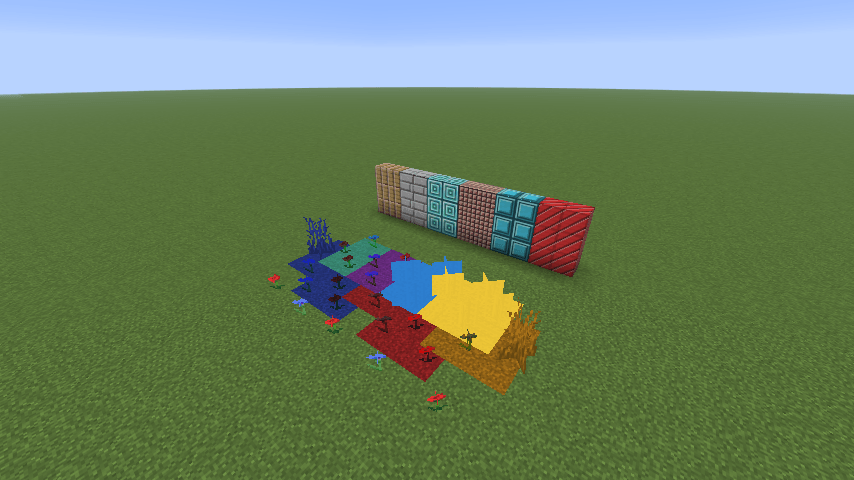
🖌️ Artisan's Brush
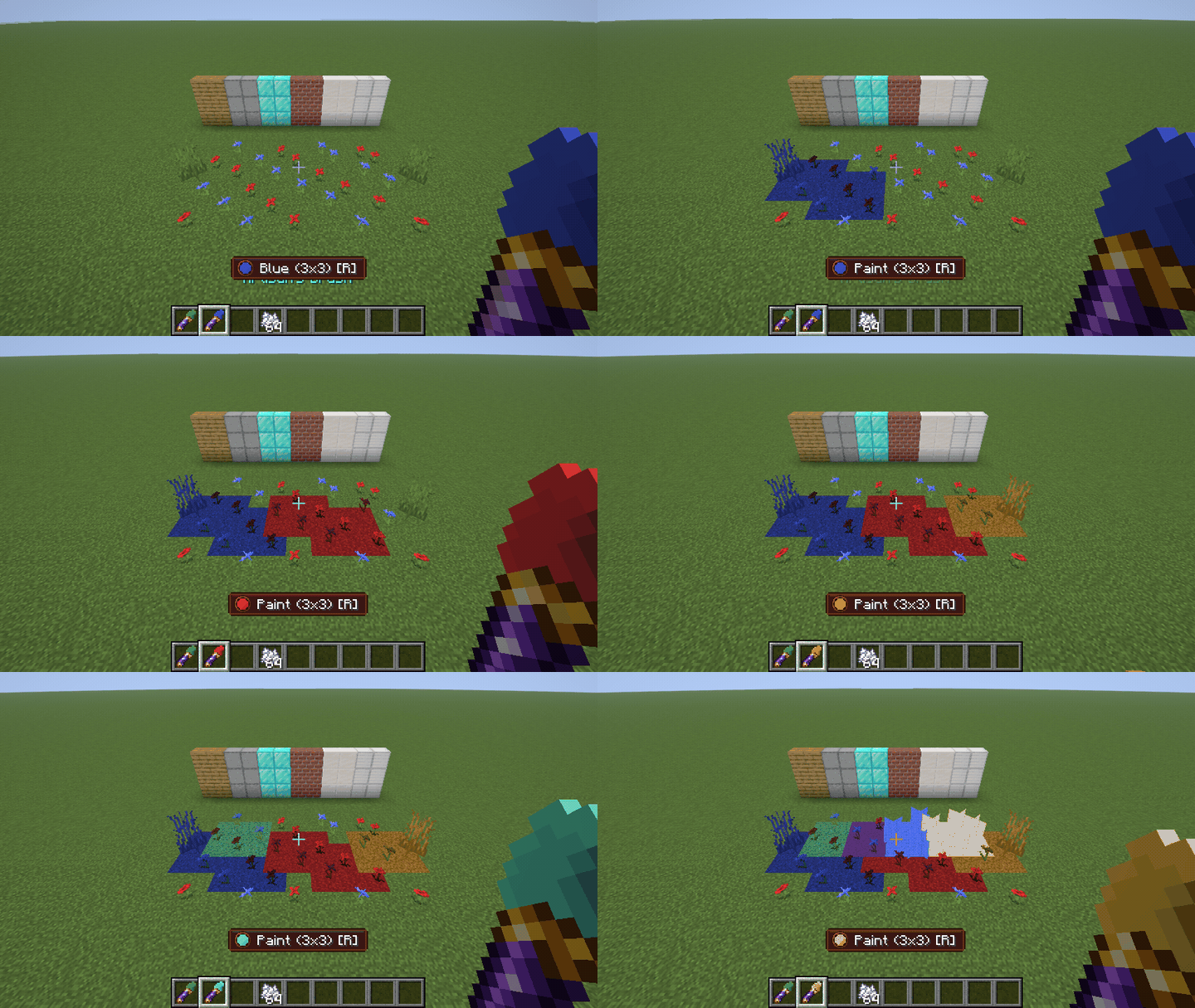
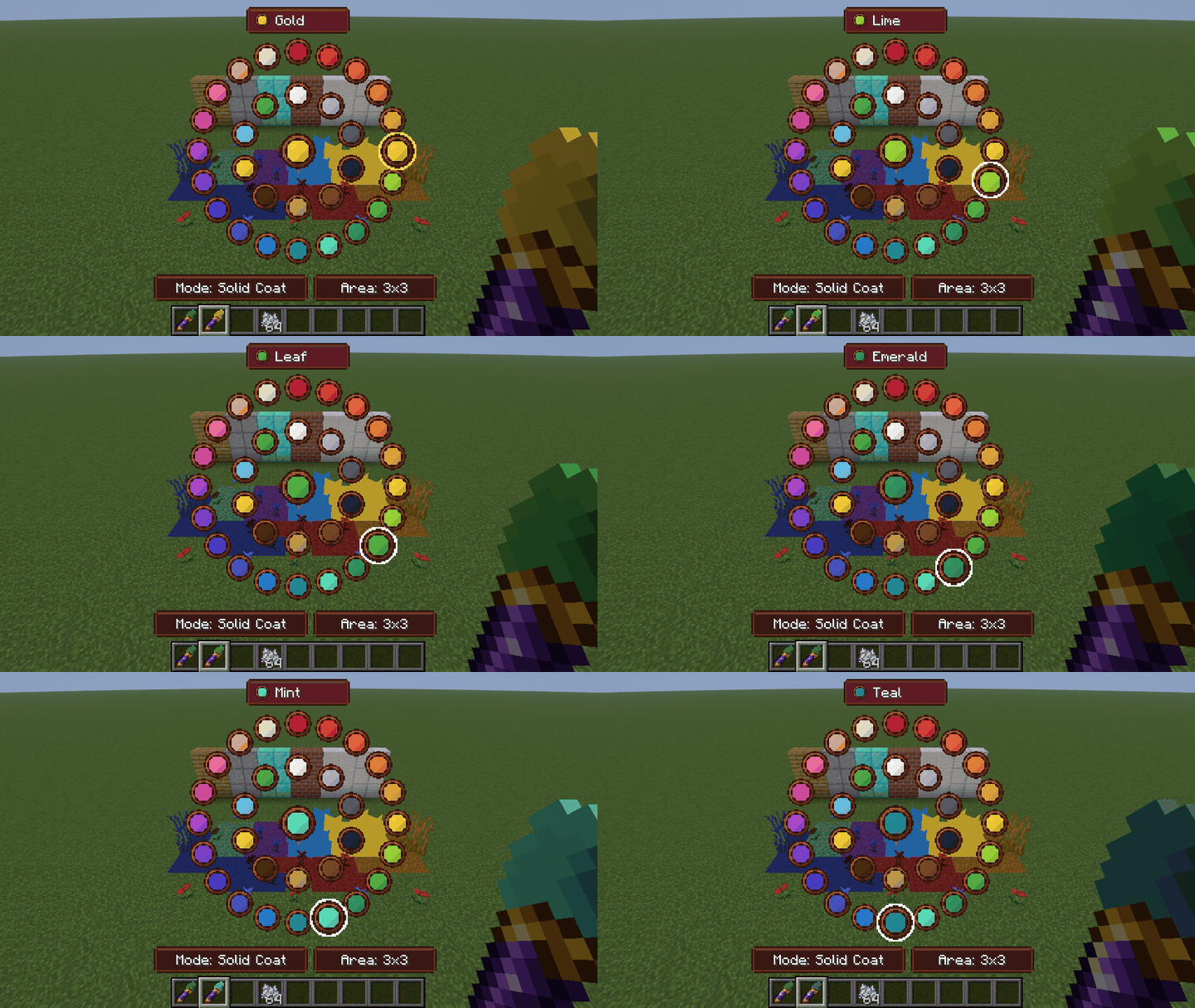
- Two-ring radial color wheel (30 colors + Clear) with smooth animations, clickable swatches, and scroll-wheel color cycling.
- Tint Mode keeps original block details; Solid Coat Mode gives a clean matte coat.
- Paints any block — grass, short/tall grass, flowers, leaves, stairs, slabs, chests, and modded machines without breaking
BlockEntitybehavior. - Animated purple & gold icon whose bristles dynamically match your active paint color.
🪨 Artisan's Chisel
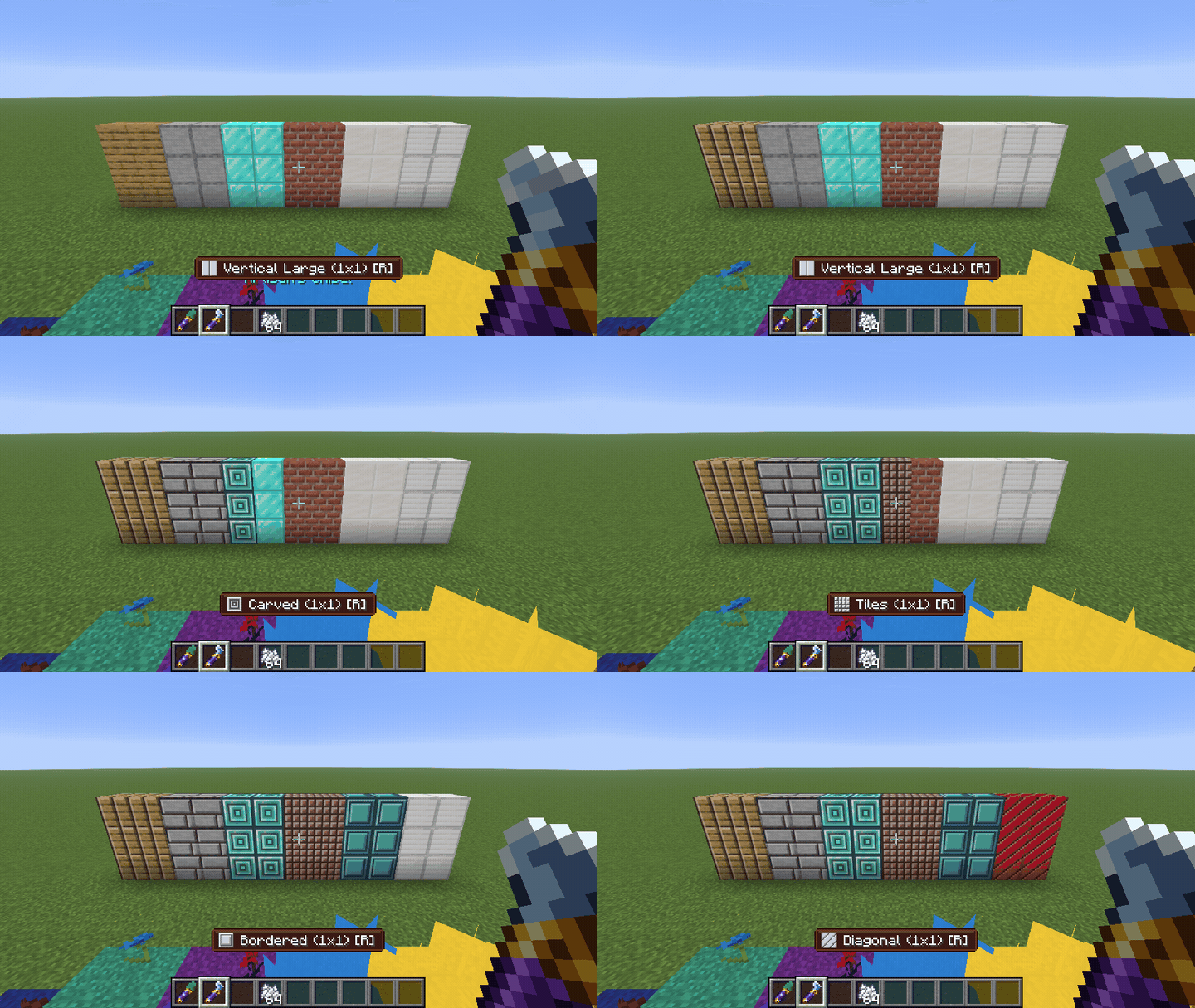
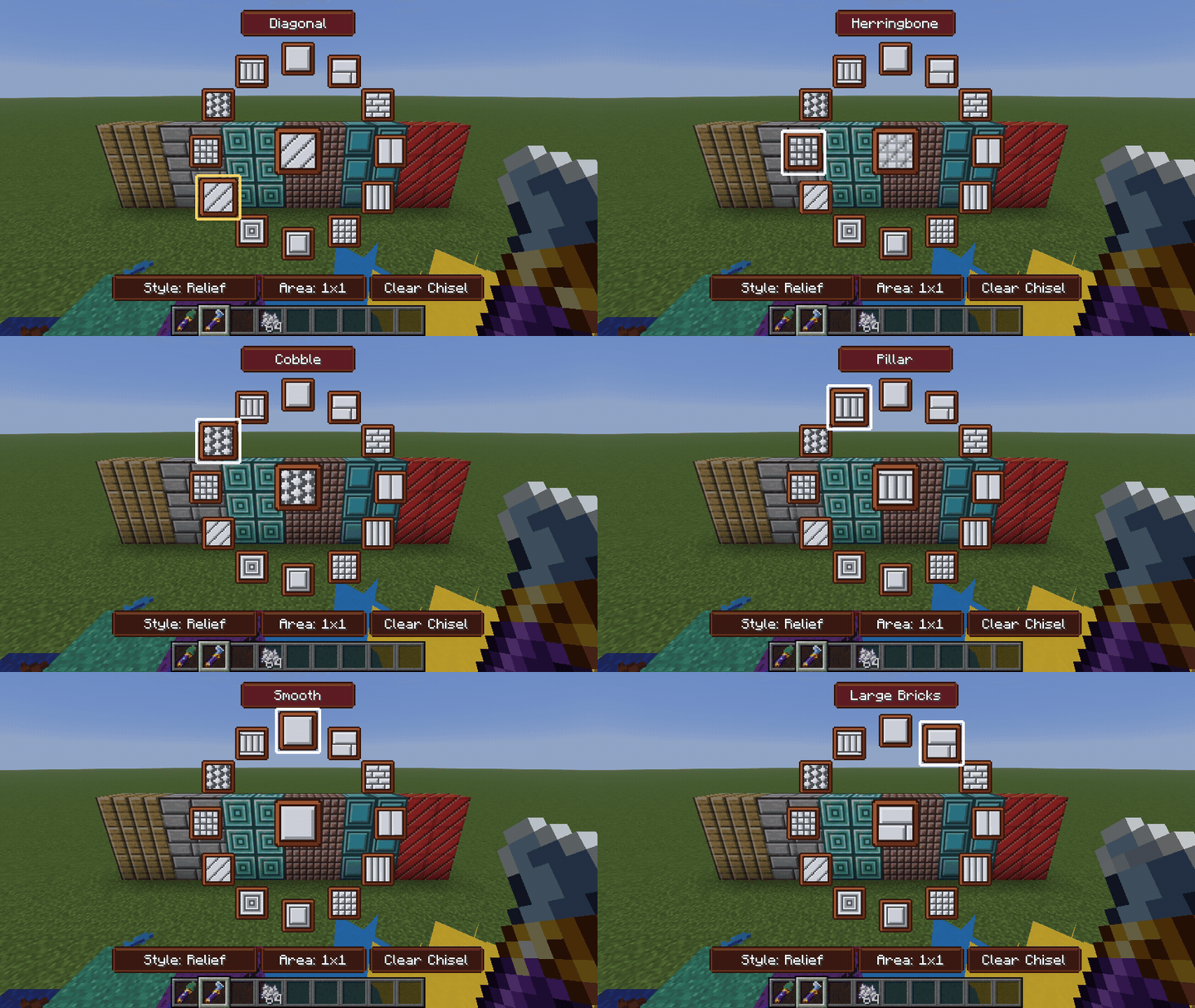
- Radial wheel with 12 patterns: Smooth, Large Bricks, Small Bricks, Vertical Large, Vertical Small, Tiles, Bordered, Carved, Diagonal, Herringbone, Cobble, and Pillar.
- Relief Style (default): overlays carved grooves and bevels on top of each block's real texture (wood stays wood, diamond stays diamond, modded blocks keep their look).
- Replace Style: resurfaces the base cleanly in the block's tone underneath the pattern.
- Combine freely: stack Brush paint and Chisel patterns on the same block!
✨ More
- Preservation: Silk Touch drops (configurable) and Creative Pick Block preserve paint and chisel data onto the
ItemStackwith an inventory badge and tooltip. - Modpack & Addon Friendly: Supports block tags (
#paintchisel:unpaintable,#paintchisel:unchiselable,#paintchisel:force_chiselable), datapack JSON palettes/patterns, server config options (dye cost, durability, max area), and a Java API (PaintChiselAPI,BlockPaintEvent,BlockChiselEvent).
✋ Controls & Crafting
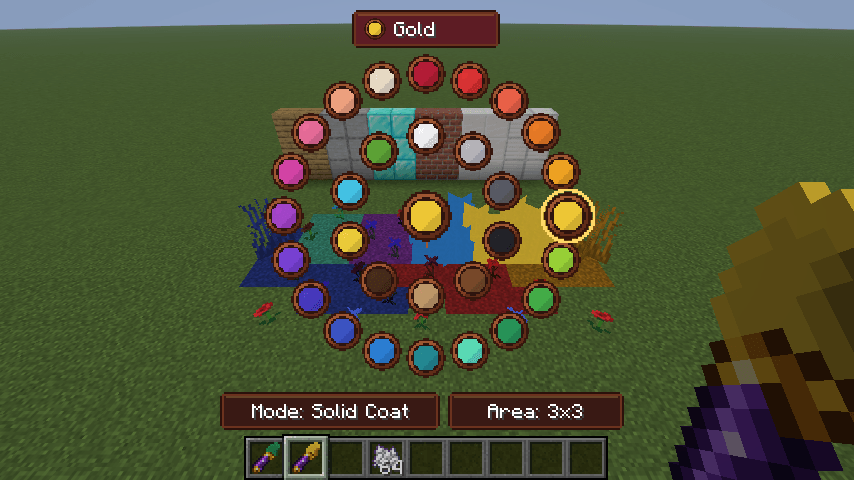
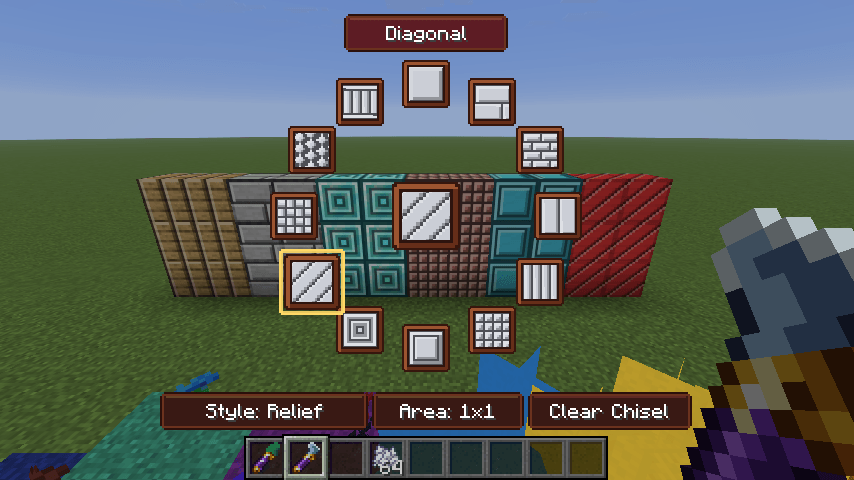
- R or Right-Click air: Open radial wheel (tap to keep open, hold & release to quick-pick, or click)
- Scroll inside wheel: Step through colors / patterns
- Shift + Scroll: Cycle area size (
1x1,3x3,5x5) - Right-Click block: Paint / chisel — also works on functional blocks (furnaces, machines, reactor controllers) without opening their menu
- Shift + Right-Click block: Eyedropper (copies color/mode or pattern/style)
- Late-Mid Game Recipes (Rare & Fire-Resistant):
- Artisan's Brush: Amethyst Shard + Wool + Diamond + Gold Ingot + Blaze Rod
- Artisan's Chisel: Gold Ingot + 2× Diamond + Amethyst Shard + Blaze Rod
🇧🇷 Em Português
Pinte qualquer bloco ou planta no Minecraft 26.3 (grama, flores, folhas, escadas e blocos de outros mods) com uma roda radial de cores e esculpa 12 padrões com o Cinzel do Artesão.
- Pincel do Artesão: 30 cores em 2 anéis, modo Tingir ou Tinta Sólida, cerdas animadas que mudam de cor e conta-gotas (
Shift + Clique Direito). Pinta também blocos com menu (fornalhas, máquinas, controladores de reator) sem abrir a interface. - Cinzel do Artesão: 12 padrões combináveis com tinta, alternando entre Estilo: Relevo (mantém a textura original de cada bloco) e Estilo: Sólido (base limpa no tom do bloco).
- Controles:
Rou clique direito no ar abre a roda;Scrollna roda troca de cor/padrão;Shift + Scrollmuda a área (1x1,3x3,5x5). - Compatível com mods: armazena os dados por chunk sem substituir blocos nem quebrar máquinas, com tags, JSON para datapacks e API Java para addons.
Project description from CurseForge.
Pick your setup
Vox Brush by Minecraft version and loader
Choose the version and loader you play, then open the matching release.
Check the dependencies, then try the file in a copied instance before changing a world you care about.
Recent files
Vox Brush versions and loaders
VoxPaint 2.0.0-26.3 (BETA - NeoForge)
voxpaint-2.0.0-26.3.jar
28 Nov 2026
Client Source doesn’t say Server Source doesn’t say Dependencies No extras listed Listed on Release listing
Check the 26.3 · NeoForge setup NeoForge26.3 beta
Looking for an older file? The official CurseForge project page is in Resources.
 mod
CurseForge · Minecraft
SpeedsterMC
Outstanding attention to detail, Tornadoes, Survival-Friendly, Phasing, Past & Future dimensions and many more! The mod is insipred by the CW Flash series. Try it yourself and see how good it is! Also works in multiplayer (One-way slowdown too)!
 mod
CurseForge · Minecraft
Recipick
When two recipes use the same ingredients, choose which result the crafting table makes. Your choice is remembered.
 mod
CurseForge · Minecraft
Tradewise
Shift-click a villager trade to repeat it until stock or payment runs out, search the trade list, and find any villager's trades again in a notebook.