
Minecraft version
Back to mods 
CurseForge · Minecraft mod
FPV: Overdrive
Absolute Next-Gen Experience FPV drone flight in Minecraft with FPV Overdrive.
Choose a version Pick your version below, then grab the matching file.
Quick answer
Which FPV: Overdrive release matches 1.20.1?
Best match for your filters fpvoverdrive-1.0.5.jar
Game version 1.20.1
Loader NeoForge
FPV: Overdrive fpvoverdrive-1.0.5.jar targets 1.20.1 with NeoForge. The project page does not say whether this file belongs on the client, dedicated server, or both. No extra mods listed for this file.
Where it goes
Is FPV: Overdrive required on the client, server, or both?
The project page does not say whether this file belongs on the client, dedicated server, or both.
Client Source doesn’t say
Dedicated server Source doesn’t say
Loader for this release NeoForge
Required install it here Optional supported, not mandatory Not supported do not install here Source doesn’t say do not assume
The source does not explicitly classify this release as client-only or server-only.
What else does FPV: Overdrive fpvoverdrive-1.0.5.jar need?
fpvoverdrive-1.0.5.jar on 1.20.1. Every mod below is checked against that same setup.
This file does not list any required mods. Do not add a library just because a different file uses it.
This file does not list any required or optional mods.
Before you install it
Add FPV: Overdrive without breaking your instance.
Built for FPV: Overdrive fpvoverdrive-1.0.5.jar on 1.20.1. Pick another file and the loader, install side or required mods may change.
- 01
Stick to this file
Use fpvoverdrive-1.0.5.jar. It targets 1.20.1 with NeoForge; another release may have different loader, side or dependency requirements.
- 02
Bring the mods it needs
This file does not list any required mods. Do not add a library just because a different file uses it.
- 03
Put it on the correct side
The project page does not say whether this file belongs on the client, dedicated server, or both.
- 04
Pick the file you checked
Use the “Get this file” button beside fpvoverdrive-1.0.5.jar. It opens that exact file at the source.
About this project
What does FPV: Overdrive add?
FPV Drones
Realistic FPV drones for Minecraft, built on a custom physics engine.


About
I got tired of how Minecraft handles physics, which is mostly by not handling it. So I wrote my own physics engine and built the drones on top of it. Flight, explosions and the fiber-optic cable all run on the same system, so they actually affect each other instead of being separate tricks bolted together.
What's in it
Explosions.
Explosions here aren't a sphere that deletes blocks. The blast goes through the physics engine: debris flies, things get shoved around, and no two explosions look the same.
The part I'm most proud of is the smoke. It's volumetric, with its own physics, in the spirit of smokes in CS2. It's a real volume that fills space, not a particle effect that plays and disappears. How it behaves depends on a lot of things: how big the blast was, how much open space is around, where the air can escape, and what's in the way.
Smoke respects blocks. If something blows up inside a house, the smoke stays inside the house. It fills the room, rolls along the ceiling, and only leaks out through an open door, a broken wall or a window you smashed. It never seeps through solid walls like in every other mod.
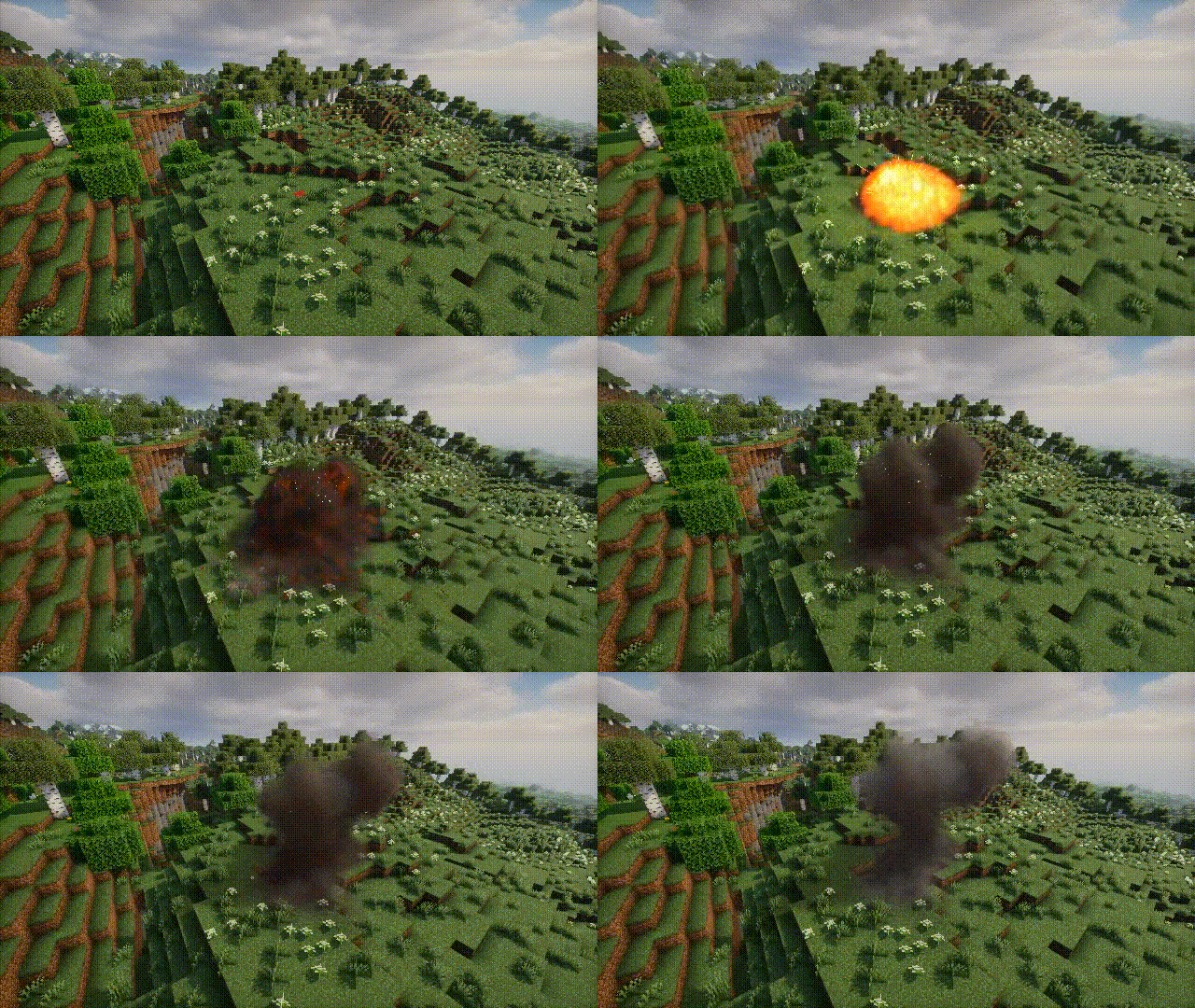 )
Fiber-optic cable. The drone drags a real cable behind it. It has tension and slack, it catches on blocks, and it snaps if you pull too hard. I haven't seen another Minecraft mod do this.
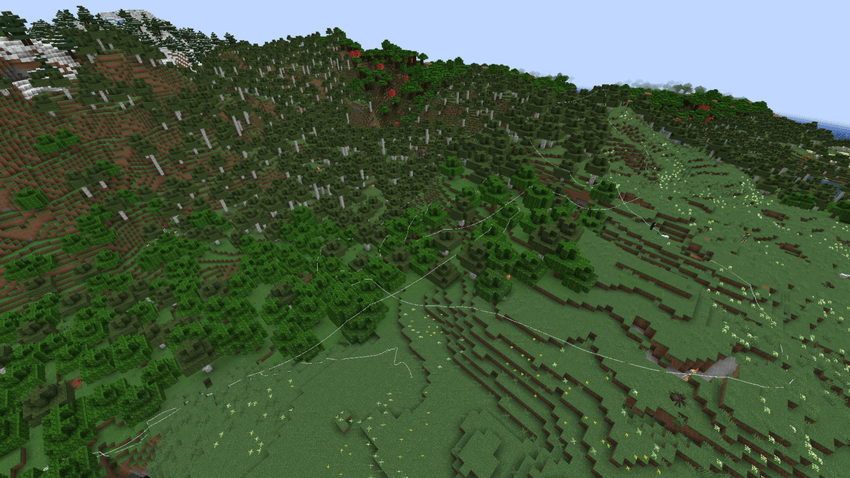
FPV flight. Real momentum. The drone doesn't stop on a dime or hover like a helicopter, and if you fly into a wall you'll feel it.
Status
Early version. Some models are still placeholders and there are bugs. If you find one, tell me in Discord, that's the fastest way to get it fixed.
Links
Videos and dev updates: youtube.com/@Litewer
Bug reports, suggestions, test builds: Discord
Installation
- Install NeoForge for Minecraft 1.21.1
- Put the
.jarinto yourmodsfolder - Launch the game
Made by
Project description from CurseForge.
Pick your setup
FPV: Overdrive by Minecraft version and loader
Choose the version and loader you play, then open the matching release.
Minecraft version
1.20.1
1 loader buildCheck the dependencies, then try the file in a copied instance before changing a world you care about.
Recent files
FPV: Overdrive versions and loaders
fpvoverdrive-1.0.5.jar
29 Nov 2026
Client Source doesn’t say Server Source doesn’t say Dependencies No extras listed Listed on Release listing
Check the 1.20.1 · NeoForge setup 1.20.1NeoForge release
Looking for an older file? The official CurseForge project page is in Resources.
 mod
CurseForge · Minecraft
Custom Sandwiches
Turn any food into custom sandwiches with ingredient-based hunger, saturation, and effects.
 mod
CurseForge · Minecraft
Croptopia Delight
This part of an extensive mod adds the integration of Croptopia recipes with Farmer's Delight and their addons.
 mod
CurseForge · Minecraft
Sons of Sins Bug Fixes
Non-invasive bug fixes, crash guards, compatibility, and performance optimizations for Sons of Sins.