TONI's Core Lib Needed by TONI's Tree Crafting 1.0.1 (NeoForge 26.3)
requiredMatching file found Matched file: TONI's Core Lib 1.0.3 (NeoForge 26.3)
CurseForge · Minecraft mod
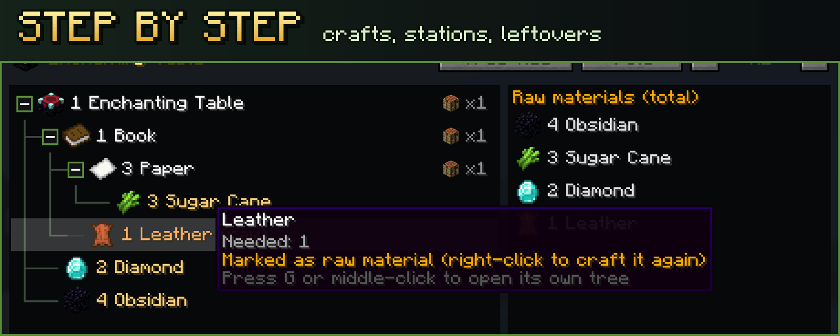
Press G on any item to see its whole crafting tree: a zoomable tree view, every step and station, the leftovers and the total raw materials you need. Client-side, works with JEI and with every mod.
Quick answer
TONI's Tree Crafting 1.0.1 (NeoForge 26.3) targets 26.3 with NeoForge. The project page does not say whether this file belongs on the client, dedicated server, or both. All 1 required mods have matching files.
Where it goes
The project page does not say whether this file belongs on the client, dedicated server, or both.
The source does not explicitly classify this release as client-only or server-only.
TONI's Tree Crafting 1.0.1 (NeoForge 26.3). Change the file and its required mods may change too.
Install TONI's Core Lib first. We found matching files for this game-version and loader setup.
We only count dependency files that match this setup. A file for another loader does not fill the gap.
Before you install it
Built for TONI's Tree Crafting 1.0.1 (NeoForge 26.3). Pick another file and the loader, install side or required mods may change.
Use TONI's Tree Crafting 1.0.1 (NeoForge 26.3). It targets 26.3 with NeoForge; another release may have different loader, side or dependency requirements.
Install TONI's Core Lib first. We found matching files for this game-version and loader setup.
The project page does not say whether this file belongs on the client, dedicated server, or both.
Use the “Get this file” button beside TONI's Tree Crafting 1.0.1 (NeoForge 26.3). It opens that exact file at the source.
About this project
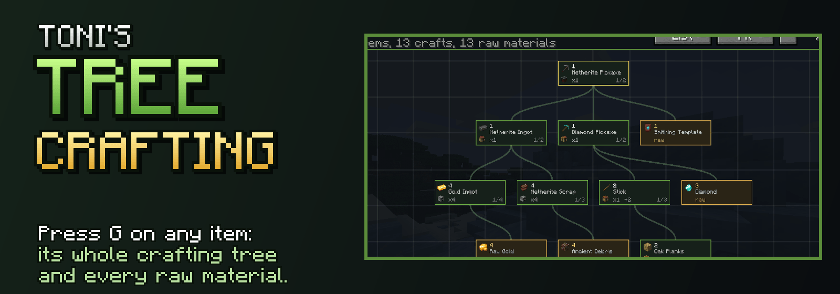
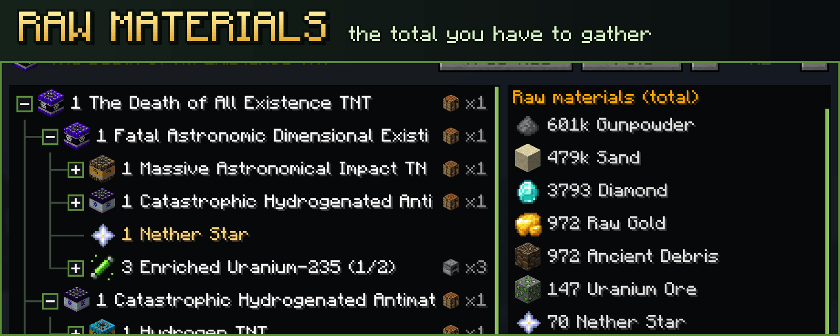
Press G on any item and see its whole crafting tree. Every intermediate step, how many crafts each one needs, which station, the leftovers, and the total raw materials you have to gather. From a torch to the biggest modded craft in your pack.
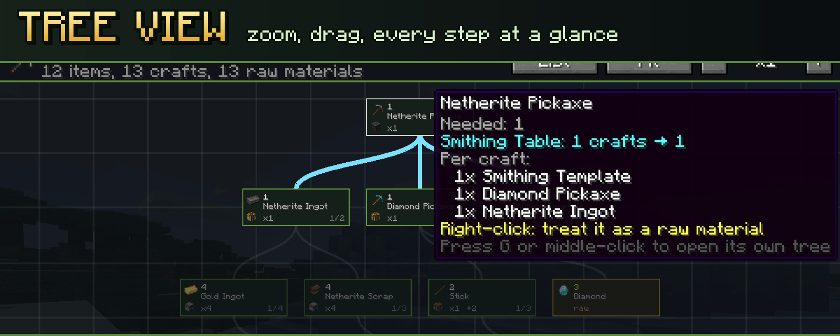
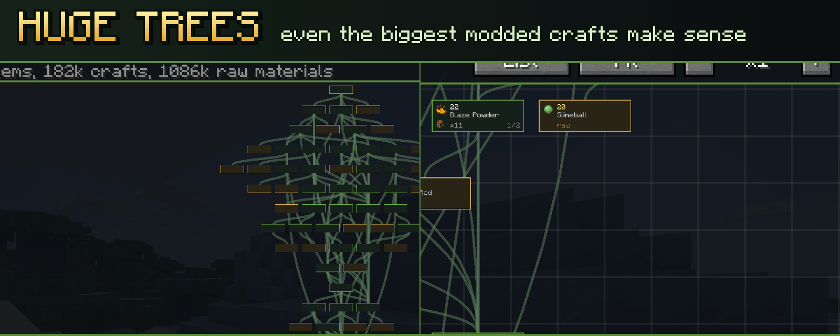
Made for modpacks: the screenshots show The Death of All Existence TNT from TNT Expansion, a tree of 58 different items and 22 levels, laid out so you can follow it step by step.
Out now for NeoForge 1.21.1. More loaders and Minecraft versions are coming very soon.
Join the Discord for news and suggestions: discord.com/invite/4YAxqzxgBd
Project description from CurseForge.
Pick your setup
Choose the version and loader you play, then open the matching release.
Showing the newest 12 of 31 game versions. Older files are in the list below.
Check the dependencies, then try the file in a copied instance before changing a world you care about.
Recent files
tonitreecrafting-1.0.1-neoforge-26.3.jar
28 Nov 2026
tonitreecrafting-1.0.1-neoforge-26.2.jar
28 Nov 2026
tonitreecrafting-1.0.1-neoforge-26.1.2.jar
28 Nov 2026
tonitreecrafting-1.0.1-neoforge-26.1.1.jar
28 Nov 2026
tonitreecrafting-1.0.1-neoforge-26.1.jar
28 Nov 2026
tonitreecrafting-1.0.1-neoforge-1.21.11.jar
28 Nov 2026
tonitreecrafting-1.0.1-neoforge-1.21.10.jar
28 Nov 2026
tonitreecrafting-1.0.1-neoforge-1.21.9.jar
28 Nov 2026
tonitreecrafting-1.0.1-neoforge-1.21.8.jar
28 Nov 2026
tonitreecrafting-1.0.1-neoforge-1.21.7.jar
28 Nov 2026
tonitreecrafting-1.0.1-neoforge-1.21.6.jar
28 Nov 2026
tonitreecrafting-1.0.1-neoforge-1.21.5.jar
28 Nov 2026
Looking for an older file? The official CurseForge project page is in Resources.
 mod
A mod for Minecraft helping control input method
 mod
Recursive auto-crafting: put in the materials, pick any item and get it. Thousands of intermediate crafts done for you, real recipe cost.
 mod
A villager trading & enchantment rebalance: stop rerolling lecterns and explore dungeons for Trading Manuals.