Minecraft version
Back to mods 
CurseForge · Minecraft mod
Paint World
Draw on blocks,players and mobs with dyes, then wash the paint off with water.
Choose a version Pick your version below, then grab the matching file.
Quick answer
Which Paint World release should I use?
Latest stable file paintmod26.2.jar
Game version 26.2
Loader Fabric
Paint World paintmod26.2.jar targets 26.2 with Fabric. The project page does not say whether this file belongs on the client, dedicated server, or both. No extra mods listed for this file.
Where it goes
Is Paint World required on the client, server, or both?
The project page does not say whether this file belongs on the client, dedicated server, or both.
Client Source doesn’t say
Dedicated server Source doesn’t say
Loader for this release Fabric
Required install it here Optional supported, not mandatory Not supported do not install here Source doesn’t say do not assume
The source does not explicitly classify this release as client-only or server-only.
What else does Paint World paintmod26.2.jar need?
paintmod26.2.jar. Change the file and its required mods may change too.
This file does not list any required mods. Do not add a library just because a different file uses it.
This file does not list any required or optional mods.
Before you install it
Add Paint World without breaking your instance.
Built for Paint World paintmod26.2.jar. Pick another file and the loader, install side or required mods may change.
- 01
Stick to this file
Use paintmod26.2.jar. It targets 26.2 with Fabric; another release may have different loader, side or dependency requirements.
- 02
Bring the mods it needs
This file does not list any required mods. Do not add a library just because a different file uses it.
- 03
Put it on the correct side
The project page does not say whether this file belongs on the client, dedicated server, or both.
- 04
Pick the file you checked
Use the “Get this file” button beside paintmod26.2.jar. It opens that exact file at the source.
About this project
What does Paint World add?
Paint lets you turn any dye into a paintbrush. Just hold a dye in your hand and draw on blocks and mobs anywhere in your world. Every dye has its own color, so you can paint whatever you like. You can draw for a couple of seconds, then the paint needs a short rest. Made a mistake? Use a water bucket on a painted block or mob to wash it off, or sneak and use the bucket to clean everything around you. Water also washes paint away on its own. Your drawings are saved with your world and work in multiplayer. Have fun drawing!
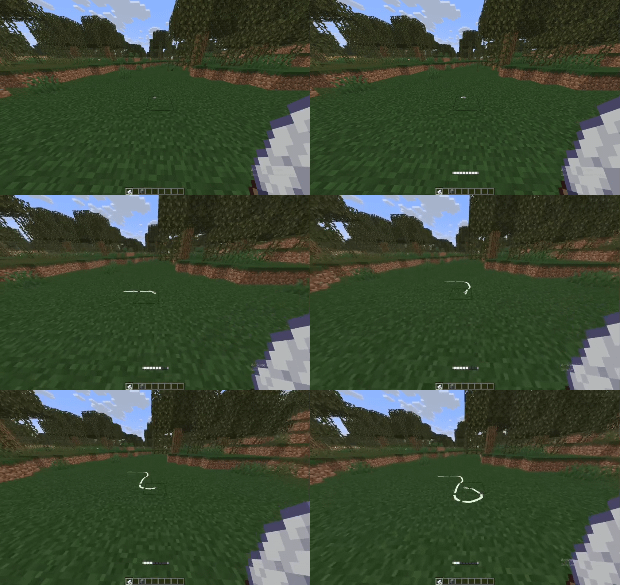
Pick a dye, aim, and draw.
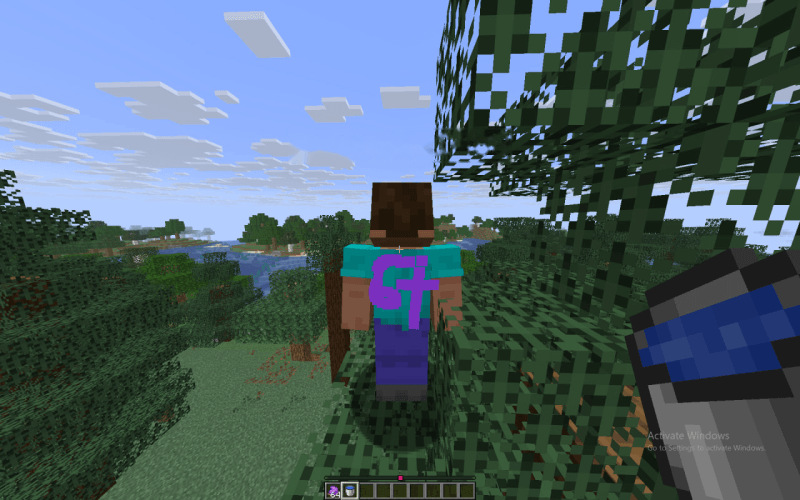
Paint works on mobs and players too, not only on blocks.
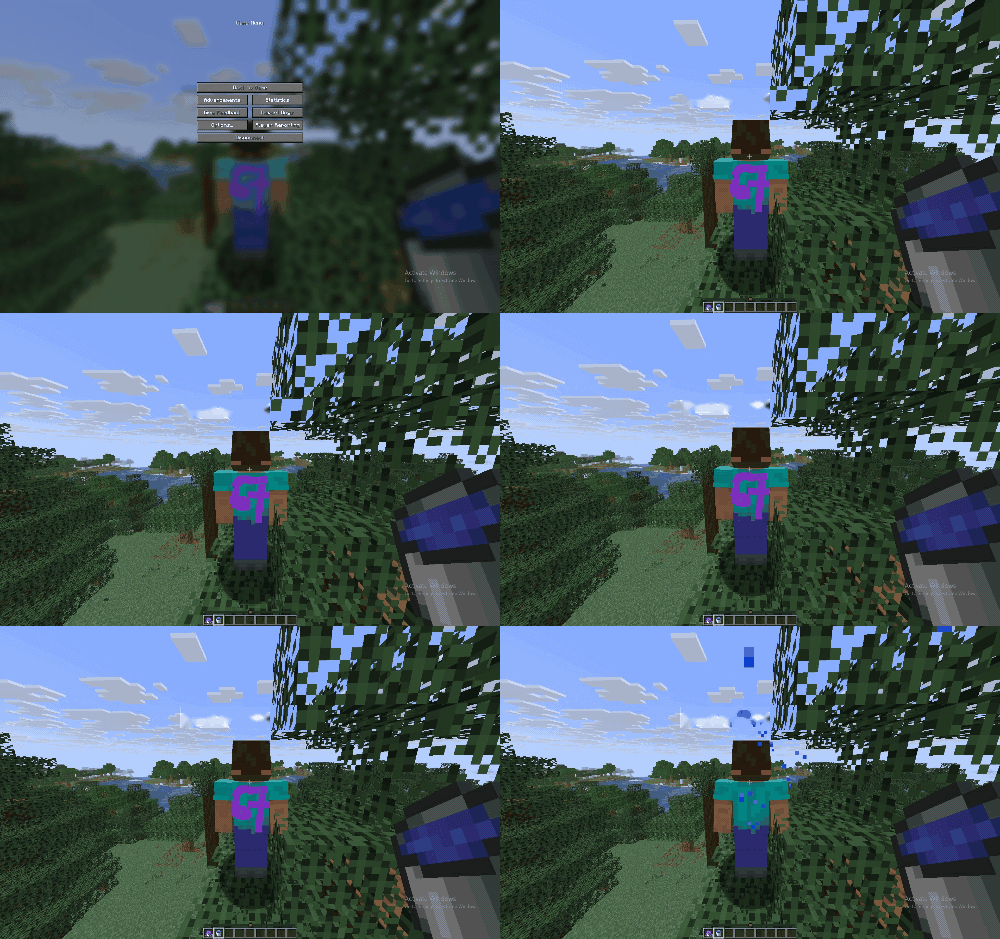
Made a mistake? Wash it off with a bucket of water.
Project description from CurseForge.
Pick your setup
Paint World by Minecraft version and loader
Choose the version and loader you play, then open the matching release.
Minecraft version
26.2
1 loader buildMinecraft version
1.21.11
1 loader buildMinecraft version
1.21.10
1 loader buildMinecraft version
1.21.1
1 loader buildMinecraft version
1.20.1
1 loader buildCheck the dependencies, then try the file in a copied instance before changing a world you care about.
Recent files
Paint World versions and loaders
paintmod26.2.jar
29 Nov 2026
Client Source doesn’t say Server Source doesn’t say Dependencies No extras listed Listed on Release listing
Check the 26.2 · Fabric setup Fabric26.2 release
paintmod26.3.jar
28 Nov 2026
Client Source doesn’t say Server Source doesn’t say Dependencies No extras listed Listed on Release listing
Check the 26.3 · Fabric setup Fabric26.3 release
paintmod1.20.1.jar
28 Nov 2026
Client Source doesn’t say Server Source doesn’t say Dependencies No extras listed Listed on Release listing
Check the 1.20.1 · Fabric setup Fabric1.20.1 release
paintmod1.21.11 - 1.1.jar
paintmod1.21.11-1.1.jar
28 Nov 2026
Client Source doesn’t say Server Source doesn’t say Dependencies No extras listed Listed on Release listing
Check the 1.21.11 · Fabric setup Fabric1.21.11 release
paintmod1.21.10 - 1.1.jar
paintmod1.21.10.jar
28 Nov 2026
Client Source doesn’t say Server Source doesn’t say Dependencies No extras listed Listed on Release listing
Check the 1.21.10 · Fabric setup Fabric1.21.10 release
paintmod1.21.1.jar
28 Nov 2026
Client Source doesn’t say Server Source doesn’t say Dependencies No extras listed Listed on Release listing
Check the 1.21.1 · Fabric setup Fabric1.21.1 release
paintmod-1.21.10.jar
28 Nov 2026
Client Source doesn’t say Server Source doesn’t say Dependencies No extras listed Listed on Release listing
Check the 1.21.10 · Fabric setup Fabric1.21.10 release
paintmod-1.0.0.jar
27 Nov 2026
Client Source doesn’t say Server Source doesn’t say Dependencies No extras listed Listed on Release listing
Check the 1.21.11 · Fabric setup Fabric1.21.11 release
Looking for an older file? The official CurseForge project page is in Resources.
 mod
CurseForge + Modrinth · Minecraft
Carpet PRY Addition
A Carpet Mod (fabric-carpet) extension that contains some useful functions for Improve the experience
 mod
CurseForge · Minecraft
Sons of Sins Bug Fixes
Non-invasive bug fixes, crash guards, compatibility, and performance optimizations for Sons of Sins.
 mod
CurseForge · Minecraft
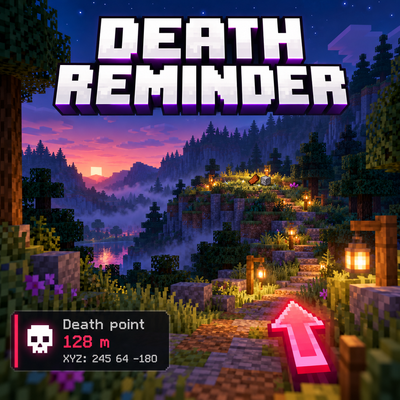
Death Reminder
Saves your last death location and guides you back with a compact HUD, directional arrow, and live distance. Client-side mod with persistent markers for each world or server.