Simple Voice Chat Needed by VenueSound v1.0.0 (1.20.1)
requiredMatching file found Matched file: [FABRIC][1.20.1] Simple Voice Chat 1.20.1-2.6.27

CurseForge · Minecraft mod
A real venue sound system: wireless mics, mixing consoles, amplifiers and PA speakers, cabled socket to socket. Built on Simple Voice Chat.
Quick answer
VenueSound v1.0.0 (1.20.1) targets 1.20.1, 1.20 with Fabric. The project page does not say whether this file belongs on the client, dedicated server, or both. All 2 required mods have matching files.
Where it goes
The project page does not say whether this file belongs on the client, dedicated server, or both.
The source does not explicitly classify this release as client-only or server-only.
VenueSound v1.0.0 (1.20.1). Change the file and its required mods may change too.
Install Simple Voice Chat, Fabric API first. We found matching files for this game-version and loader setup. 7 come through another mod in the chain.
7 extra mods were pulled in by other dependencies. Indented rows show who needs each one. We only count dependency files that match this setup. A file for another loader does not fill the gap.
Before you install it
Built for VenueSound v1.0.0 (1.20.1). Pick another file and the loader, install side or required mods may change.
Use VenueSound v1.0.0 (1.20.1). It targets 1.20.1, 1.20 with Fabric; another release may have different loader, side or dependency requirements.
Install Simple Voice Chat, Fabric API first. We found matching files for this game-version and loader setup. 7 come through another mod in the chain.
The project page does not say whether this file belongs on the client, dedicated server, or both.
Use the “Get this file” button beside VenueSound v1.0.0 (1.20.1). It opens that exact file at the source.
About this project






⬇️ Download · Website · User guide · Quick start · Devices · FAQ · What's new · 中文 · Report a problem
VenueSound puts a real concert sound system into Minecraft. Sing into a wireless mic, and your voice goes through a receiver, along cables you can see, into a mixing console with gain, EQ, aux sends and effects, through a power amplifier and out of the PA speakers, heard by every player from where they stand. Every knob, fader, switch and socket is used right on the model, with a right-click or the mouse wheel. Built on Simple Voice Chat.
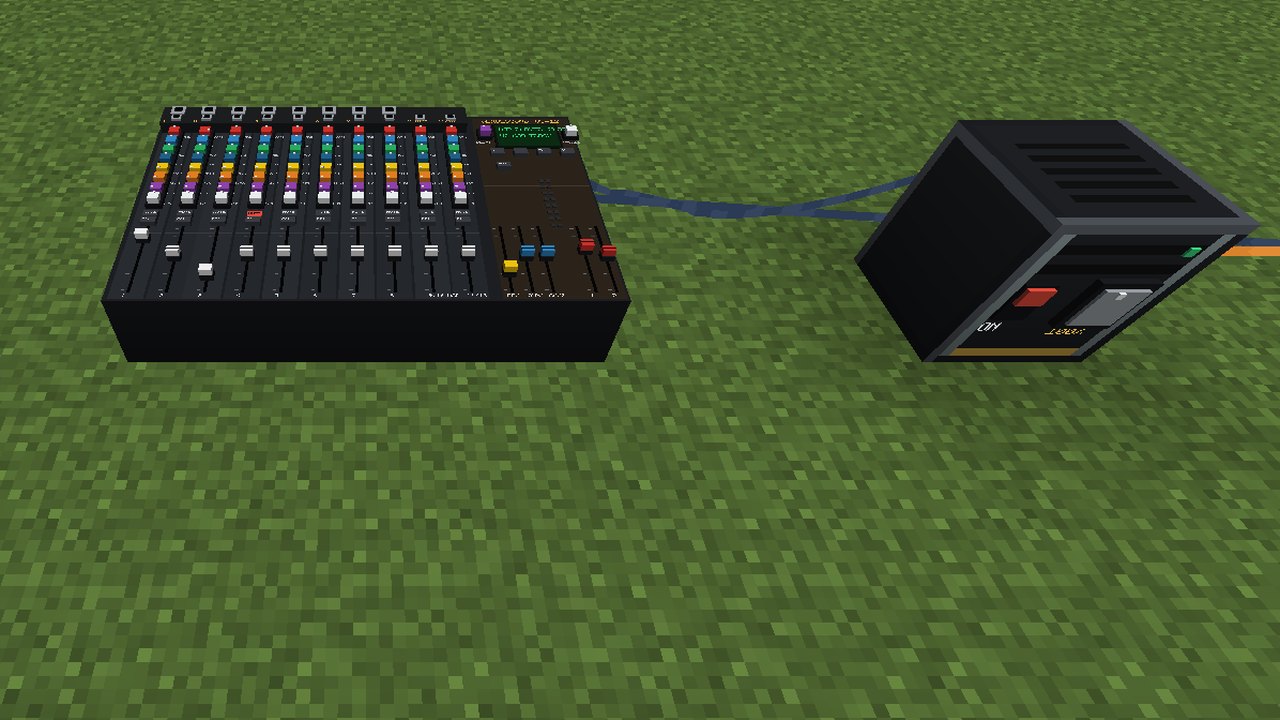 <sub>The VS-12 console in game. Every control works: hold right-click on a fader and move the crosshair, or scroll.</sub>
Three steps: 1. install Fabric API, Simple Voice Chat and VenueSound · 2. place a console, an amplifier and two speakers and cable them up · 3. hold a wireless mic on the receiver's channel and talk.
Theatres, concerts and talent shows are some of the most popular things to build in Minecraft, but the sound has always been the weak part: voice chat fades out a few blocks from the stage, and nothing behaves like real audio equipment. VenueSound makes the sound system as real as the building around it, so a show in Minecraft is run the way a real one is: patch the inputs, set the gain, ride the faders, send monitors to the stage.
üé§ Wireless / headset / lavalier mic ‚îÄradio‚îÄ‚ñ∂ üì° Receiver ‚îÄ‚îê
üéôÔ∏è Stand, gooseneck and choir mics ‚îÄ‚îÄ‚îÄ‚îÄ‚îÄ‚îÄ‚îÄ‚îÄ‚îÄ‚îÄ‚îÄ‚îÄ‚îÄ‚îÄ‚îÄ‚îÄ‚îÄ‚îÄ‚îÄ‚îÄ‚îÄ‚îÄ‚îÄ‚î§ üéõÔ∏è EQ ¬∑ compressor ¬∑ effects ¬∑ crossover
üíø Media deck ¬∑ üì∫ Video capture ‚îÄ‚îÄ‚îÄ‚îÄ‚îÄ‚îÄ‚îÄ‚îÄ‚îÄ‚îÄ‚îÄ‚îÄ‚îÄ‚îÄ‚îÄ‚îÄ‚îÄ‚îÄ‚îÄ‚îÄ‚îÄ‚îÄ‚îÄ‚îÄ‚îÄ‚îÄ‚î§ ‚îÇ
üîå Stage box ‚ïê‚ïê multicore snake ‚ïê‚ïê‚ïê‚ïê‚ïê‚ïê‚ïê‚ïê‚ïê‚ïê‚ïê‚ïê‚ïê‚ïê‚ïê‚ïê‚ïê‚ïê‚ïê‚ïê‚ïê‚ïê‚ïê‚ïê‚ïê‚ïê‚ïê‚îÄ‚îÄ‚ñ∂ üéöÔ∏è Console ‚îÄ‚îÄ‚ñ∂ üîä Amplifier ‚îÄ‚îÄ‚ñ∂ üîà Speakers
│ AUX ──▶ wedges · in-ear monitors
Signal only flows along cables you plug in, socket to socket, and every device is used directly on its model. Full details: signal chain guide.

| Group | Devices |
|---|---|
| Sources | Wireless mic (16 channels), headset and lavalier mics you wear, stand, gooseneck podium and hanging choir mics, media deck (mp3/wav), video capture zone for WATERFrAMES screens |
| Mixing | VS-12 console (8 mono + 2 stereo, 3√ó2 blocks), VS-24 console (16 mono + 4 stereo, 5√ó2 blocks): gain, peak LED, HI/MID/LOW EQ, AUX 1/2, EFX, pan, mute, PFL, faders, USB player, meters |
| Rack | Power amplifier, graphic EQ, compressor/limiter, effects processor, crossover, power sequencer, rack cabinet |
| Speakers | Line array module, flown line array with truss point, PA cabinet, 4√ó6 concert stack, floor wedge, subwoofer, in-ear monitor transmitter and earpiece |
| Cabling | XLR mic cable, speaker cable, multicore snake, stage box (8/16 ch), wall outlet, DI box, cable clips, cable reel |
Every device: device guide.
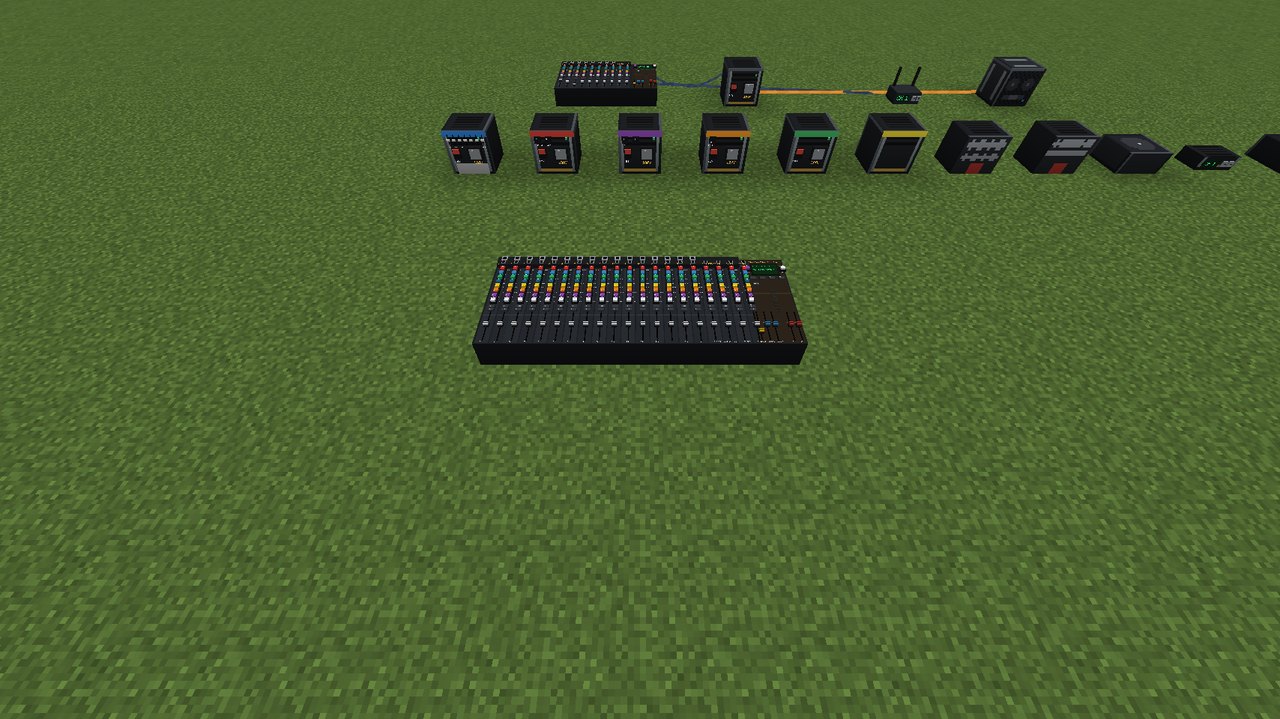 |
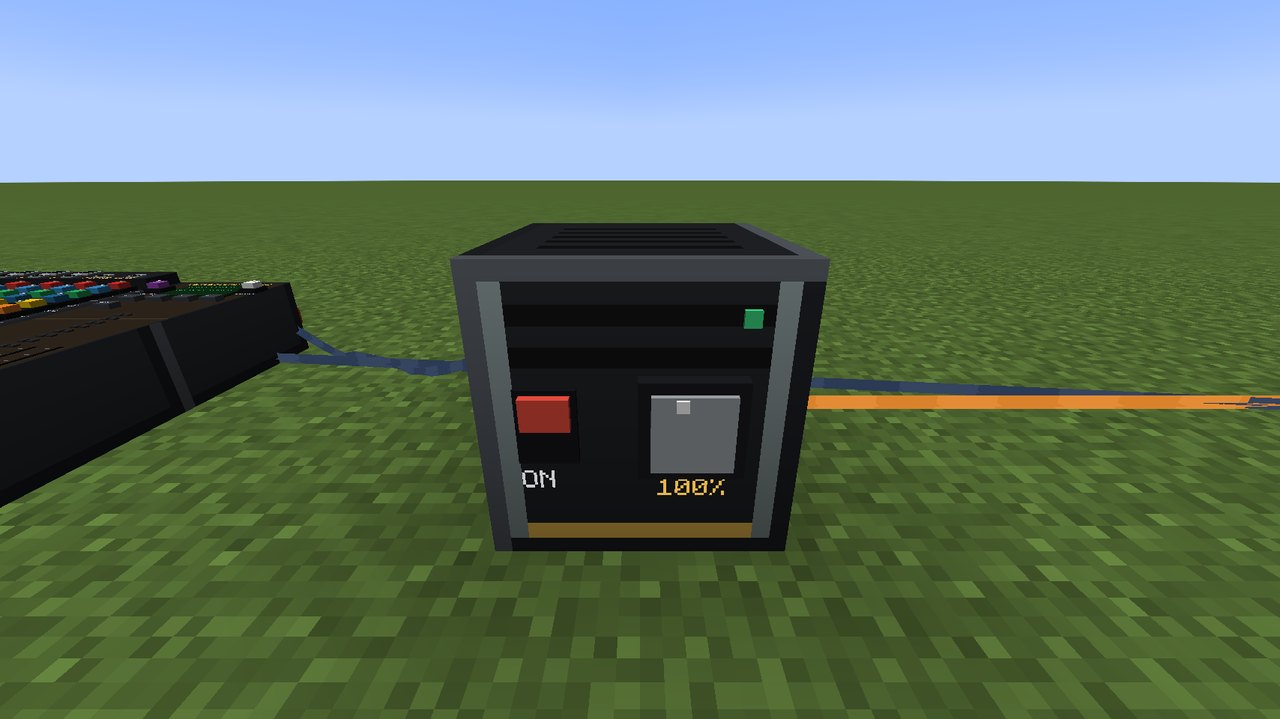 |
|---|---|
| <sub>VS-24: twenty channel strips</sub> | <sub>Power amplifier: power switch and level knob</sub> |
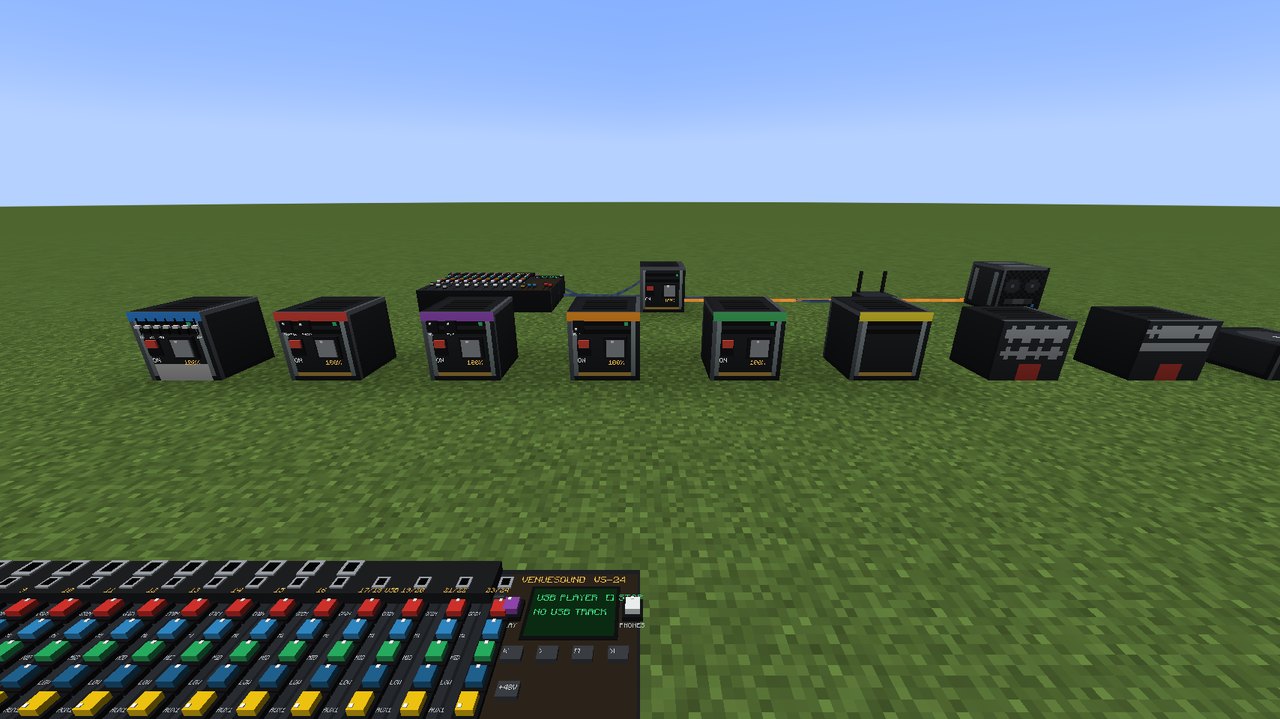 |
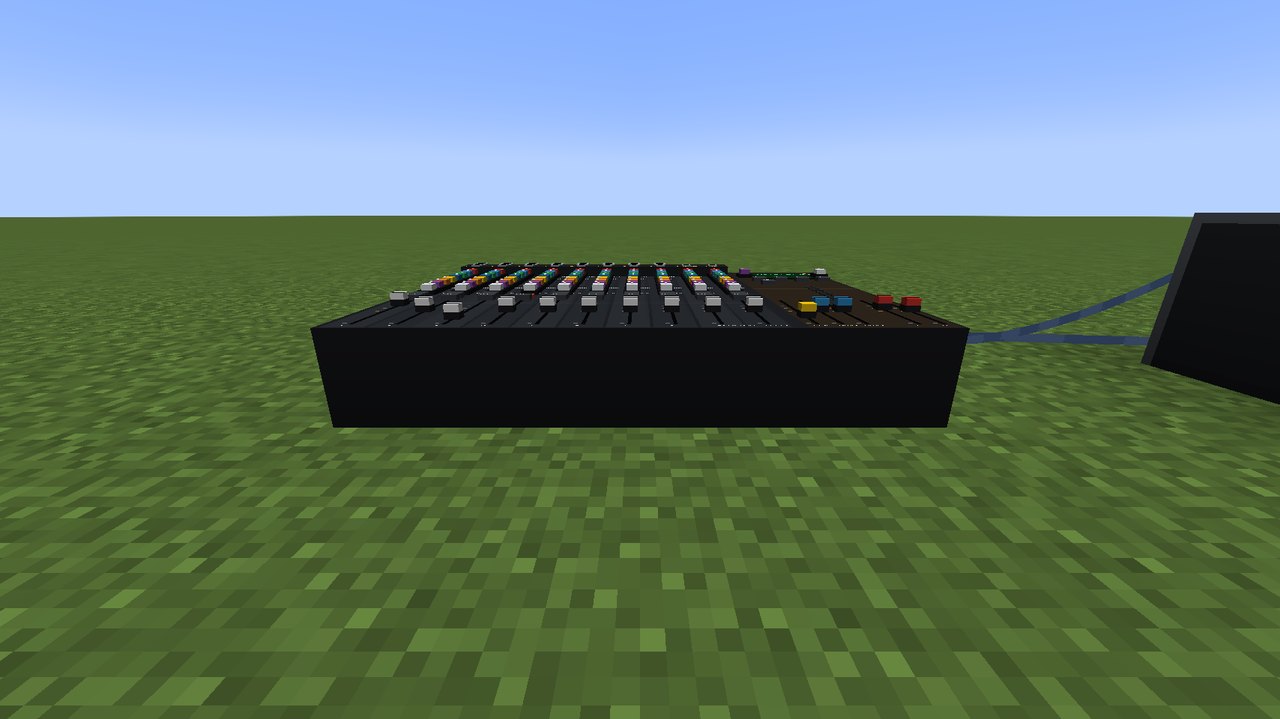 |
| <sub>Rack gear and microphones</sub> | <sub>Input (blue) and output (red) sockets on the console's front</sub> |
mods/.Step by step with pictures: getting started.
Not in Minecraft right now? VenueSound Workbench is a small desktop app with the same devices, controls and signal engine. Build a system, run cables, drag faders, and hear it: your computer's microphone and music files go through the console and out of the speakers in stereo, from where you stand.
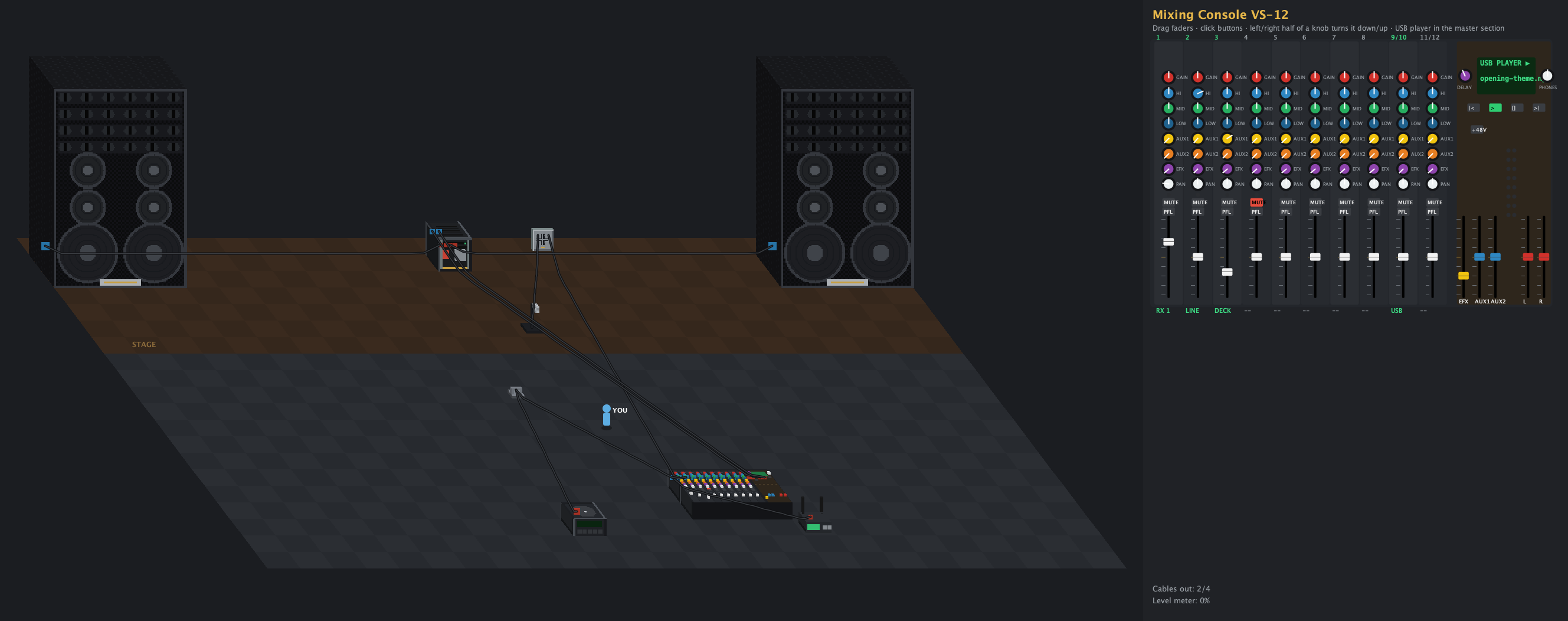
java -jar venuesound-workbench.jar
Guide: Workbench.
Do other players need the mod? Yes, on both client and server (they see the devices and cables), together with Simple Voice Chat.
Can screens from WATERFrAMES play through the speakers? Their volume can: put them in a video capture zone and their sound follows the console's faders and mutes and is loud near the speakers. Their audio is played by each player's own computer outside Minecraft's sound engine, so it can't come from the speakers' direction.
A cable is refused with "would go through a wall". Cables rest on low obstacles but can't pass through walls. Run the cable along cable clips around the wall.
I can't hear anything. Check the chain in order: mic channel = receiver channel, receiver ‚Üí console input, that strip's fader and the MAIN faders up, mute off, amplifier on, speakers on, you within the speakers' coverage. More: troubleshooting.
Java 17:
./gradlew build            # the mod: build/libs/
./gradlew :workbench:jar   # the Workbench: workbench/build/libs/
./gradlew runClient -Pselftest=true   # places every device in a test world and saves screenshots
Textures and the images in docs/ are generated by the scripts in tools/. Contributions are welcome: see CONTRIBUTING.md.
Project description from CurseForge.
Pick your setup
Choose the version and loader you play, then open the matching release.
Check the dependencies, then try the file in a copied instance before changing a world you care about.
Recent files
venuesound-1.0.0-mc1.20.1.jar
28 Nov 2026
venuesound-1.0.0-mc1.21.1.jar
28 Nov 2026
venuesound-0.3.0-beta.2-mc1.20.1.jar
28 Nov 2026
venuesound-0.3.0-beta.2-mc1.21.1.jar
28 Nov 2026
venuesound-0.3.0-beta.1-mc1.20.1.jar
28 Nov 2026
Looking for an older file? The official CurseForge project page is in Resources.
 mod
Take full control over your server with an easy-to-use visual panel to block items, blocks, recipes, and manage player ranks!
 mod
Forge the extraordinary. Harness the elements. Master the technology.
 mod
This is an add-on for "Touhou Maid". It aims to enrich the maid raising system, improve players' efficiency in raising maids, and increase maids' survival chance in combat.
