Minecraft version
Back to mods 
CurseForge · Minecraft mod
GlaciaCraft 1.0.0
GlaciaCraft
Choose a version Pick your version below, then grab the matching file.
Quick answer
Which GlaciaCraft 1.0.0 release should I use?
beta file GlaciaCraft 1.0.0.zip
Game version 1.7.10
Loader Not required
GlaciaCraft 1.0.0.zip targets 1.7.10. The project page does not say whether this file belongs on the client, dedicated server, or both. No extra mods listed for this file.
Where it goes
Is GlaciaCraft 1.0.0 required on the client, server, or both?
The project page does not say whether this file belongs on the client, dedicated server, or both.
Client Source doesn’t say
Dedicated server Source doesn’t say
Loader for this release No loader listed
Required install it here Optional supported, not mandatory Not supported do not install here Source doesn’t say do not assume
The source does not explicitly classify this release as client-only or server-only.
What else does GlaciaCraft 1.0.0.zip need?
GlaciaCraft 1.0.0.zip. Change the file and its required mods may change too.
This file does not list any required mods. Do not add a library just because a different file uses it.
This file does not list any required or optional mods.
Before you install it
Add GlaciaCraft 1.0.0 without breaking your instance.
Built for GlaciaCraft 1.0.0.zip. Pick another file and the loader, install side or required mods may change.
- 01
Stick to this file
Use GlaciaCraft 1.0.0.zip. It targets 1.7.10; another release may have different loader, side or dependency requirements.
- 02
Bring the mods it needs
This file does not list any required mods. Do not add a library just because a different file uses it.
- 03
Put it on the correct side
The project page does not say whether this file belongs on the client, dedicated server, or both.
- 04
Pick the file you checked
Use the “Get this file” button beside GlaciaCraft 1.0.0.zip. It opens that exact file at the source.
About this project
What does GlaciaCraft 1.0.0 add?
*ALL RECIPES WILL BE ADDED SOON!*
GlaciaCraft, a mod with tools, armor, some blocks and a wand. Yes, you heard me right a Magic Wand!
The mod adds Glacia Ore and Glacia Block The Glacia block is crafted with Glacia's(The mineral you get by mining Glacia Ore, and some dust from the Glacia)
The tools added is Glacia Pickaxe, Glacia Spade, Glacia Axe and Glacia Sword.
The mod also adds one mob. "The Fighter" is a hostile mod(mini-boss) who spawns in Extreme Hills!
The mod needs forge 1.7.10 Ofcourse. And if you like the mod or found a bug etc, i would be more than happy if you left a comment ;D
How to download:
Download forge(The Newest). When forge is downloaded open it.
When your in forge installer press "Ok"
Then when forge is finish, press the "Windows button" and "R" Then you are in the "Run" application. Type %appdata%.
In the folder "Roaming" that u ended in, you go to the .minecraft folder. In there u go to the mods folder and drag the mod folder in there.
Open minecraft and have fun!
Notice: This tutorial only works on Windows!
If u have TooManyItems or NotEnoughItems, it will be easier too get the recipes!
The Author of the mod is me Nurple.
Thank you for visiting this page ;D
Project description from CurseForge.
Pick your setup
GlaciaCraft 1.0.0 by Minecraft version and loader
Choose the version and loader you play, then open the matching release.
Check the dependencies, then try the file in a copied instance before changing a world you care about.
Recent files
GlaciaCraft 1.0.0 versions and loaders
GlaciaCraft 1.0.0.zip
22 Jul 2014
Client Source doesn’t say Server Source doesn’t say Dependencies No extras listed Listed on Release listing
Check the 1.7.10 setup 1.7.10 beta
GlaciaCraft 1.0.0.zip
22 Jul 2014
Client Source doesn’t say Server Source doesn’t say Dependencies No extras listed Listed on Release listing
Check the 1.7.10 setup 1.7.10 alpha
Looking for an older file? The official CurseForge project page is in Resources.
 mod
CurseForge · Minecraft
Dashboard HUD
Dashboard lets you rearrange your whole HUD in an in-game editor: move, resize and hide the parts of the screen you see while playing, both from Minecraft and from other mods. It also lets you restyle bars, the crosshair, the hotbar and more.
 mod
CurseForge · Minecraft
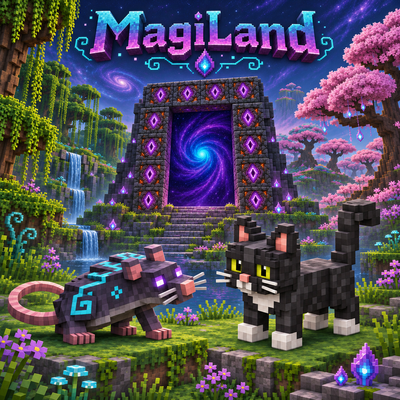
MagiLand
The mod adds a new magical dimension to the game.
 mod
CurseForge · Minecraft
Beanutils
Collection of useful code for BeanPack Invincible