Minecraft version
Back to mods 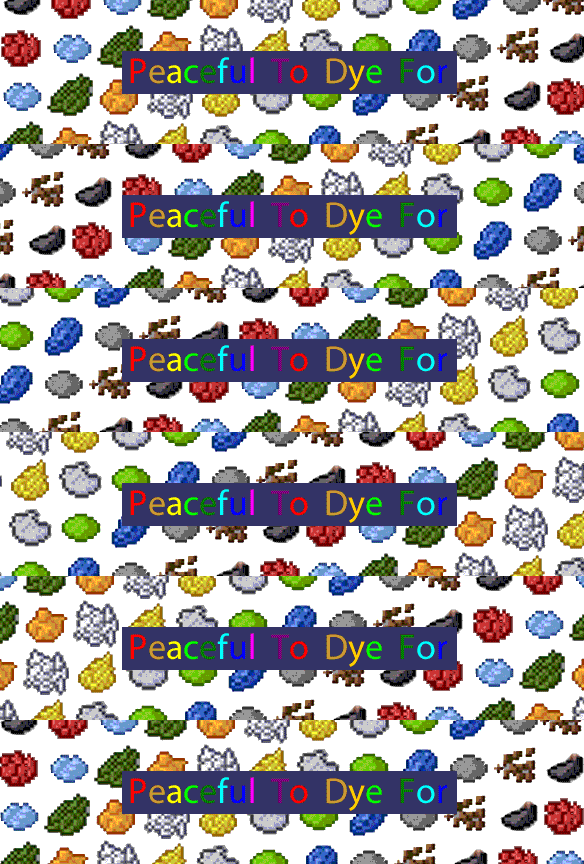
CurseForge · Minecraft mod
Peaceful to Dye For
Use vanilla Dyes to create hostile mob drops.
Choose a version Pick your version below, then grab the matching file.
Quick answer
Which Peaceful to Dye For release should I use?
Latest stable file PeacefulToDyeFor-1.0.2[1.7.10].jar
Game version 1.7.2, 1.7.10
Loader Not required
Peaceful to Dye For PeacefulToDyeFor-1.0.2[1.7.10].jar targets 1.7.2, 1.7.10. The project page does not say whether this file belongs on the client, dedicated server, or both. No extra mods listed for this file.
Where it goes
Is Peaceful to Dye For required on the client, server, or both?
The project page does not say whether this file belongs on the client, dedicated server, or both.
Client Source doesn’t say
Dedicated server Source doesn’t say
Loader for this release No loader listed
Required install it here Optional supported, not mandatory Not supported do not install here Source doesn’t say do not assume
The source does not explicitly classify this release as client-only or server-only.
What else does Peaceful to Dye For PeacefulToDyeFor-1.0.2[1.7.10].jar need?
PeacefulToDyeFor-1.0.2[1.7.10].jar. Change the file and its required mods may change too.
This file does not list any required mods. Do not add a library just because a different file uses it.
This file does not list any required or optional mods.
Before you install it
Add Peaceful to Dye For without breaking your instance.
Built for Peaceful to Dye For PeacefulToDyeFor-1.0.2[1.7.10].jar. Pick another file and the loader, install side or required mods may change.
- 01
Stick to this file
Use PeacefulToDyeFor-1.0.2[1.7.10].jar. It targets 1.7.2, 1.7.10; another release may have different loader, side or dependency requirements.
- 02
Bring the mods it needs
This file does not list any required mods. Do not add a library just because a different file uses it.
- 03
Put it on the correct side
The project page does not say whether this file belongs on the client, dedicated server, or both.
- 04
Pick the file you checked
Use the “Get this file” button beside PeacefulToDyeFor-1.0.2[1.7.10].jar. It opens that exact file at the source.
About this project
What does Peaceful to Dye For add?
This mod adds the ability to turn the primary colors of wool into dye(White, Black, Brown, Red, Blue, Green, and Yellow) These are dyes that cannot be made using different dye combinations. EX: Red + Yellow = Purple while Yellow + Blue != Green(I add this in tho :))
Further, it adds recipes to turn the dye into mob drops.
Project description from CurseForge.
Pick your setup
Peaceful to Dye For by Minecraft version and loader
Choose the version and loader you play, then open the matching release.
Minecraft version
1.7.2
1 loader buildCheck the dependencies, then try the file in a copied instance before changing a world you care about.
Recent files
Peaceful to Dye For versions and loaders
PeacefulToDyeFor-1.0.2[1.7.10].jar
27 Oct 2014
Client Source doesn’t say Server Source doesn’t say Dependencies No extras listed Listed on Release listing
Check the 1.7.10 setup 1.7.21.7.10 release
PeacefulToDyeFor-1.0.1[1.7.10].jar
21 Aug 2014
Client Source doesn’t say Server Source doesn’t say Dependencies No extras listed Listed on Release listing
Check the 1.7.10 setup 1.7.21.7.10 release
PeacefulToDyeFor-1.0.0[1.7.10].jar
20 Aug 2014
Client Source doesn’t say Server Source doesn’t say Dependencies No extras listed Listed on Release listing
Check the 1.7.10 setup 1.7.21.7.10 release
Looking for an older file? The official CurseForge project page is in Resources.
 mod
CurseForge · Minecraft
Judgement Day | Soul Traits
An Origins addon with eight Soul Traits, awakened ultimates, soul stealing, and powerful True, Omega, and Error transformations.
 mod
CurseForge + Modrinth · Minecraft
Modern Morph
A modern port of iChun's iconic Morph mod
 mod
CurseForge · Minecraft
God Wand
God Wand adds a multi-mode wand with multiple skills. Anime-inspired spells, cinematic cutscenes, custom soundtracks & configurable terrain destruction