LunatriusCore Needed by Stackie-1.12.2-1.6.0.48-universal.jar
requiredMatching file found Matched file: LunatriusCore-1.12.2-1.2.0.42-universal.jar
CurseForge · Minecraft mod
Stacking all the things (even experience)!
Quick answer
Stackie-1.12.2-1.6.0.48-universal.jar targets 1.12.2. The project page does not say whether this file belongs on the client, dedicated server, or both. All 1 required mods have matching files.
Where it goes
The project page does not say whether this file belongs on the client, dedicated server, or both.
The source does not explicitly classify this release as client-only or server-only.
Stackie-1.12.2-1.6.0.48-universal.jar. Change the file and its required mods may change too.
Install LunatriusCore first. We found matching files for this game-version and loader setup.
We only count dependency files that match this setup. A file for another loader does not fill the gap.
Before you install it
Built for Stackie-1.12.2-1.6.0.48-universal.jar. Pick another file and the loader, install side or required mods may change.
Use Stackie-1.12.2-1.6.0.48-universal.jar. It targets 1.12.2; another release may have different loader, side or dependency requirements.
Install LunatriusCore first. We found matching files for this game-version and loader setup.
The project page does not say whether this file belongs on the client, dedicated server, or both.
Use the “Get this file” button beside Stackie-1.12.2-1.6.0.48-universal.jar. It opens that exact file at the source.
About this project
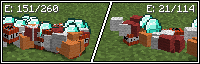
Ever wished dropped items stacked in larger quantities? You're right on! This mod stacks all experience (up to 1024 points - roughly level 32) and items (up to 2048 127 - vanilla limitation). Some items also have increased maximum stack size (configurable).
Modpacks: you can freely include any of the mods in your mod pack if the modpack is free (public or private). Mentioning me as the author is appreciated but not required.
Youtube/Streaming: you can monetize any videos you produce with the mod.
Project description from CurseForge.
Pick your setup
Choose the version and loader you play, then open the matching release.
Check the dependencies, then try the file in a copied instance before changing a world you care about.
Recent files
11 Oct 2017
27 Aug 2017
25 Jul 2017
3 Dec 2016
3 Jul 2016
1 Jun 2016
14 Apr 2016
26 Mar 2016
30 Dec 2015
21 Dec 2015
21 Jul 2015
21 Jul 2015
Looking for an older file? The official CurseForge project page is in Resources.
 mod
modReplaces /help with a clearer, interactable, paginated list. Adds descriptions for commands and arguments, plus optional metadata from other mods.
 mod
modFix bugs and add more options to Brilliant Text
 mod
modA tic addon aiming at providing integrations with other mods