Minecraft version
Back to mods 
CurseForge · Minecraft mod
WorldEdit
In-game Minecraft map editor - build bigger things more quickly!
Choose a version Pick your version below, then grab the matching file.
Quick answer
Which WorldEdit release matches 26.2?
Best match for your filters WorldEdit 7.4.4 (NeoForge/Fabric for MC 26.2)
Game version 26.2
Loader Fabric, NeoForge
WorldEdit 7.4.4 (NeoForge/Fabric for MC 26.2) targets 26.2 with Fabric, NeoForge. The project page does not say whether this file belongs on the client, dedicated server, or both. No extra mods listed for this file.
Where it goes
Is WorldEdit required on the client, server, or both?
The project page does not say whether this file belongs on the client, dedicated server, or both.
Client Source doesn’t say
Dedicated server Source doesn’t say
Loader for this release Fabric, NeoForge
Required install it here Optional supported, not mandatory Not supported do not install here Source doesn’t say do not assume
The source does not explicitly classify this release as client-only or server-only.
What else does WorldEdit 7.4.4 (NeoForge/Fabric for MC 26.2) need?
WorldEdit 7.4.4 (NeoForge/Fabric for MC 26.2) on 26.2. Every mod below is checked against that same setup.
This file does not list any required mods. Do not add a library just because a different file uses it.
This file does not list any required or optional mods.
Before you install it
Add WorldEdit without breaking your instance.
Built for WorldEdit 7.4.4 (NeoForge/Fabric for MC 26.2) on 26.2. Pick another file and the loader, install side or required mods may change.
- 01
Stick to this file
Use WorldEdit 7.4.4 (NeoForge/Fabric for MC 26.2). It targets 26.2 with Fabric, NeoForge; another release may have different loader, side or dependency requirements.
- 02
Bring the mods it needs
This file does not list any required mods. Do not add a library just because a different file uses it.
- 03
Put it on the correct side
The project page does not say whether this file belongs on the client, dedicated server, or both.
- 04
Pick the file you checked
Use the “Get this file” button beside WorldEdit 7.4.4 (NeoForge/Fabric for MC 26.2). It opens that exact file at the source.
About this project
What does WorldEdit add?

A Minecraft Map Editor... that runs in-game!
With selections, schematics, copy and paste, brushes, and scripting.
Use it in creative, or use it temporarily in survival.
Java Edition required.
Compatible with NeoForge and Fabric.

🛑 Make sure that you are using the Java version of Minecraft.
- Install NeoForge or Fabric.
- Download WorldEdit from this page (make sure you grab the mod version, not the plugin).
- Put the WorldEdit mod file into your mods folder.
Check YouTube for tutorials, or read the official documentation.
⚠️ Bukkit, Spigot, or Paper users: Download the WorldEdit plugin.


Join our Discord server if you need help with installing or using WorldEdit.
Make sure to check the docs first!

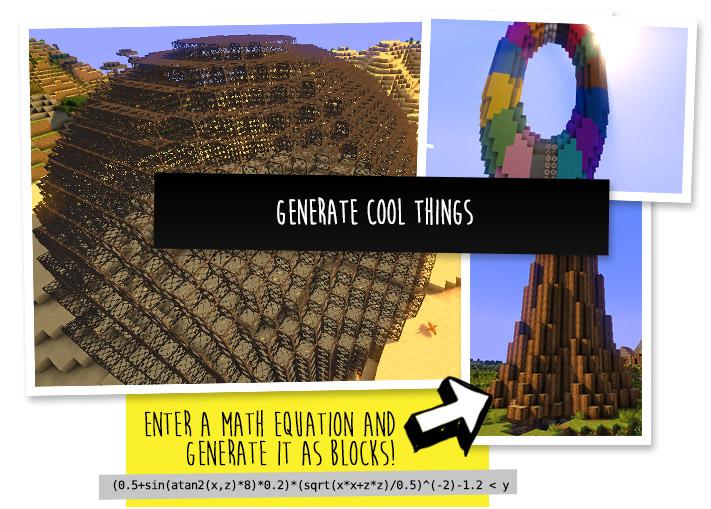
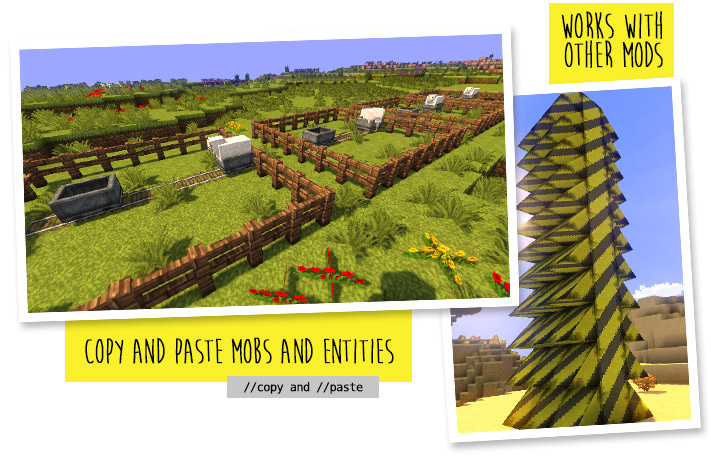
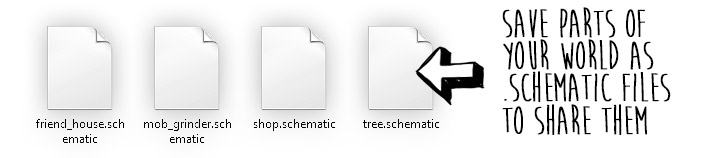
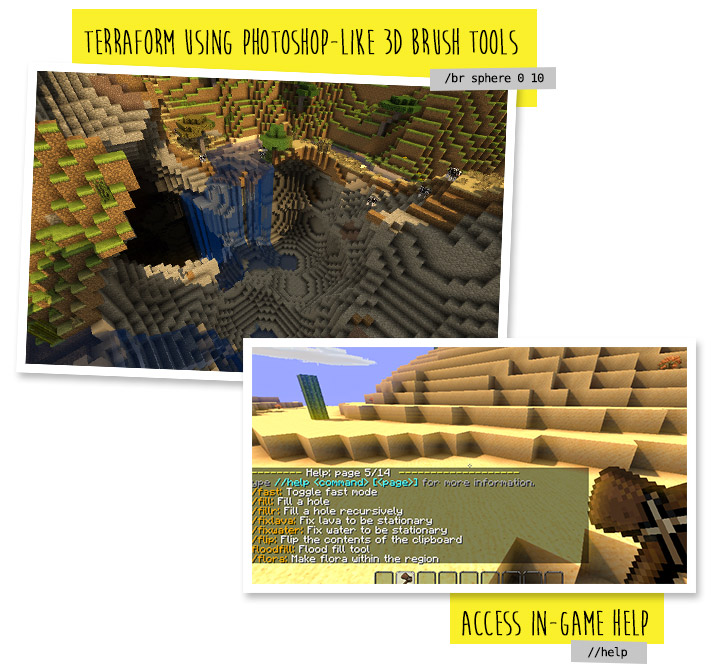

Do I need cheats on?
If you're playing on single player: Yes, cheats must be enabled for the world to use WorldEdit, but you can change this in the configuration. If you're running a server: Only opped users can use WorldEdit, though this can be changed too.
How do you use WorldEdit?
To learn how to use WorldEdit, read the docs. Check YouTube for tutorials too!
I need help!!
You may visit our documentation or Discord Guild.
I have some feature requests...
Visit our issue tracker. However, if you just have a question, please try one of the methods above.
Can I include WorldEdit in my modpack?
You are free to include WorldEdit, without having to asking for explicit permission.
A link back to this page or our GitHub Sponsors would be appreciated, however.
Can I edit the source code?
Visit our GitHub repository. WorldEdit is licensed under GPLv3 and you can compile it with Gradle.
🎉 Support us on GitHub Sponsors!
Need a host? We recommend Apex Hosting
Project description from CurseForge.
Pick your setup
WorldEdit by Minecraft version and loader
Choose the version and loader you play, then open the matching release.
Minecraft version
26.1.2
2 loader buildsMinecraft version
26.1.1
2 loader buildsMinecraft version
26.1
2 loader buildsMinecraft version
1.21.11
2 loader buildsMinecraft version
1.21.10
2 loader buildsMinecraft version
1.21.9
2 loader buildsMinecraft version
1.21.8
2 loader buildsMinecraft version
1.21.7
2 loader buildsMinecraft version
1.21.6
2 loader buildsMinecraft version
1.21.5
2 loader buildsMinecraft version
1.21.4
2 loader buildsShowing the newest 12 of 21 game versions. Older files are in the list below.
Check the dependencies, then try the file in a copied instance before changing a world you care about.
Recent files
WorldEdit versions and loaders
WorldEdit 7.4.4 (NeoForge/Fabric for MC 26.2)
worldedit-mod-7.4.4.jar
4 Jul 2026
Client Source doesn’t say Server Source doesn’t say Dependencies No extras listed Listed on Release listing
Check the 26.2 · Fabric setup FabricNeoForge26.2 release
WorldEdit 7.4.4 Beta 1 (NeoForge/Fabric for MC 26.2)
worldedit-mod-7.4.4-beta-01.jar
18 Jun 2026
Client Source doesn’t say Server Source doesn’t say Dependencies No extras listed Listed on Release listing
Check the 26.2 · Fabric setup FabricNeoForge26.2 beta
Looking for an older file? The official CurseForge project page is in Resources.