Minecraft version
Back to mods 
CurseForge · Minecraft mod
Creative Additions
All the timesavings :V
Choose a version Pick your version below, then grab the matching file.
Quick answer
Which Creative Additions release should I use?
beta file CreativeAdditions 1.8-2.0.0 [universal]
Game version 1.8
Loader Not required
Creative Additions CreativeAdditions 1.8-2.0.0 [universal] targets 1.8. The project page does not say whether this file belongs on the client, dedicated server, or both. No extra mods listed for this file.
Where it goes
Is Creative Additions required on the client, server, or both?
The project page does not say whether this file belongs on the client, dedicated server, or both.
Client Source doesn’t say
Dedicated server Source doesn’t say
Loader for this release No loader listed
Required install it here Optional supported, not mandatory Not supported do not install here Source doesn’t say do not assume
The source does not explicitly classify this release as client-only or server-only.
What else does Creative Additions CreativeAdditions 1.8-2.0.0 [universal] need?
CreativeAdditions 1.8-2.0.0 [universal]. Change the file and its required mods may change too.
This file does not list any required mods. Do not add a library just because a different file uses it.
This file does not list any required or optional mods.
Before you install it
Add Creative Additions without breaking your instance.
Built for Creative Additions CreativeAdditions 1.8-2.0.0 [universal]. Pick another file and the loader, install side or required mods may change.
- 01
Stick to this file
Use CreativeAdditions 1.8-2.0.0 [universal]. It targets 1.8; another release may have different loader, side or dependency requirements.
- 02
Bring the mods it needs
This file does not list any required mods. Do not add a library just because a different file uses it.
- 03
Put it on the correct side
The project page does not say whether this file belongs on the client, dedicated server, or both.
- 04
Pick the file you checked
Use the “Get this file” button beside CreativeAdditions 1.8-2.0.0 [universal]. It opens that exact file at the source.
About this project
What does Creative Additions add?
Creative Additions is a mod designed to speed up Creative Mode building and also adds a variety of Quality-Of-Life features.
Creative Additions adds a handful of useful commands for random uses, but also adds other features such as:
The Cinematic Remote: Which can trigger blocks such as levers and buttons from far away.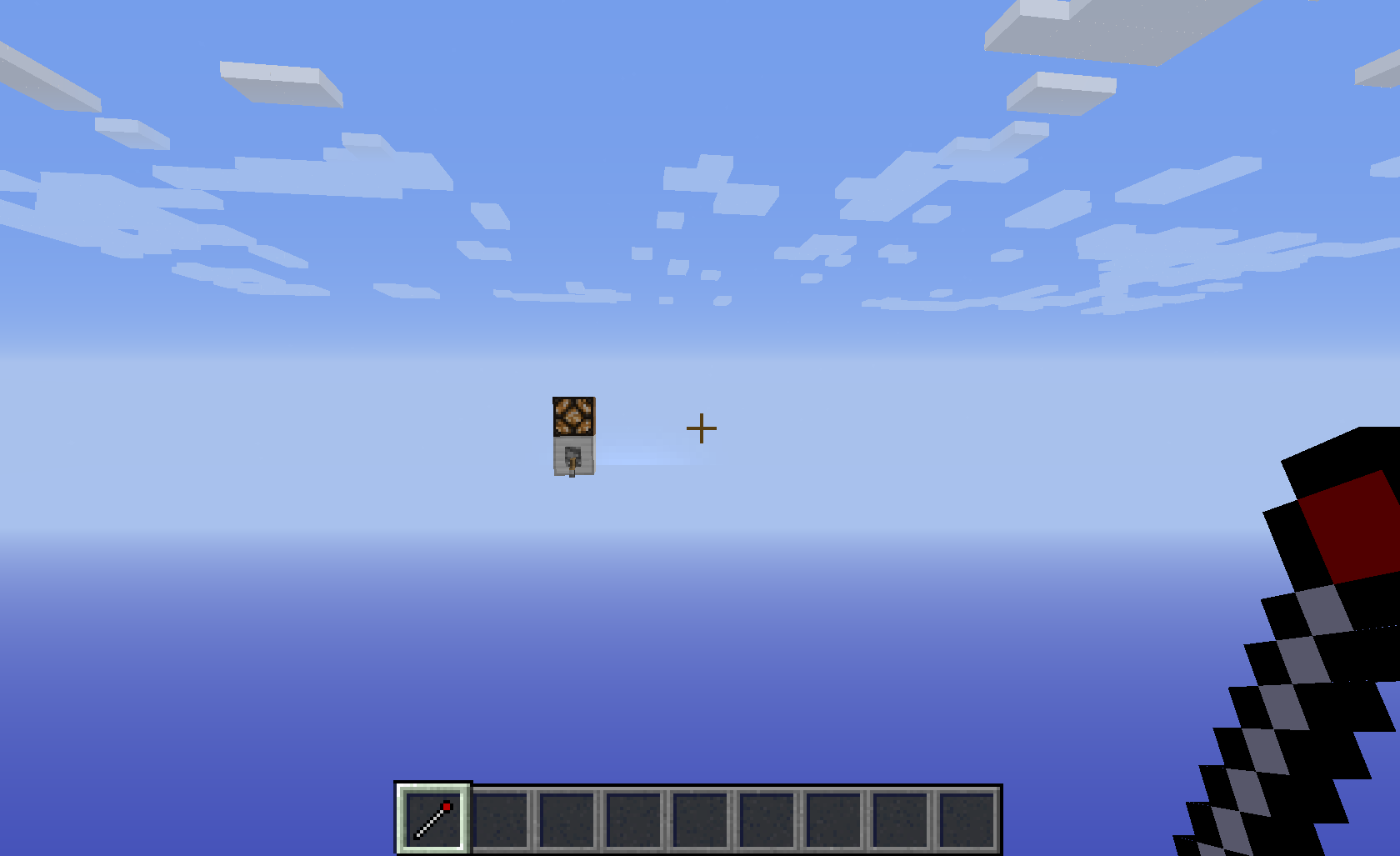
as well as a feature called Camera Tweening.
Camera Tweening is very similar to the old Camera Studio mod. You add a bunch of points and when you trigger the command, your player's camera will move smoothly through those points. Some notable features of this are:
-It Works on Multiplayer
-Paths can be exported/imported to/from JSON files
-Commands can be setup to execute at certain points along the path (/cam execute [pointID] [command])
-No framerate drop
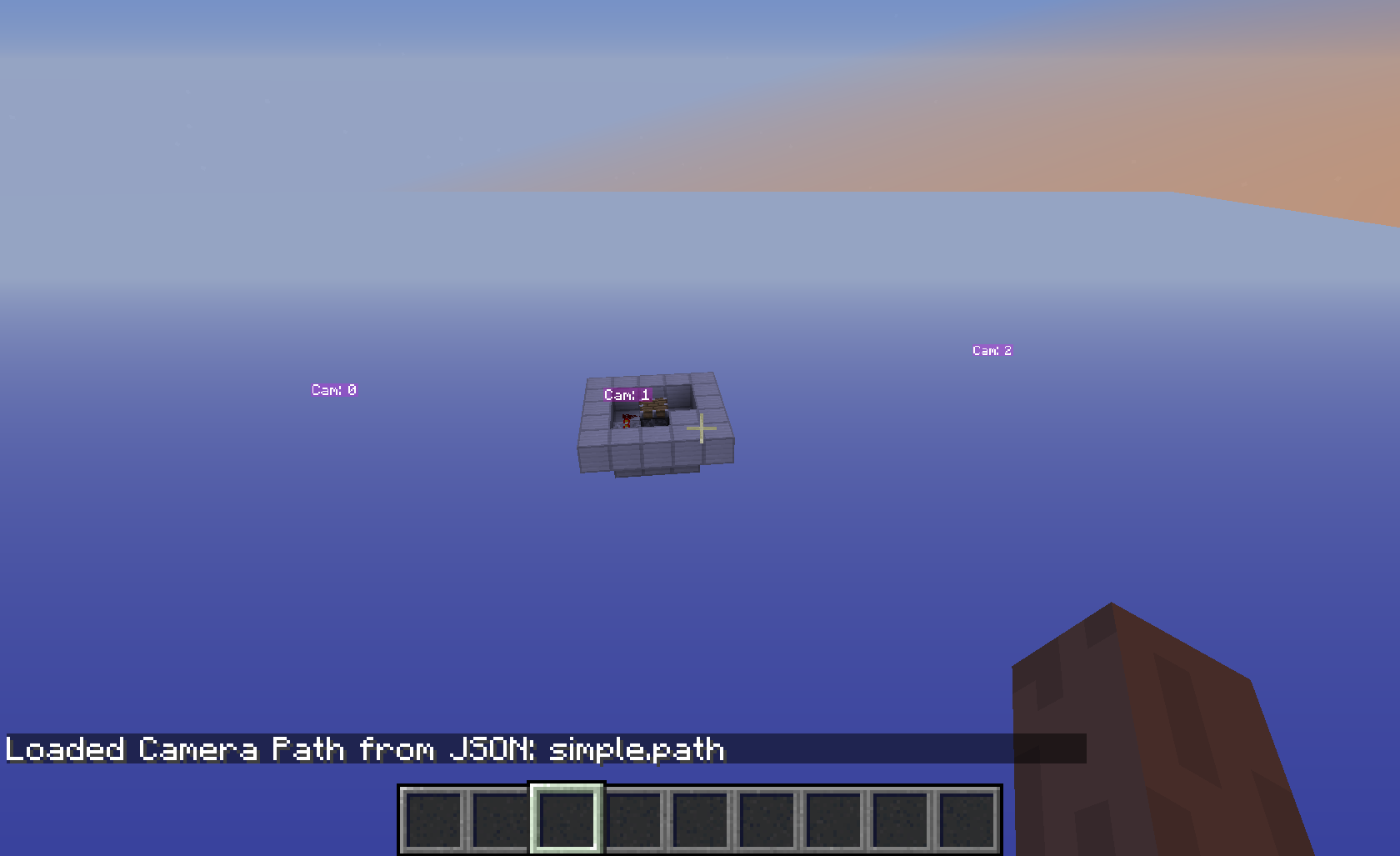
Creative Additions is designed for Minecraft 1.8 and is useful on both single-player and multi-player environments.
Project description from CurseForge.
Pick your setup
Creative Additions by Minecraft version and loader
Choose the version and loader you play, then open the matching release.
Check the dependencies, then try the file in a copied instance before changing a world you care about.
Recent files
Creative Additions versions and loaders
CreativeAdditions 1.8-2.0.0 [universal]
creativeAdditions-1.8-2.0.0-UNIVERSAL.jar
20 Dec 2014
Client Source doesn’t say Server Source doesn’t say Dependencies No extras listed Listed on Release listing
Check the 1.8 setup Looking for an older file? The official CurseForge project page is in Resources.
 mod
mod CurseForge + Modrinth · Minecraft
ImmersiveThunder: Reforged
ImmersiveThunder: Reforged is a Minecraft mod with realistic thunder that changes in volume and intensity based on distance from lightning.
 mod
mod CurseForge · Minecraft
GooberTCG
Collect over 5,700 Pokémon cards across 28 sets! Open packs, craft bundles, fill colorful binders, trade with friends, exchange duplicates, track wishlists, earn rewards and display the best cards. Made for Minecraft Forge 1.20.1 with optional JEI support.