Minecraft version
Back to mods 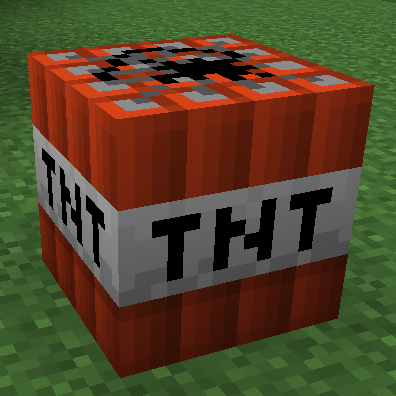
CurseForge · Minecraft mod
TNTUtils
More control over explosions
Choose a version Pick your version below, then grab the matching file.
Quick answer
Which TNTUtils release matches 26.2 NeoForge?
Best match for your filters tntutils-neoforge-26.2-2.0.4.jar
Game version 26.2
Loader NeoForge
tntutils-neoforge-26.2-2.0.4.jar targets 26.2 with NeoForge. The project page does not say whether it belongs on the client. The project page does not say whether it belongs on the dedicated server. No extra mods listed for this file.
Where it goes
Is TNTUtils required on the client, server, or both?
The project page does not say whether it belongs on the client. The project page does not say whether it belongs on the dedicated server.
Client Source doesn’t say
Dedicated server Source doesn’t say
Loader for this release NeoForge
Required install it here Optional supported, not mandatory Not supported do not install here Source doesn’t say do not assume
The source does not explicitly classify this release as client-only or server-only.
What else does tntutils-neoforge-26.2-2.0.4.jar need?
tntutils-neoforge-26.2-2.0.4.jar on 26.2 NeoForge. Every mod below is checked against that same setup.
This file does not list any required mods. Do not add a library just because a different file uses it.
This file does not list any required or optional mods.
Before you install it
Add TNTUtils without breaking your instance.
Built for tntutils-neoforge-26.2-2.0.4.jar on 26.2 NeoForge. Pick another file and the loader, install side or required mods may change.
- 01
Stick to this file
Use tntutils-neoforge-26.2-2.0.4.jar. It targets 26.2 with NeoForge; another release may have different loader, side or dependency requirements.
- 02
Bring the mods it needs
This file does not list any required mods. Do not add a library just because a different file uses it.
- 03
Put it on the correct side
The project page does not say whether it belongs on the client. The project page does not say whether it belongs on the dedicated server.
- 04
Pick the file you checked
Use the “Get this file” button beside tntutils-neoforge-26.2-2.0.4.jar. It opens that exact file at the source.
About this project
What does TNTUtils add?
A small mod that provides some config options and tags to control how explosions behave.
TNTUtils can be installed on a server without the clients requiring it.
Note that explosions from other mods are not guaranteed be affected by TNTUtils, unless they use one of the Level.explode overloads.
Current features:
- Change the size of explosions or disable them entirely
- in 1.20+, the entity type tags
#tntutils:deny_explosionsand#tntutils:allow_explosionscan be used to disallow or allow certain entity types to create explosions - in 1.20+, the entity tags (they are applied with the
/tagcommand, not to be confused with entity type tags)tntutils.deny_explosionsandtntutils.allow_explosionscan be used to disallow or allow individual entities to create explosions
- in 1.20+, the entity type tags
- Disable TNT explosions
- Prevent TNT from chain-reacting
- A "/explode" command (called "/explosion" in 1.12.2 and earlier)
- Change blast resistances of individual blocks
- Modify the chance that a destroyed block will drop as an item
- in 1.20+, see also the game rules "mobExplosionDropDecay", "tntExplosionDropDecay" and "blockExplosionDropDecay"
- Prevent explosions from destroying blocks
- in 1.20+, individual blocks can be blacklisted or whitelisted with the block tags
#tntutils:explosion_blacklistand#tntutils:explosion_whitelist, respectively. The whitelist takes precedence over the blacklist and over any config option. - in 1.12.2 and earlier, individual blocks can be specified in the config file
- in 1.20+, individual blocks can be blacklisted or whitelisted with the block tags
- Prevent Creepers from destroying blocks ("environmentally friendly creepers")
- Prevent explosions from triggering blocks (e.g. Wind Charge explosion flipping levers)
- the block tags
#tntutils:trigger_blacklistand#tntutils:trigger_whitelistcan be used to blacklist or whitelist individual blocks
- the block tags
- Prevent explosions from damaging all or certain entities
- in 1.20+, the entity type tags
#tntutils:explosion_blacklistand#tntutils:explosion_whitelistcan be used to blacklist or whitelist individual entity types
- in 1.20+, the entity type tags
- Prevent explosions from damaging items laying on the ground
- in 1.20+, the item tags
#tntutils:explosion_blacklistand#tntutils:explosion_whitelistcan be used to blacklist or whitelist individual items
- in 1.20+, the item tags
All of these features can be toggled in the config file.
Licensing and Credits
You are free to add the mod to a modpack.
TNTUtils is licensed under the MIT license. The Fabric version also includes Fiber for the configuration system, which is licensed under the Apache-2.0 License.
Project description from CurseForge.
Pick your setup
TNTUtils by Minecraft version and loader
Choose the version and loader you play, then open the matching release.
Minecraft version
26.1.2
2 loader buildsMinecraft version
26.1
2 loader buildsMinecraft version
1.21.11
2 loader buildsMinecraft version
1.21.10
2 loader buildsMinecraft version
1.21.9
2 loader buildsMinecraft version
1.21.8
2 loader buildsMinecraft version
1.21.7
2 loader buildsMinecraft version
1.21.1
2 loader buildsMinecraft version
1.20.1
2 loader buildsMinecraft version
1.12.2
2 loader buildsMinecraft version
1.12.1
1 loader buildShowing the newest 12 of 22 game versions. Older files are in the list below.
Check the dependencies, then try the file in a copied instance before changing a world you care about.
Recent files
TNTUtils versions and loaders
tntutils-neoforge-26.2-2.0.4.jar
13 Jul 2026
Client Source doesn’t say Server Source doesn’t say Dependencies No extras listed Listed on Release listing
Check the 26.2 · NeoForge setup NeoForge26.2 release
Looking for an older file? The official CurseForge project page is in Resources.