Minecraft version
Back to mods 
CurseForge · Minecraft mod
Antique Markers
Lets you add new markers to Antique Atlas with a configuration file.
Choose a version Pick your version below, then grab the matching file.
Quick answer
Which Antique Markers release should I use?
Latest stable file antiquemarkers-1.7.10-1.0a.jar
Game version 1.7.10
Loader Not required
Antique Markers antiquemarkers-1.7.10-1.0a.jar targets 1.7.10. The project page does not say whether this file belongs on the client, dedicated server, or both. No extra mods listed for this file.
Where it goes
Is Antique Markers required on the client, server, or both?
The project page does not say whether this file belongs on the client, dedicated server, or both.
Client Source doesn’t say
Dedicated server Source doesn’t say
Loader for this release No loader listed
Required install it here Optional supported, not mandatory Not supported do not install here Source doesn’t say do not assume
The source does not explicitly classify this release as client-only or server-only.
What else does Antique Markers antiquemarkers-1.7.10-1.0a.jar need?
antiquemarkers-1.7.10-1.0a.jar. Change the file and its required mods may change too.
This file does not list any required mods. Do not add a library just because a different file uses it.
This file does not list any required or optional mods.
Before you install it
Add Antique Markers without breaking your instance.
Built for Antique Markers antiquemarkers-1.7.10-1.0a.jar. Pick another file and the loader, install side or required mods may change.
- 01
Stick to this file
Use antiquemarkers-1.7.10-1.0a.jar. It targets 1.7.10; another release may have different loader, side or dependency requirements.
- 02
Bring the mods it needs
This file does not list any required mods. Do not add a library just because a different file uses it.
- 03
Put it on the correct side
The project page does not say whether this file belongs on the client, dedicated server, or both.
- 04
Pick the file you checked
Use the “Get this file” button beside antiquemarkers-1.7.10-1.0a.jar. It opens that exact file at the source.
About this project
What does Antique Markers add?
This mod REQUIRES Antique Atlas.
Each line of the config file requires two inputs, the 'markerType' which is also used with an appended ".png" for the texture file and a string for the label Refer to this to wrap your head around how it works.
Here is an example:
exampleMarker,Example Marker
That's it, simple right?
Now there are actually two ways to provide images for the mod:
Method 1: Open the mod jar and place the image file in assets/textures/markers/ folder.
Method 2: Install the Resource Loader Mod found here
You will find that Antique Markers has already created a resources/antiquemarkers/textures/markers/ folder to make things easy since this is my preferred method.
I hope you guys enjoy this mod, I made it for my own modpack but I thought others could use it =)
Project description from CurseForge.
Pick your setup
Antique Markers by Minecraft version and loader
Choose the version and loader you play, then open the matching release.
Check the dependencies, then try the file in a copied instance before changing a world you care about.
Recent files
Antique Markers versions and loaders
antiquemarkers-1.7.10-1.0a.jar
17 Feb 2015
Client Source doesn’t say Server Source doesn’t say Dependencies No extras listed Listed on Release listing
Check the 1.7.10 setup 1.7.10 release
antiquemarkers-1.7.10-1.0.jar
9 Feb 2015
Client Source doesn’t say Server Source doesn’t say Dependencies No extras listed Listed on Release listing
Check the 1.7.10 setup 1.7.10 release
Looking for an older file? The official CurseForge project page is in Resources.
 mod
CurseForge · Minecraft
Create: Engine Engineer
Build real engines piece by piece: V8s, flat sixes, Wankels, twin-turbos. Tune them, hear them roar, and turn their power into Create rotation.
 mod
CurseForge · Minecraft
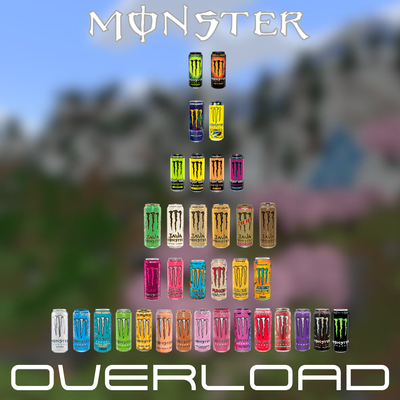
Monster Overload
Add a boost of energy to your Minecraft world with the Monster Energy Mod! This mod introduces multiple energy drink variants inspired by Monster designed to enhance the gameplay.
 mod
CurseForge · Minecraft
Village Society
Your villagers fall in love, marry, raise children and work real jobs — humans and demons with lives of their own, even when you're away.