CXLibrary Needed by Advanced Inventory advInv-1.12.1-1.4.2.jar
requiredMatching file found Matched file: cxlibrary-1.12.1-1.6.1.jar
CurseForge · Minecraft mod
Improve your inventory with more space and special upgrades
Quick answer
Advanced Inventory advInv-1.12.1-1.4.2.jar targets 1.12.1, 1.12, 1.12.2. The project page does not say whether this file belongs on the client, dedicated server, or both. All 1 required mods have matching files.
Where it goes
The project page does not say whether this file belongs on the client, dedicated server, or both.
The source does not explicitly classify this release as client-only or server-only.
advInv-1.12.1-1.4.2.jar. Change the file and its required mods may change too.
Install CXLibrary first. We found matching files for this game-version and loader setup.
We only count dependency files that match this setup. A file for another loader does not fill the gap.
Before you install it
Built for Advanced Inventory advInv-1.12.1-1.4.2.jar. Pick another file and the loader, install side or required mods may change.
Use advInv-1.12.1-1.4.2.jar. It targets 1.12.1, 1.12, 1.12.2; another release may have different loader, side or dependency requirements.
Install CXLibrary first. We found matching files for this game-version and loader setup.
The project page does not say whether this file belongs on the client, dedicated server, or both.
Use the “Get this file” button beside advInv-1.12.1-1.4.2.jar. It opens that exact file at the source.
About this project
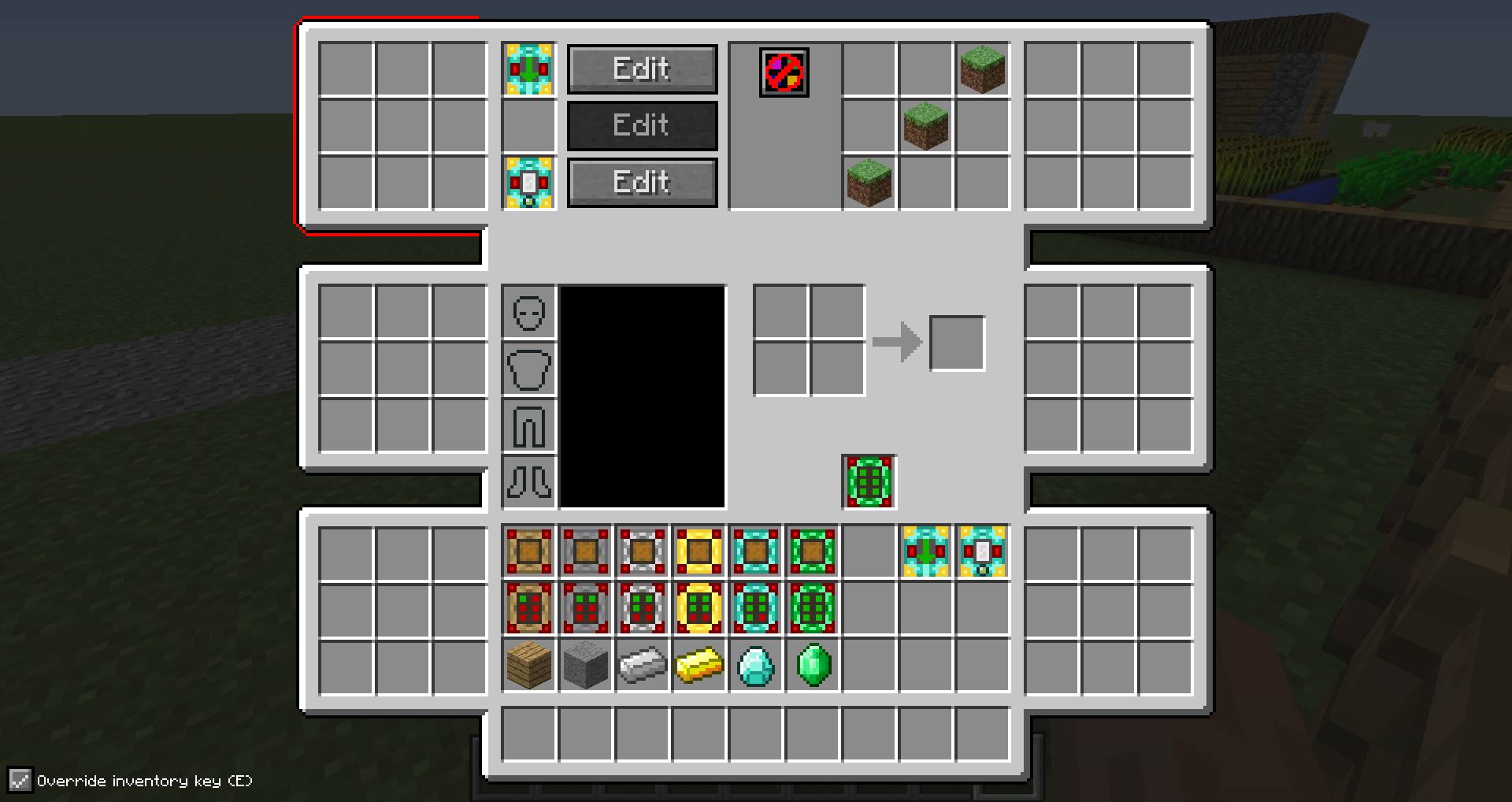
Advanced Inventory allows you to upgrade your inventory with up to six areas that consist of 9 slots each. In addition to that, you can add functionality to them by adding special items like filters or crafters to them.
The mod is still in an early stage, so be sure to see more features soon.
To get started you need to craft an inventory upgrade and put it in the slot below the crafting area. You can open the advanced inventory using the 'R' key.
1.9 versions require CXLibrary
{width=967 height=513}
Modpacks:
You are allowed to include the mod in a modpack if you give visible credit to me (CubeX2).
Project description from CurseForge.
Pick your setup
Choose the version and loader you play, then open the matching release.
Check the dependencies, then try the file in a copied instance before changing a world you care about.
Recent files
13 Aug 2017
13 Aug 2017
12 Aug 2017
13 Jan 2017
26 Jun 2016
5 Jun 2016
16 Apr 2016
15 Apr 2016
17 Mar 2016
6 Feb 2016
5 Feb 2016
8 Jan 2016
Looking for an older file? The official CurseForge project page is in Resources.