CoFH Core Needed by terraformer-0.1.1.jar
requiredMatching file found Matched file: CoFHCore-[1.7.10]3.1.4-329.jar
CurseForge · Minecraft mod
Real biome changing terraformer
Quick answer
terraformer-0.1.1.jar targets 1.7.10. The project page does not say whether this file belongs on the client, dedicated server, or both. All 1 required mods have matching files.
Where it goes
The project page does not say whether this file belongs on the client, dedicated server, or both.
The source does not explicitly classify this release as client-only or server-only.
terraformer-0.1.1.jar. Change the file and its required mods may change too.
Install CoFH Core first. We found matching files for this game-version and loader setup.
We only count dependency files that match this setup. A file for another loader does not fill the gap.
Before you install it
Built for terraformer-0.1.1.jar. Pick another file and the loader, install side or required mods may change.
Use terraformer-0.1.1.jar. It targets 1.7.10; another release may have different loader, side or dependency requirements.
Install CoFH Core first. We found matching files for this game-version and loader setup.
The project page does not say whether this file belongs on the client, dedicated server, or both.
Use the “Get this file” button beside terraformer-0.1.1.jar. It opens that exact file at the source.
About this project
Use Cofhs Redstone Flux to terraform your world (only changing the biome, no blocks are changed yet).
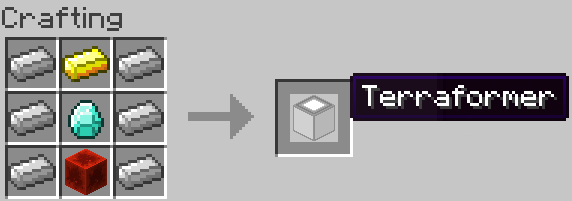
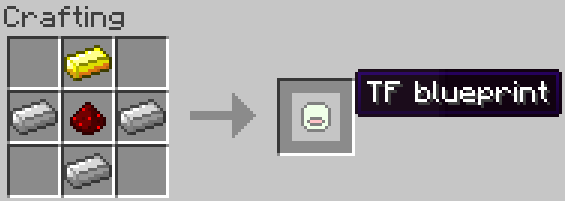
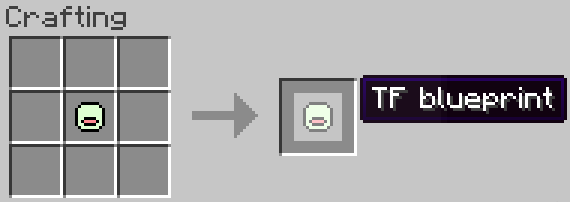
The biome hold by the TF blueprint will be the biome you stand in when you craft it.
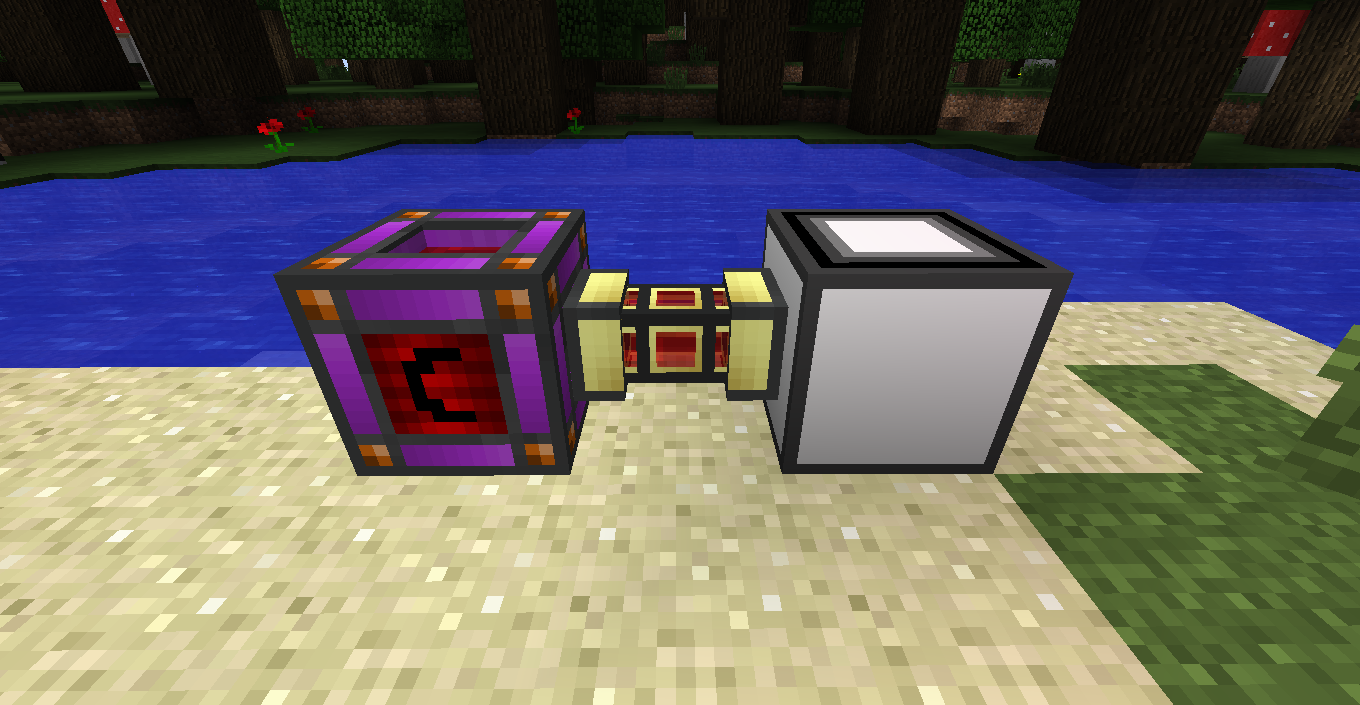
First we need power. So connect a RF power source to one of the sides of the terraformer.
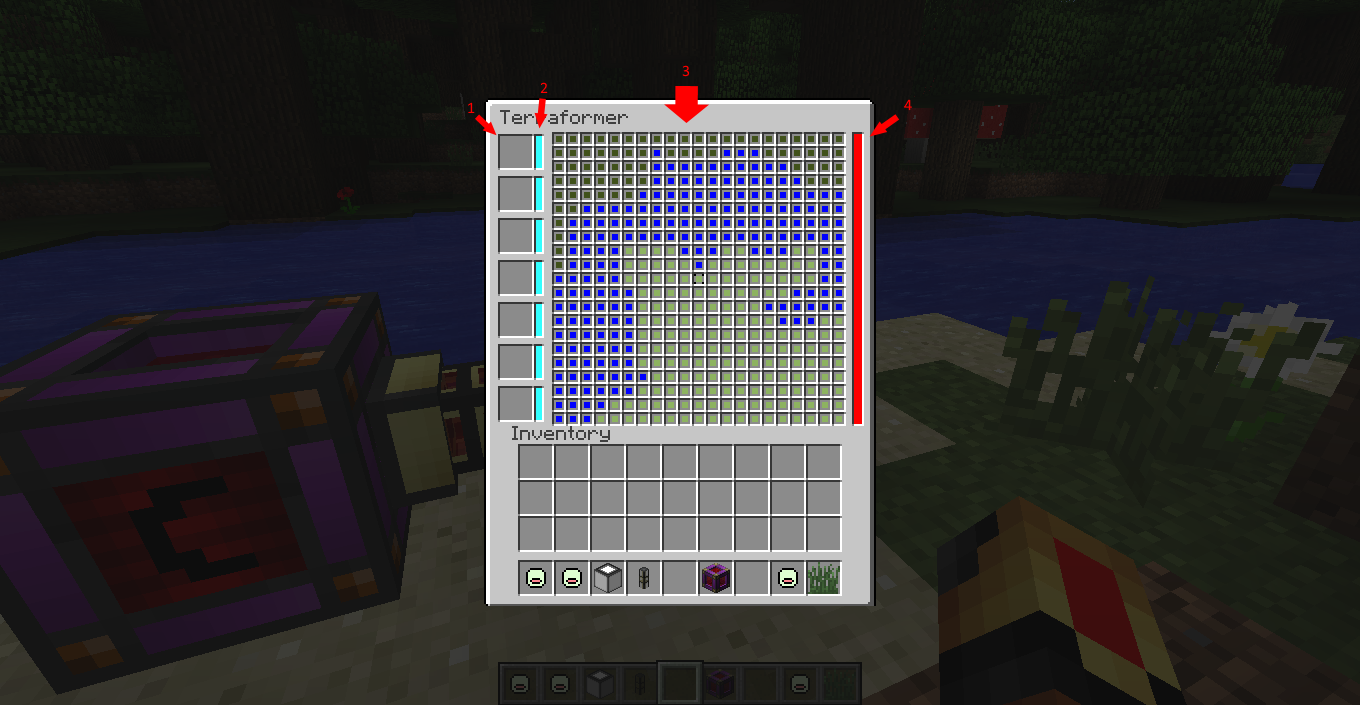
Than we can open the GUI and start terraforming
This is the part of the GUI where you can put your TF-blueprints.
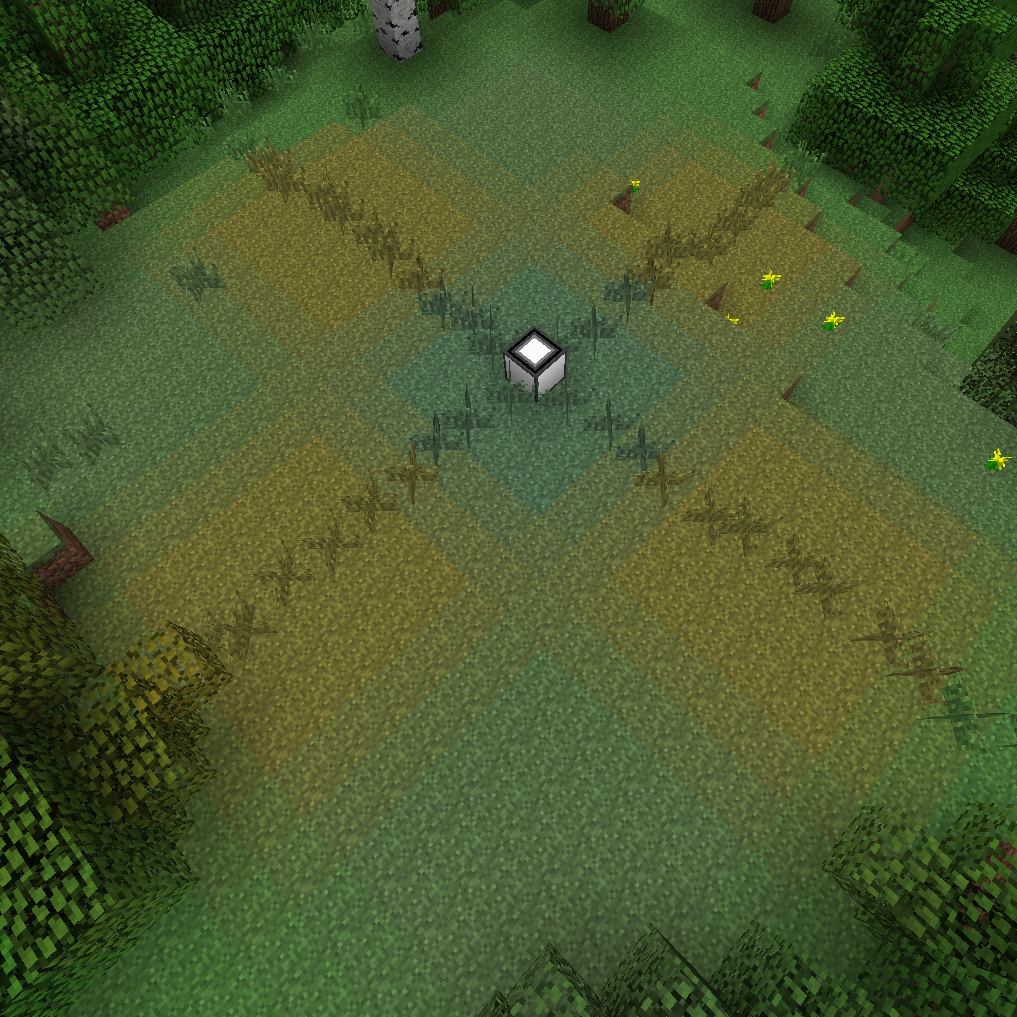
The colors of these boxes will change to the color of the TF-blueprint next to it. Than you can select a color by clicking on it. A black box will appear around the selected color. (Shift right clicking on a colorer will change every block in range to that color, shift left clicking will clear the main screen)
With the color you selected above you can change the biome of every block around the terraformer seperately. Right click sets the selected block to the selected colorer, left click sets the block to the current biome.
This will display how mutch energy is in the terraformer.
Project description from CurseForge.
Pick your setup
Choose the version and loader you play, then open the matching release.
Check the dependencies, then try the file in a copied instance before changing a world you care about.
Recent files
31 Aug 2015
30 Aug 2015
Looking for an older file? The official CurseForge project page is in Resources.