Minecraft version
Back to mods 
CurseForge · Minecraft mod
LegacyCraft
A mod to bring back parts of older versions
Choose a version Pick your version below, then grab the matching file.
Quick answer
Which LegacyCraft release should I use?
Latest stable file LegacyCraft 1.7.10 V33a.jar
Game version 1.7.10
Loader Forge
LegacyCraft 1.7.10 V33a.jar targets 1.7.10 with Forge. The project page does not say whether this file belongs on the client, dedicated server, or both. No extra mods listed for this file.
Where it goes
Is LegacyCraft required on the client, server, or both?
The project page does not say whether this file belongs on the client, dedicated server, or both.
Client Source doesn’t say
Dedicated server Source doesn’t say
Loader for this release Forge
Required install it here Optional supported, not mandatory Not supported do not install here Source doesn’t say do not assume
The source does not explicitly classify this release as client-only or server-only.
What else does LegacyCraft 1.7.10 V33a.jar need?
LegacyCraft 1.7.10 V33a.jar. Change the file and its required mods may change too.
This file does not list any required mods. Do not add a library just because a different file uses it.
This file does not list any required or optional mods.
Before you install it
Add LegacyCraft without breaking your instance.
Built for LegacyCraft 1.7.10 V33a.jar. Pick another file and the loader, install side or required mods may change.
- 01
Stick to this file
Use LegacyCraft 1.7.10 V33a.jar. It targets 1.7.10 with Forge; another release may have different loader, side or dependency requirements.
- 02
Bring the mods it needs
This file does not list any required mods. Do not add a library just because a different file uses it.
- 03
Put it on the correct side
The project page does not say whether this file belongs on the client, dedicated server, or both.
- 04
Pick the file you checked
Use the “Get this file” button beside LegacyCraft 1.7.10 V33a.jar. It opens that exact file at the source.
About this project
What does LegacyCraft add?
LegacyCraft is designed to allow the ability to roll back pieces of the last few updates to Minecraft which have a tendency to force the game in undesired directions, or which make the game more difficult than is enjoyable for casual players. Each option can be configured individually. Note that disabling the new AI overrides the other AI-type changes like zombies targeting villagers.
Project description from CurseForge.
Pick your setup
LegacyCraft by Minecraft version and loader
Choose the version and loader you play, then open the matching release.
Check the dependencies, then try the file in a copied instance before changing a world you care about.
Recent files
LegacyCraft versions and loaders
LegacyCraft 1.7.10 V33a.jar
25 Aug 2023
Client Source doesn’t say Server Source doesn’t say Dependencies No extras listed Listed on Release listing
Check the 1.7.10 · Forge setup Forge1.7.10 release
Looking for an older file? The official CurseForge project page is in Resources.
 mod
CurseForge · Minecraft
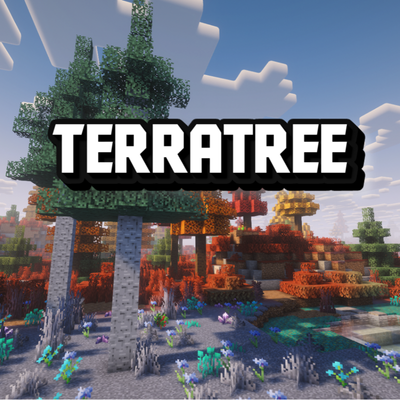
TerraTree - Terralith Woods, Palms & Biome Trees
Terralith addon: swaps Terralith's vanilla-block trees for 20+ new woods (logs, planks, doors, boats, signs, leaves with fixed colours) without touching terrain.
 mod
Modrinth · Minecraft
Cops and Robbers
Police cruisers, fire trucks, robbers, banks, and patrol play for family Minecraft worlds.
 mod
Modrinth · Minecraft
Mushroom the Yorkie
A tiny Yorkie companion with treats, naps, bathroom barks, sheep-chasing opinions, and tiny barrel rolls.