Minecraft version
Back to mods 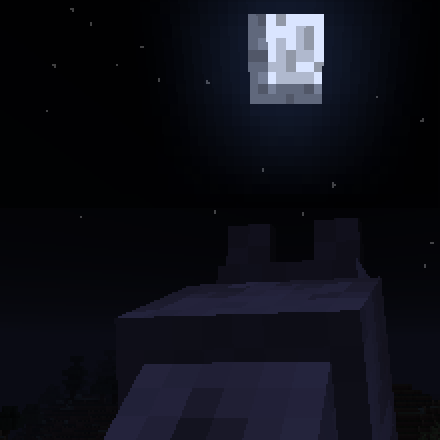
CurseForge · Minecraft mod
Howling Moon
Unleash the inner beast and become a werewolf.
Choose a version Pick your version below, then grab the matching file.
Quick answer
Which Howling Moon release should I use?
Latest stable file howlingMoon-1.7.10-1.1.1.jar
Game version 1.7.10
Loader Not required
Howling Moon howlingMoon-1.7.10-1.1.1.jar targets 1.7.10. The project page does not say whether this file belongs on the client, dedicated server, or both. No extra mods listed for this file.
Where it goes
Is Howling Moon required on the client, server, or both?
The project page does not say whether this file belongs on the client, dedicated server, or both.
Client Source doesn’t say
Dedicated server Source doesn’t say
Loader for this release No loader listed
Required install it here Optional supported, not mandatory Not supported do not install here Source doesn’t say do not assume
The source does not explicitly classify this release as client-only or server-only.
What else does Howling Moon howlingMoon-1.7.10-1.1.1.jar need?
howlingMoon-1.7.10-1.1.1.jar. Change the file and its required mods may change too.
This file does not list any required mods. Do not add a library just because a different file uses it.
This file does not list any required or optional mods.
Before you install it
Add Howling Moon without breaking your instance.
Built for Howling Moon howlingMoon-1.7.10-1.1.1.jar. Pick another file and the loader, install side or required mods may change.
- 01
Stick to this file
Use howlingMoon-1.7.10-1.1.1.jar. It targets 1.7.10; another release may have different loader, side or dependency requirements.
- 02
Bring the mods it needs
This file does not list any required mods. Do not add a library just because a different file uses it.
- 03
Put it on the correct side
The project page does not say whether this file belongs on the client, dedicated server, or both.
- 04
Pick the file you checked
Use the “Get this file” button beside howlingMoon-1.7.10-1.1.1.jar. It opens that exact file at the source.
About this project
What does Howling Moon add?
Forum Link:
This mod allows players to become werewolves.
Getting Started
In order to become a werewolf, a player needs to become infected by getting attacked by a werewolf (Full Moon nights) in forest areas. Once infected, the player will transform on the first full moon night.
Once a werewolf the player will gain access to a menu to see their werewolf stats and adjust their texture, model, and abilities.
1.12.2 - Version 0.9 Information
Keybindings
Transformation key default was changed to J.
Werewolf Menu: K
Text commands
/werewolf <true|false>
/werelevel <amount>
/wereprogress [0-8] [-1, 0, 1]
Moon Pearl
Obtain from killing hunters who hold them.
Required for werewolves to progress. (Every 5 levels, have Moon Pearl in inventory and go to sleep at night)
Can reveal the identity of non transformed werewolves close to the holder.
Will also be used in a future recipe.
Hunter's Lodge and Banner
May be created near villages. To protect villagers from werewolves and zombies.
Banner acts as a rallying point for hunters and can spawn hunters around it.
Banner can be picked up and moved. However it will not spawn hunters if placed by a werewolf.
Silver
Any Tool/Weapon that uses the OreDictionary's "ingotSilver" in it's recipe will work for Werewolves weakness.
Progression
Was slightly rushed in some areas to have it ready. Area will be improved in some areas for 1.0.
There is already a warning in-game but for the level 20 area, it is recommended to only have the moon pearl on you when you sleep. The final area is designed to kill instead of ejecting you out for failing the trial.
The Dimension prevents blocks from being placed or destroyed, except in creative mode.
Should you encounter any problems with getting stuck, either a npc failed to spawn or you get trapped (There should always be a hole you can fall through to exit, in a corner near the spawn area.). Try leaving (if able) and returning, that should fix npc spawn problems. Otherwise delete "DIM-HM-FOREST" in the world folder, don't do it while the game is running, and it'll be recreated. If a player logged out in the dim and the folder was deleted a "cascading worldgen lag" error might occur once they log in. This is okay don't worry.
Wolfsbane Texture
If you prefer the old wolfsbane texture you can replace it by:
Rename it to "wolfsbane"
Open this mod's jar (can use 7-Zip or WinRAR)
Place the texture in assets\howlingmoon\textures\blocks\
Installation Instructions:
Requires Forge
Recommend Version or higher.
Place the jar in the Mods directory.
Project description from CurseForge.
Pick your setup
Howling Moon by Minecraft version and loader
Choose the version and loader you play, then open the matching release.
Minecraft version
1.11.2
1 loader buildMinecraft version
1.10.2
1 loader buildMinecraft version
1.9.4
1 loader buildMinecraft version
1.8.9
1 loader buildMinecraft version
1.8
1 loader buildMinecraft version
1.7.10
1 loader buildCheck the dependencies, then try the file in a copied instance before changing a world you care about.
Recent files
Howling Moon versions and loaders
howlingmoon-1.12.2-0.9.jar
30 May 2018
Client Source doesn’t say Server Source doesn’t say Dependencies No extras listed Listed on Release listing
Check the 1.12.2 setup 1.12.2 beta
howlingmoon-1.11.2-0.6.1.jar
29 Apr 2017
Client Source doesn’t say Server Source doesn’t say Dependencies No extras listed Listed on Release listing
Check the 1.11.2 setup 1.11.2 beta
howlingmoon-1.10.2-0.6.1.jar
29 Apr 2017
Client Source doesn’t say Server Source doesn’t say Dependencies No extras listed Listed on Release listing
Check the 1.10.2 setup 1.10.2 beta
howlingmoon-1.11.2-0.6.jar
28 Apr 2017
Client Source doesn’t say Server Source doesn’t say Dependencies No extras listed Listed on Release listing
Check the 1.11.2 setup 1.11.2 beta
howlingmoon-1.10.2-0.6.jar
27 Apr 2017
Client Source doesn’t say Server Source doesn’t say Dependencies No extras listed Listed on Release listing
Check the 1.10.2 setup 1.10.2 beta
howlingmoon-1.10.2-0.5Core.jar
22 Sept 2016
Client Source doesn’t say Server Source doesn’t say Dependencies No extras listed Listed on Release listing
Check the 1.10.2 setup 1.10.2 alpha
howlingmoon-1.9.4-0.5Core.jar
22 Sept 2016
Client Source doesn’t say Server Source doesn’t say Dependencies No extras listed Listed on Release listing
Check the 1.9.4 setup 1.9.4 alpha
howlingMoon-1.7.10-1.1.1.jar
25 Aug 2016
Client Source doesn’t say Server Source doesn’t say Dependencies No extras listed Listed on Release listing
Check the 1.7.10 setup 1.7.10 release
howlingMoon-1.8.9-1.1.1.jar
25 Aug 2016
Client Source doesn’t say Server Source doesn’t say Dependencies No extras listed Listed on Release listing
Check the 1.8.9 setup 1.8.9 release
howlingMoon-1.8.9-1.1.0.jar
5 Jul 2016
Client Source doesn’t say Server Source doesn’t say Dependencies No extras listed Listed on Release listing
Check the 1.8.9 setup 1.8.9 release
howlingMoon-1.8-1.1.0.jar
5 Jul 2016
Client Source doesn’t say Server Source doesn’t say Dependencies No extras listed Listed on Release listing
Check the 1.8 setup 1.8 release
howlingMoon-1.7.10-1.1.0.jar
5 Jul 2016
Client Source doesn’t say Server Source doesn’t say Dependencies No extras listed Listed on Release listing
Check the 1.7.10 setup 1.7.10 release
Looking for an older file? The official CurseForge project page is in Resources.
 mod
mod CurseForge · Minecraft
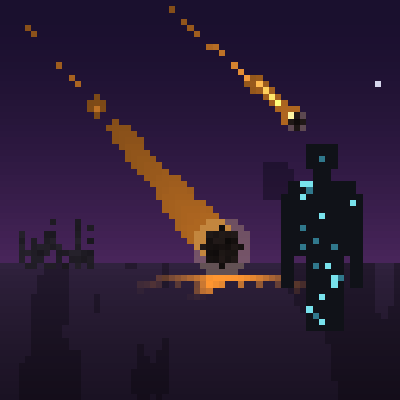
Groszkowo Mod
Seven staged natural disasters, fourteen weapons with hand-built projectiles, a cosmic shapeshifter that wears the face of players it kills, its own dimension, and villagers smart enough to run before you swing.
 mod
mod CurseForge · Minecraft
Reskillable Reimagined
RPG Leveling Mod, 8 default skills with up to 8 custom skills configurable!
 mod
mod CurseForge · Minecraft
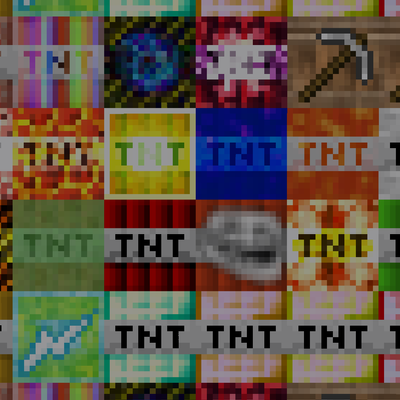
Even More TNT
Are you tired of plain old tnt and you want more explosions?