Minecraft version
Back to mods 
CurseForge · Minecraft mod
Player Rugs
Decorate your Minecraft world with your "favourite" players!
Choose a version Pick your version below, then grab the matching file.
Quick answer
Which Player Rugs release should I use?
Latest stable file PlayerRugs-26.1.2-3.0.0.jar
Game version 26.1.2
Loader NeoForge
Player Rugs PlayerRugs-26.1.2-3.0.0.jar targets 26.1.2 with NeoForge. The project page does not say whether this file belongs on the client, dedicated server, or both. No extra mods listed for this file.
Where it goes
Is Player Rugs required on the client, server, or both?
The project page does not say whether this file belongs on the client, dedicated server, or both.
Client Source doesn’t say
Dedicated server Source doesn’t say
Loader for this release NeoForge
Required install it here Optional supported, not mandatory Not supported do not install here Source doesn’t say do not assume
The source does not explicitly classify this release as client-only or server-only.
What else does Player Rugs PlayerRugs-26.1.2-3.0.0.jar need?
PlayerRugs-26.1.2-3.0.0.jar. Change the file and its required mods may change too.
This file does not list any required mods. Do not add a library just because a different file uses it.
This file does not list any required or optional mods.
Before you install it
Add Player Rugs without breaking your instance.
Built for Player Rugs PlayerRugs-26.1.2-3.0.0.jar. Pick another file and the loader, install side or required mods may change.
- 01
Stick to this file
Use PlayerRugs-26.1.2-3.0.0.jar. It targets 26.1.2 with NeoForge; another release may have different loader, side or dependency requirements.
- 02
Bring the mods it needs
This file does not list any required mods. Do not add a library just because a different file uses it.
- 03
Put it on the correct side
The project page does not say whether this file belongs on the client, dedicated server, or both.
- 04
Pick the file you checked
Use the “Get this file” button beside PlayerRugs-26.1.2-3.0.0.jar. It opens that exact file at the source.
About this project
What does Player Rugs add?
I won't lie, this mod is a bit silly. It started as a joke in my IRC channel and now here we are.

This mod allows you to have players as decorative rugs in your world, complete with skins and head! They serve no real purpose but you can use it as proof of who you may have slain or you just want something a bit wacky
Crafting
Two ways to do it:
- Crafting a cross of leather in a 3x3 crafting grid but replace top middle leather with the players skull
- Crush the player with an anvil
- (Disabled by default, can be enabled in config) After acquiring a rug, the skin can be changed by renaming in an anvil
Social
- To be updated!
Modpacks
No need to ask, go right ahead and use it in them! I want people to enjoy this mod and not restrict its usage
Project description from CurseForge.
Pick your setup
Player Rugs by Minecraft version and loader
Choose the version and loader you play, then open the matching release.
Minecraft version
1.21.11
1 loader buildMinecraft version
1.21.1
1 loader buildMinecraft version
1.20.1
2 loader buildsMinecraft version
1.10.2
1 loader buildMinecraft version
1.10
1 loader buildMinecraft version
1.9.4
1 loader buildMinecraft version
1.9
1 loader buildMinecraft version
1.8.9
1 loader buildMinecraft version
1.8.8
1 loader buildMinecraft version
1.7.10
1 loader buildCheck the dependencies, then try the file in a copied instance before changing a world you care about.
Recent files
Player Rugs versions and loaders
PlayerRugs-26.1.2-3.0.0.jar
22 Apr 2026
Client Source doesn’t say Server Source doesn’t say Dependencies No extras listed Listed on Release listing
Check the 26.1.2 · NeoForge setup NeoForge26.1.2 release
PlayerRugs-1.21.11-2.2.0.jar
1 Jan 2026
Client Source doesn’t say Server Source doesn’t say Dependencies No extras listed Listed on Release listing
Check the 1.21.11 · NeoForge setup NeoForge1.21.11 release
PlayerRugs-1.21.1-2.1.0.jar
5 Mar 2025
Client Source doesn’t say Server Source doesn’t say Dependencies No extras listed Listed on Release listing
Check the 1.21.1 · NeoForge setup 1.21.1NeoForge release
PlayerRugs-1.20.1-2.0.0.jar
5 Mar 2025
Client Source doesn’t say Server Source doesn’t say Dependencies No extras listed Listed on Release listing
Check the 1.20.1 · NeoForge setup NeoForge1.20.1Forge release
PlayerRugs-1.9.4-1.3.2.jar
20 May 2016
Client Source doesn’t say Server Source doesn’t say Dependencies No extras listed Listed on Release listing
Check the 1.10.2 setup 1.9.41.10.21.10 release
PlayerRugs-1.9-1.3.2.jar
1 May 2016
Client Source doesn’t say Server Source doesn’t say Dependencies No extras listed Listed on Release listing
Check the 1.9 setup 1.9 release
PlayerRugs-1.9-1.3.1.jar
26 Mar 2016
Client Source doesn’t say Server Source doesn’t say Dependencies No extras listed Listed on Release listing
Check the 1.9 setup PlayerRugs-1.9-1.3.0.jar
18 Mar 2016
Client Source doesn’t say Server Source doesn’t say Dependencies No extras listed Listed on Release listing
Check the 1.9 setup PlayerRugs-1.7.10-1.1.2.jar
29 Dec 2015
Client Source doesn’t say Server Source doesn’t say Dependencies No extras listed Listed on Release listing
Check the 1.7.10 setup 1.7.10 release
PlayerRugs-1.8.9-1.2.0.jar
PlayerRugs-1.8.8-1.2.0.jar
23 Dec 2015
Client Source doesn’t say Server Source doesn’t say Dependencies No extras listed Listed on Release listing
Check the 1.8.9 setup 1.8.81.8.9 beta
PlayerRugs-1.7.10-1.1.1.jar
22 Dec 2015
Client Source doesn’t say Server Source doesn’t say Dependencies No extras listed Listed on Release listing
Check the 1.7.10 setup 1.7.10 release
PlayerRugs-1.7.10-1.0.0.jar
10 Nov 2015
Client Source doesn’t say Server Source doesn’t say Dependencies No extras listed Listed on Release listing
Check the 1.7.10 setup 1.7.10 beta
Looking for an older file? The official CurseForge project page is in Resources.
 mod
CurseForge · Minecraft
Classic Achievements
Restores the classic look of Minecraft's achievement interface, with new additions and quality-of-life improvements. Brings back the nostalgic feel of the old days while making achievements more convenient to use.
 mod
CurseForge · Minecraft
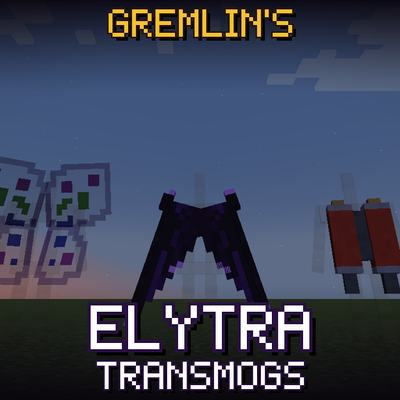
Gremlin's Elytra Transmogs
Using Gremlin's Transmogs, change the whole appearance of your Elytra!
 mod
CurseForge + Modrinth · Minecraft
D.Difficulty+
An Addon for Dungeon Difficulty that adds level ranges, damage type resistance to mobs or players, custom zone effects.