Minecraft version
Back to mods 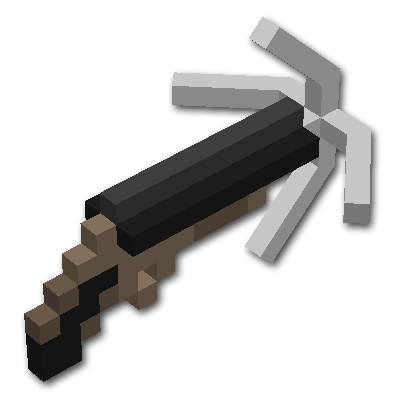
CurseForge · Minecraft mod
Rope Bridge
Ever wanted to build a rope bridge to an inaccessible area? With Rope Bridge, you can!
Choose a version Pick your version below, then grab the matching file.
Quick answer
Which Rope Bridge release should I use?
Latest stable file RopeBridge-1.21.1-4.0.4.jar
Game version 1.21.1
Loader NeoForge
Rope Bridge RopeBridge-1.21.1-4.0.4.jar targets 1.21.1 with NeoForge. The project page does not say whether this file belongs on the client, dedicated server, or both. No extra mods listed for this file.
Where it goes
Is Rope Bridge required on the client, server, or both?
The project page does not say whether this file belongs on the client, dedicated server, or both.
Client Source doesn’t say
Dedicated server Source doesn’t say
Loader for this release NeoForge
Required install it here Optional supported, not mandatory Not supported do not install here Source doesn’t say do not assume
The source does not explicitly classify this release as client-only or server-only.
What else does Rope Bridge RopeBridge-1.21.1-4.0.4.jar need?
RopeBridge-1.21.1-4.0.4.jar. Change the file and its required mods may change too.
This file does not list any required mods. Do not add a library just because a different file uses it.
This file does not list any required or optional mods.
Before you install it
Add Rope Bridge without breaking your instance.
Built for Rope Bridge RopeBridge-1.21.1-4.0.4.jar. Pick another file and the loader, install side or required mods may change.
- 01
Stick to this file
Use RopeBridge-1.21.1-4.0.4.jar. It targets 1.21.1 with NeoForge; another release may have different loader, side or dependency requirements.
- 02
Bring the mods it needs
This file does not list any required mods. Do not add a library just because a different file uses it.
- 03
Put it on the correct side
The project page does not say whether this file belongs on the client, dedicated server, or both.
- 04
Pick the file you checked
Use the “Get this file” button beside RopeBridge-1.21.1-4.0.4.jar. It opens that exact file at the source.
About this project
What does Rope Bridge add?
Rope Bridges now for 1.20.1!
Join my discord to meet the developers and see some other mods by Cazsius!
If you're enjoying my mods, please consider donating in the top right corner, each coin helps provide me with a drink to keep working!
If you find any bugs or crashes please report them here!
Join my friends down at the MMD Discord to meet all sorts of modders and fun people!
Check out this showcase by Amaxter for the 1.10.2 Versions!
More reviews in spoiler:
Rope-Bridge is a mod that builds (you guessed it) rope bridges AND now rope ladders! Features:
- Bridge Building Gun with three separate craftable parts
- Ladder Building Gun with three seperate craftable parts
- Simple point-and-shoot system
- Building animations
- Custom bridge quarter-slabs
- Detection for blocks that are in the way
- Fully server-compatible
- New string recipe (hint: wool)
- Fancy models especially on 1.10.2+ versions.
- Textures taken from loaded resource pack
- Performance improvements
- Configuration file added with several settable values
Crafting
To craft the grappling gun, three sub-parts must be crafted first:
Please Note: Version 1.12+ will now require rope instead of string.
Please Note: Ladder Gun Recipes coming soon. Uses Barrel and Stock, but separate head.
Hook: 5 iron ingots

Barrel: 6 iron ingots, 3 strings

Stock: 1 flint and steel, 1 gunpowder, 2 iron ingots, 1 string, 2 wood

Now the gun itself can be crafted from the three parts:

Rope Recipe:
S = String
V = Vine
SV
VS
SV
Building
To build a bridge, fire the grappling gun just like you would a regular bow. When aiming the grappling gun (right-click), the player's view is zoomed in and directed in line with a cardinal direction.

Upon release the bridge is built if possible.

The bridge won't build if:
- There is something in the way (get's marked with smoke particles)
- The bridge is too steep
- The required materials are not present in the player's inventory
Note: These restrictions can be turned off in the config file.
If something goes wrong, a prompt will let you know what the problem is and how to fix it right in chat. If everything checks out, the bridge will be built from slabs and string found in the inventory. The material of the bridge is determined by the first kind of slab found in the inventory.

You can also build bridges between two coordinates using commands:
/ropebridge x1 y1 z1 x2 y2 z2 [wood_id]
For Example:
/ropebridge 0 60 0 20 64 0 5
Will build a dark oak bridge from (0, 60, 0) to (20, 64, 0).
Leaving the wood_id blank will build with the default material, oak.
Please note the command is currently only in the 1.8 and below.
A list of wooden slab types are below:
Oak Slab - 0
Spruce Slab - 1
Birch Slab - 2
Jungle Slab - 3
Acacia Slab - 4
Dark Oak Slab - 5
To break the whole bridge at once, simply sneak and break any bridge section with the Grappling Gun!
I hope you enjoy this mod and please don't hesitate to give me ideas for how to improve it. If you wish to use this mod in a video, just give credit and let me know through a curse message or by joining my discord here!
Project description from CurseForge.
Pick your setup
Rope Bridge by Minecraft version and loader
Choose the version and loader you play, then open the matching release.
Minecraft version
26.1.1
1 loader buildMinecraft version
26.1
1 loader buildMinecraft version
1.21.11
1 loader buildMinecraft version
1.21.10
1 loader buildMinecraft version
1.21.8
1 loader buildMinecraft version
1.21.5
1 loader buildMinecraft version
1.21.4
1 loader buildMinecraft version
1.21.1
1 loader buildMinecraft version
1.20.1
2 loader buildsMinecraft version
1.16.5
1 loader buildMinecraft version
1.16.4
1 loader buildShowing the newest 12 of 21 game versions. Older files are in the list below.
Check the dependencies, then try the file in a copied instance before changing a world you care about.
Recent files
Rope Bridge versions and loaders
RopeBridge-1.21.1-4.0.4.jar
7 Apr 2026
Client Source doesn’t say Server Source doesn’t say Dependencies No extras listed Listed on Release listing
Check the 1.21.1 · NeoForge setup 1.21.1NeoForge release
RopeBridge-26.1-26.1-5.0.1.jar
7 Apr 2026
Client Source doesn’t say Server Source doesn’t say Dependencies No extras listed Listed on Release listing
Check the 26.1.2 · NeoForge setup NeoForge26.126.1.126.1.2 release
RopeBridge-1.21.11-1.21.11-4.5.1.jar
7 Apr 2026
Client Source doesn’t say Server Source doesn’t say Dependencies No extras listed Listed on Release listing
Check the 1.21.11 · NeoForge setup NeoForge1.21.11 release
RopeBridge-1.20.1-3.0.3.jar
7 Apr 2026
Client Source doesn’t say Server Source doesn’t say Dependencies No extras listed Listed on Release listing
Check the 1.20.1 · Forge setup 1.20.1ForgeNeoForge release
RopeBridge-26.1-26.1-5.0.0.jar
25 Mar 2026
Client Source doesn’t say Server Source doesn’t say Dependencies No extras listed Listed on Release listing
Check the 26.1.1 · NeoForge setup NeoForge26.126.1.1 release
RopeBridge-1.21.11-1.21.11-4.5.0.jar
25 Mar 2026
Client Source doesn’t say Server Source doesn’t say Dependencies No extras listed Listed on Release listing
Check the 1.21.11 · NeoForge setup NeoForge1.21.11 release
RopeBridge-1.21.10-4.4.0.jar
5 Nov 2025
Client Source doesn’t say Server Source doesn’t say Dependencies No extras listed Listed on Release listing
Check the 1.21.10 · NeoForge setup 1.21.10NeoForge release
RopeBridge-1.21.8-4.3.4.jar
5 Nov 2025
Client Source doesn’t say Server Source doesn’t say Dependencies No extras listed Listed on Release listing
Check the 1.21.8 · NeoForge setup 1.21.8NeoForge release
RopeBridge-1.21.5-4.2.3.jar
5 Nov 2025
Client Source doesn’t say Server Source doesn’t say Dependencies No extras listed Listed on Release listing
Check the 1.21.5 · NeoForge setup 1.21.5NeoForge release
RopeBridge-1.21.4-4.1.3.jar
5 Nov 2025
Client Source doesn’t say Server Source doesn’t say Dependencies No extras listed Listed on Release listing
Check the 1.21.4 · NeoForge setup 1.21.4NeoForge release
RopeBridge-1.21.1-4.0.3.jar
5 Nov 2025
Client Source doesn’t say Server Source doesn’t say Dependencies No extras listed Listed on Release listing
Check the 1.21.1 · NeoForge setup NeoForge1.21.1 release
RopeBridge-1.21.8-4.3.3.jar
23 Aug 2025
Client Source doesn’t say Server Source doesn’t say Dependencies No extras listed Listed on Release listing
Check the 1.21.8 · NeoForge setup 1.21.8NeoForge release
Looking for an older file? The official CurseForge project page is in Resources.