Minecraft version
Back to mods 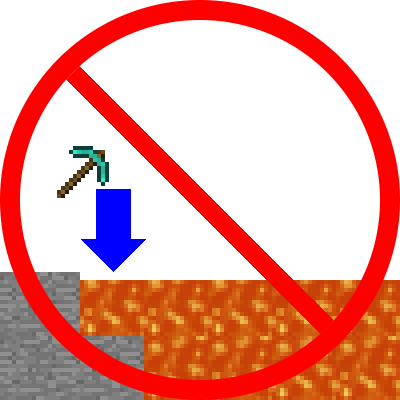
CurseForge · Minecraft mod
FavoriteItems
Never accidentally void or incinerate an item again!
Choose a version Pick your version below, then grab the matching file.
Quick answer
Which FavoriteItems release should I use?
Latest stable file FavoriteItems v1.2
Game version 1.7.10
Loader Not required
FavoriteItems v1.2 targets 1.7.10. The project page does not say whether this file belongs on the client, dedicated server, or both. No extra mods listed for this file.
Where it goes
Is FavoriteItems required on the client, server, or both?
The project page does not say whether this file belongs on the client, dedicated server, or both.
Client Source doesn’t say
Dedicated server Source doesn’t say
Loader for this release No loader listed
Required install it here Optional supported, not mandatory Not supported do not install here Source doesn’t say do not assume
The source does not explicitly classify this release as client-only or server-only.
What else does FavoriteItems v1.2 need?
FavoriteItems v1.2. Change the file and its required mods may change too.
This file does not list any required mods. Do not add a library just because a different file uses it.
This file does not list any required or optional mods.
Before you install it
Add FavoriteItems without breaking your instance.
Built for FavoriteItems v1.2. Pick another file and the loader, install side or required mods may change.
- 01
Stick to this file
Use FavoriteItems v1.2. It targets 1.7.10; another release may have different loader, side or dependency requirements.
- 02
Bring the mods it needs
This file does not list any required mods. Do not add a library just because a different file uses it.
- 03
Put it on the correct side
The project page does not say whether this file belongs on the client, dedicated server, or both.
- 04
Pick the file you checked
Use the “Get this file” button beside FavoriteItems v1.2. It opens that exact file at the source.
About this project
What does FavoriteItems add?
Ever voided your special new sword? Ever thrown your pickaxe into lava along with the cobble you were trying to get rid of? Well than this is the mod for you! (Also it's client side only)
This mod allows you to favorite any item by pressing F while hovering over it. It favorites by name, so if you favorite Cobblestone it will favorite all cobblestone. For more fine-tuned control you can go to the favorites list and add a name with wildcards or a full blown regular expression. (favorites list is in .minecraft/favorites/[World Name].txt or .minecraft/favorites/[Server Name]-[Server IP].txt)
Once an item is favorited the only way to move it is to click->click, shift click doesn't work, you can't throw it. If you have a favorited item on your cursor when you exit your inventory the mod will attempt to place it down before closing.
One side effect of not being able to move favorited items is that inventory tweaks will enter an infinite loop upon trying to sort them. I have a modified version of inventory tweaks that removes this problem, and because I'm lazy and didn't separate the code it will also allow you to add sorting rules by item name by using quotes D2 "MyItemName"
CLICK HERE >> REQUIRES SPECIAL VERSION OF INVENTORY TWEAKS << CLICK HERE
In order for Inventory Tweaks to respect favorited items on servers with Inventory Tweaks installed you have to change enableServerItemSwap=true in InvTweaks.cfg to enableServerItemSwap=false
I REAAAALLLLLY don't want any "IT FROZE MY GAME" bug reports
Project description from CurseForge.
Pick your setup
FavoriteItems by Minecraft version and loader
Choose the version and loader you play, then open the matching release.
Check the dependencies, then try the file in a copied instance before changing a world you care about.
Recent files
FavoriteItems versions and loaders
FavoriteItems v1.2
favorites-1.2.jar
5 Jan 2016
Client Source doesn’t say Server Source doesn’t say Dependencies No extras listed Listed on Release listing
Check the 1.7.10 setup 1.7.10 release
FavoriteItems 1.1
favorites-1.1.jar
28 Nov 2015
Client Source doesn’t say Server Source doesn’t say Dependencies No extras listed Listed on Release listing
Check the 1.7.10 setup 1.7.10 release
FavoriteItems v1.0
favorites-1.0.jar
24 Nov 2015
Client Source doesn’t say Server Source doesn’t say Dependencies No extras listed Listed on Release listing
Check the 1.7.10 setup 1.7.10 release
Looking for an older file? The official CurseForge project page is in Resources.