Reforged Integration Optional for Reforged 0.7.9-1.12+
optionalNo matching file
CurseForge · Minecraft mod
Balkon's Weapons and more for 1.8+
Quick answer
Reforged 0.7.9-1.12+ targets 1.12.1, 1.12, 1.12.2 with Forge. The project page does not say whether this file belongs on the client, dedicated server, or both. No extra mods listed for this file.
Where it goes
The project page does not say whether this file belongs on the client, dedicated server, or both.
The source does not explicitly classify this release as client-only or server-only.
Reforged 0.7.9-1.12+. Change the file and its required mods may change too.
This file does not list any required mods. Do not add a library just because a different file uses it.
We only count dependency files that match this setup. A file for another loader does not fill the gap.
Before you install it
Built for Reforged 0.7.9-1.12+. Pick another file and the loader, install side or required mods may change.
Use Reforged 0.7.9-1.12+. It targets 1.12.1, 1.12, 1.12.2 with Forge; another release may have different loader, side or dependency requirements.
This file does not list any required mods. Do not add a library just because a different file uses it.
The project page does not say whether this file belongs on the client, dedicated server, or both.
Use the “Get this file” button beside Reforged 0.7.9-1.12+. It opens that exact file at the source.
About this project
Development has moved!
I would suggest you download Balkon's WeaponMod: Legacy instead: https://www.curseforge.com/minecraft/mc-mods/balkons-weaponmod-legacy
Addons:
For extra fun, have a look at Reforged Integration, which adds materials for other mods like Thaumcraft and ProjectE, and Reforged - Cross & Grave, which adds two awesome magical items which are currently developed separately.
If you prefer old Balkon's Textures over the new ones, there is a resource pack to help ;)
Some information:
The surest way to make things better is to let us know about them,
either in the MinecraftForum or on the Github Issues (We prefer the GitHub)!
We are searching for translators: If you want to translate one or more of our mods,
then check out our Guide!
{width=728 height=132}
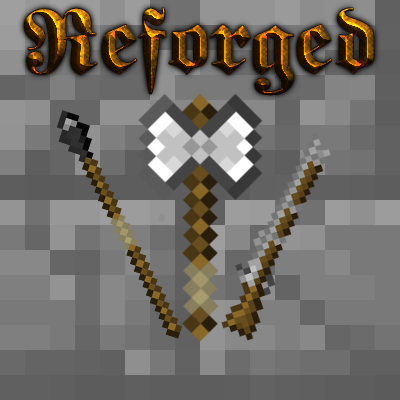
Here it is. The mod "Reforged".
It brings weapons from Balkon's Weapon Mod to 1.8+! We will also add some new weapons, which we like to add.
Most of our weapons have special features, like more damage when sneaking or similar.
You can even write your own ideas on this Spreadsheet.
Description
There are 3 main ages of weapons to differentiate:
Installation
Why we do all this?
BalkondeurAlpha discontinued his mod "Balkon's Weapons Mod", which was released in 2011.
Silvercatcher said in September 2015, he would continue this mod, but it won't be a direct port. He wants to code the mod himself!
So he released his first version. Since January 2016, ThexXTURBOXx is collaborator of this mod.
We both decided to not only take the features of the predecessor, we want new features for extra fun.
We wanted this mod to get continued, because we both liked it so much :D
Project description from CurseForge.
Pick your setup
Choose the version and loader you play, then open the matching release.
Check the dependencies, then try the file in a copied instance before changing a world you care about.
Recent files
Reforged-0.7.9-1.12+.jar
24 Jan 2023
Reforged-0.7.9-1.11+.jar
24 Jan 2023
Reforged-0.7.9-1.10+.jar
24 Jan 2023
Reforged-0.7.9-1.9.4.jar
24 Jan 2023
Reforged-0.7.8-1.12+.jar
5 Sept 2022
Reforged-0.7.8-1.11+.jar
5 Sept 2022
Reforged-0.7.8-1.10+.jar
5 Sept 2022
Reforged-0.7.8-1.9.4.jar
5 Sept 2022
Reforged-0.7.7-1.12+.jar
3 Sept 2022
Reforged-0.7.6-1.12+.jar
3 Sept 2022
Reforged-0.7.5-1.12+.jar
21 Sept 2017
Reforged-0.7.5-1.11+.jar
21 Sept 2017
Looking for an older file? The official CurseForge project page is in Resources.
 mod
A Jojo's Bizarre Adventure mod that interprets the world and power system of the anime into the world of Minecraft. ( JJBA )
 mod
Aim with binoculars, call in drones, missiles or a bomber, and defend your base with a SAM. Includes nuclear strikes.
 mod
This mod adds a new Strong Illagers!