Minecraft version
Back to mods 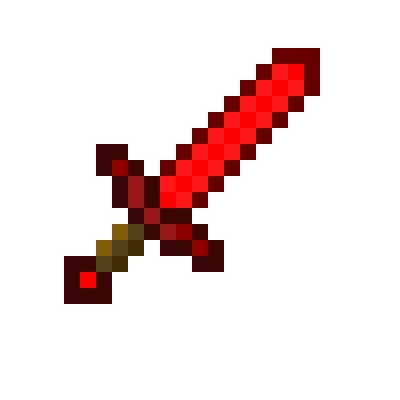
CurseForge · Minecraft mod
Ruby&Sapphire Mod
This mod adds 2 new gems to the game.
Choose a version Pick your version below, then grab the matching file.
Quick answer
Which Ruby&Sapphire Mod release should I use?
Latest stable file RubySapphires.jar
Game version 1.7.10
Loader Not required
Ruby&Sapphire Mod RubySapphires.jar targets 1.7.10. The project page does not say whether this file belongs on the client, dedicated server, or both. No extra mods listed for this file.
Where it goes
Is Ruby&Sapphire Mod required on the client, server, or both?
The project page does not say whether this file belongs on the client, dedicated server, or both.
Client Source doesn’t say
Dedicated server Source doesn’t say
Loader for this release No loader listed
Required install it here Optional supported, not mandatory Not supported do not install here Source doesn’t say do not assume
The source does not explicitly classify this release as client-only or server-only.
What else does Ruby&Sapphire Mod RubySapphires.jar need?
RubySapphires.jar. Change the file and its required mods may change too.
This file does not list any required mods. Do not add a library just because a different file uses it.
This file does not list any required or optional mods.
Before you install it
Add Ruby&Sapphire Mod without breaking your instance.
Built for Ruby&Sapphire Mod RubySapphires.jar. Pick another file and the loader, install side or required mods may change.
- 01
Stick to this file
Use RubySapphires.jar. It targets 1.7.10; another release may have different loader, side or dependency requirements.
- 02
Bring the mods it needs
This file does not list any required mods. Do not add a library just because a different file uses it.
- 03
Put it on the correct side
The project page does not say whether this file belongs on the client, dedicated server, or both.
- 04
Pick the file you checked
Use the “Get this file” button beside RubySapphires.jar. It opens that exact file at the source.
About this project
What does Ruby&Sapphire Mod add?
Diamonds are rather beautiful in their own right, the shining blue looks rather vibrant on any player. Though, there is something better. Wouldn’t you rather have a deep blue? Or a shimmering red? What jewels and gemstones could possibly produce such amazing results?! Not to mention being some amazing tools? Dare to tread deep underground in order to acquire these powerful gems. If diamonds elude you, then these make a perfect temporary substitute. The shimmering red and the deep blue of the tools armor and weapons are sure to add a bit of variety to your normal battlefield 3 esque BLUE EVERYTHING. With red and a slightly different shade of blue! Be the envy of your friends as you strut yourself in a stylish blue armor set while holding a bright red sword of doom and destruction! So why are you sitting here reading this?! Download it and have the time of your life today!
This mod is made with MCreator mod maker. If you want to make a mod too, check their websitehttps://mcreator.pylo.co/.
For more of our content visit our website at http://tonyd6a1.wix.com/d6mod
Project description from CurseForge.
Pick your setup
Ruby&Sapphire Mod by Minecraft version and loader
Choose the version and loader you play, then open the matching release.
Check the dependencies, then try the file in a copied instance before changing a world you care about.
Recent files
Ruby&Sapphire Mod versions and loaders
RubySapphires.jar
22 Feb 2016
Client Source doesn’t say Server Source doesn’t say Dependencies No extras listed Listed on Release listing
Check the 1.7.10 setup 1.7.10 release
Looking for an older file? The official CurseForge project page is in Resources.
 mod
CurseForge · Minecraft
Chiseleded OG - Chisel & 2000+ Decorative Blocks
Chisel any block into new styles: 2,264 decorative building blocks from stone, concrete, wood, metal and glass, with stairs, slabs, walls and panes. Three chisels, endless builds.
 mod
CurseForge · Minecraft
Horizon's Equipment
Curios based mod adding various more or less basic accesories.