Minecraft version
Back to mods 
CurseForge · Minecraft mod
FastCraft
A powerful universal optimization mod without game play changes.
Choose a version Pick your version below, then grab the matching file.
Quick answer
Which FastCraft release should I use?
Latest stable file fastcraft-1.25.jar
Game version 1.7.10
Loader Not required
fastcraft-1.25.jar targets 1.7.10. The project page does not say whether this file belongs on the client, dedicated server, or both. No extra mods listed for this file.
Where it goes
Is FastCraft required on the client, server, or both?
The project page does not say whether this file belongs on the client, dedicated server, or both.
Client Source doesn’t say
Dedicated server Source doesn’t say
Loader for this release No loader listed
Required install it here Optional supported, not mandatory Not supported do not install here Source doesn’t say do not assume
The source does not explicitly classify this release as client-only or server-only.
What else does fastcraft-1.25.jar need?
fastcraft-1.25.jar. Change the file and its required mods may change too.
This file does not list any required mods. Do not add a library just because a different file uses it.
This file does not list any required or optional mods.
Before you install it
Add FastCraft without breaking your instance.
Built for fastcraft-1.25.jar. Pick another file and the loader, install side or required mods may change.
- 01
Stick to this file
Use fastcraft-1.25.jar. It targets 1.7.10; another release may have different loader, side or dependency requirements.
- 02
Bring the mods it needs
This file does not list any required mods. Do not add a library just because a different file uses it.
- 03
Put it on the correct side
The project page does not say whether this file belongs on the client, dedicated server, or both.
- 04
Pick the file you checked
Use the “Get this file” button beside fastcraft-1.25.jar. It opens that exact file at the source.
About this project
What does FastCraft add?
FastCraft is a sophisticated mod which improves the client and server performance significantly without any game play changes. FastCraft is useful for anything, even fast PCs and servers benefit.
The mod is optional on both server and client, meaning that it can be installed on both server and client, just the client or just the server. Even mismatched versions between server and client are fine. It is recommended to always use the latest version on both sides however.
FastCraft doesn't require any configuration since it is supposed to be fully transparent to the user. To install FastCraft just drop it into your mods folder with Minecraft Forge installed.
Optimizations/tweaks FastCraft applies are very broad and include the following:
- FPS improvements (client), benefits depend heavily on PC, mods and the world
- TPS / simulation improvements through faster code and better algorithms
- Lag spike elimination from world generation, light calculations and chunk loads
- RAM savings of around 200 MB for a decent amount of mods
- Faster chunk loading (client/server) and rendering (client)
- Faster game startup
- Minor network bandwidth reduction in some scenarios
Note that even if you may not notice any immediate effect, FastCraft does a lot against lag spikes that may only happen sporadically or with specific setups/builds.
Due to bugs there can be rare instances where FastCraft actually slows the game down, in this case please contact me so I can eliminate these issues. I also release preview builds of FastCraft frequently, try them if you experience issues or want to help development.
Project description from CurseForge.
Pick your setup
FastCraft by Minecraft version and loader
Choose the version and loader you play, then open the matching release.
Check the dependencies, then try the file in a copied instance before changing a world you care about.
Recent files
FastCraft versions and loaders
fastcraft-1.25.jar
20 Jan 2018
Client Source doesn’t say Server Source doesn’t say Dependencies No extras listed Listed on Release listing
Check the 1.7.10 setup 1.7.10 release
fastcraft-1.23.jar
5 Apr 2016
Client Source doesn’t say Server Source doesn’t say Dependencies No extras listed Listed on Release listing
Check the 1.7.10 setup 1.7.10 release
fastcraft-1.22.jar
28 Mar 2016
Client Source doesn’t say Server Source doesn’t say Dependencies No extras listed Listed on Release listing
Check the 1.7.10 setup 1.7.10 release
fastcraft-1.21.jar
9 Mar 2016
Client Source doesn’t say Server Source doesn’t say Dependencies No extras listed Listed on Release listing
Check the 1.7.10 setup 1.7.10 release
Looking for an older file? The official CurseForge project page is in Resources.
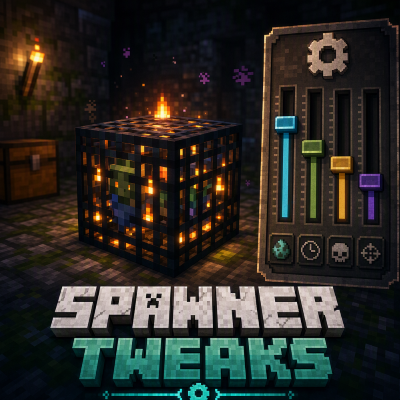 mod
mod CurseForge · Minecraft
Mob Spawner Tweaks
This is a Minecraft mod designed to control mob spawners' behaviour.
 mod
mod CurseForge · Minecraft
Cinematic Zoom
Not just a boring zoom a full kit for your cinematics in Minecraft
 mod
mod CurseForge · Minecraft
MineCoin: Economy & Trade
Complete physical economy system with tiered coins, functional wallets, lottery scratch-offs, and player-to-player auctions.