Headcrumbs Needed by WitherCrumbs 1.12.2-0.11
requiredMatching file found Matched file: Headcrumbs 1.12.2-2.0.5.17
CurseForge · Minecraft mod
An addon for Headcrumbs that adds custom user based withers
Quick answer
WitherCrumbs 1.12.2-0.11 targets 1.12.2. The project page does not say whether this file belongs on the client, dedicated server, or both. All 1 required mods have matching files.
Where it goes
The project page does not say whether this file belongs on the client, dedicated server, or both.
The source does not explicitly classify this release as client-only or server-only.
WitherCrumbs 1.12.2-0.11. Change the file and its required mods may change too.
Install Headcrumbs first. We found matching files for this game-version and loader setup.
We only count dependency files that match this setup. A file for another loader does not fill the gap.
Before you install it
Built for WitherCrumbs 1.12.2-0.11. Pick another file and the loader, install side or required mods may change.
Use WitherCrumbs 1.12.2-0.11. It targets 1.12.2; another release may have different loader, side or dependency requirements.
Install Headcrumbs first. We found matching files for this game-version and loader setup.
The project page does not say whether this file belongs on the client, dedicated server, or both.
Use the “Get this file” button beside WitherCrumbs 1.12.2-0.11. It opens that exact file at the source.
About this project
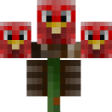
Simply use 3 HeadCrumbs Skulls to create withers with the skins of your favorite minecraft players!
This mod requires HeadCrumbs!!
Example withers:
{width=680 height=382}
{width=680 height=360}
You can also add custom item drops for withers based on their username they are representing. A sample CustomWithers.json is below:
{
  "Turkey2349":{
    "DropItem":{"id":"minecraft:stone_sword","Count":1,"tag":{"display":{"Name":"Best sword evaaaaa!"}}}
  }
}
Do note that this follows normal json format so you are able to add as many username entries as you want by simply separating them with commas as you would normal do for a json format. Also note that the value for "DropItem" is both in json and nbt format, so structure it as you would to include all needed nbt content and make sure it passes json formats as well.
Project description from CurseForge.
Pick your setup
Choose the version and loader you play, then open the matching release.
Check the dependencies, then try the file in a copied instance before changing a world you care about.
Recent files
witherCrumbs-1.12.2-0.11.jar
6 Dec 2018
witherCrumbs-1.12.2-0.10.jar
8 Aug 2018
witherCrumbs-1.12.2-0.9.jar
26 Mar 2018
witherCrumbs-1.10.2-0.9.jar
17 Dec 2016
witherCrumbs-1.10.2-0.8.jar
1 Dec 2016
witherCrumbs-1.10.2-0.7.jar
26 Nov 2016
witherCrumbs-1.10.2-0.6.jar
24 Nov 2016
witherCrumbs-1.10.2-0.5.jar
5 Nov 2016
witherCrumbs-1.7.10-0.3.jar
22 Mar 2016
witherCrumbs-1.7.10-0.2.jar
16 Mar 2016
witherCrumbs-1.7.10-0.1.jar
15 Mar 2016
Looking for an older file? The official CurseForge project page is in Resources.
 mod
modThink you're good at Minecraft? Or want a completely random Minecraft for a challenge? Try beating it whilst everything is random : biomes, mob spawns, boss spawns and loot. Good luck!
 mod
modDawn of the Hunt transforms your Minecraft world into a hostile yet majestic prehistoric ecosystem. Forget conventional monsters: venture into frozen tundras, ancient forests, and primeval savannas inhabited by the colossi that once ruled the Earth.
 mod
modCore mod for all CozyStudios modpacks.