Twitch Chat Integration Optional for Chat Tweaks ChatTweaks_1.12.2-5.1.25.jar
optionalMatching file found Matched file: TwitchIntegration_1.12.2-4.1.16.jar

CurseForge · Minecraft mod
Twitch Emotes and Image Preview. Also basically like BetterTTV but for Minecraft.
Quick answer
Chat Tweaks ChatTweaks_1.12.2-5.1.25.jar targets 1.12.2. The project page does not say whether this file belongs on the client, dedicated server, or both. No extra mods listed for this file.
Where it goes
The project page does not say whether this file belongs on the client, dedicated server, or both.
The source does not explicitly classify this release as client-only or server-only.
ChatTweaks_1.12.2-5.1.25.jar. Change the file and its required mods may change too.
This file does not list any required mods. Do not add a library just because a different file uses it.
We only count dependency files that match this setup. A file for another loader does not fill the gap.
Before you install it
Built for Chat Tweaks ChatTweaks_1.12.2-5.1.25.jar. Pick another file and the loader, install side or required mods may change.
Use ChatTweaks_1.12.2-5.1.25.jar. It targets 1.12.2; another release may have different loader, side or dependency requirements.
This file does not list any required mods. Do not add a library just because a different file uses it.
The project page does not say whether this file belongs on the client, dedicated server, or both.
Use the “Get this file” button beside ChatTweaks_1.12.2-5.1.25.jar. It opens that exact file at the source.
About this project

TWITCH FUNCTIONALITY (LIKE EMOTES) DOES NOT WORK ANYMORE DUE TO REMOTE API CHANGES.
YOU WILL HAVE TO WAIT UNTIL IT IS PORTED TO MODERN MINECRAFT VERSIONS.
This mod provides various tweaks and features to the Minecraft chat while staying close to the look and feel of the Vanilla chat. It is only installed on the client.
Chat Tweaks is not compatible with MineTogether since MineTogether adds its own chat replacement. You can safely remove MineTogether if you do not wish to use its features.

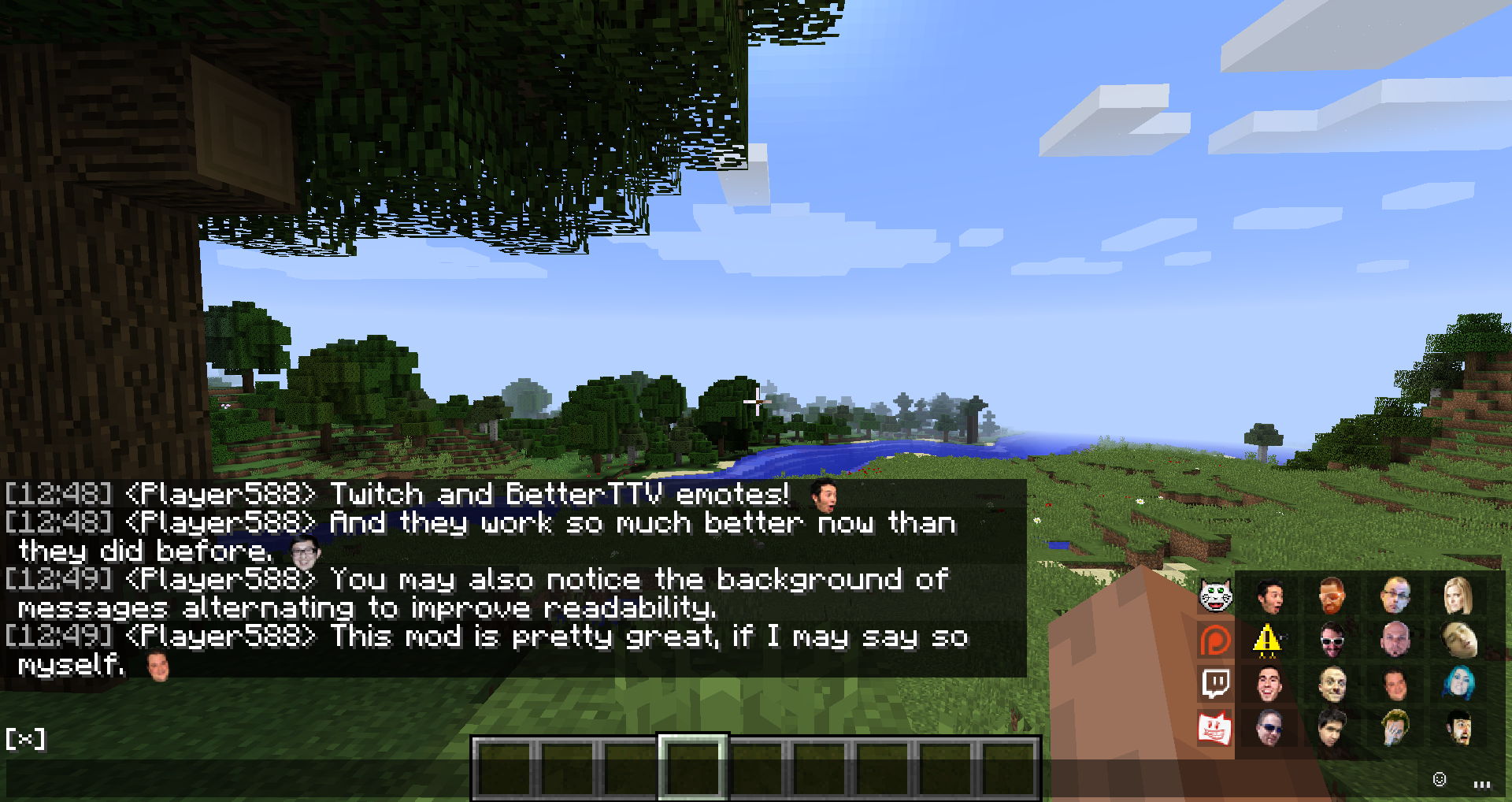


Project description from CurseForge.
Pick your setup
Choose the version and loader you play, then open the matching release.
Check the dependencies, then try the file in a copied instance before changing a world you care about.
Recent files
28 Jun 2020
4 May 2020
30 Jun 2019
11 Jun 2019
10 Oct 2018
4 Oct 2018
24 Sept 2018
8 May 2018
23 Mar 2018
3 Jan 2018
11 Oct 2017
15 Aug 2017
Looking for an older file? The official CurseForge project page is in Resources.