Industrial Craft Optional for NVL's WarpDrive Extensions NVLWarpdriveExtensions-1.7.10.1558.28.jar
optionalMatching file found Matched file: industrialcraft-2-2.2.828-experimental.jar
CurseForge · Minecraft mod
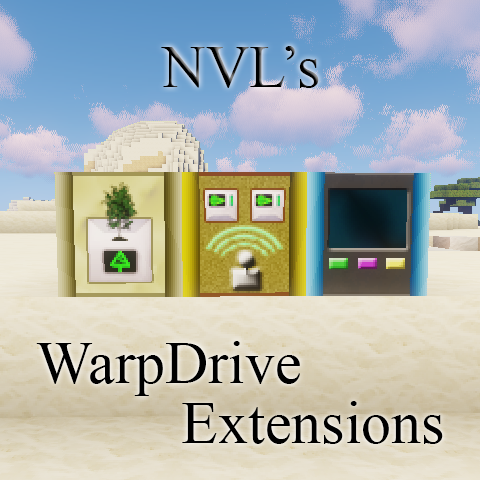
Add various blocks to support and ease Space operations and farming with CR0S / LemADEC WarpDrive MOD. Also adds useful new tools missing from vanilla MC.
Quick answer
NVL's WarpDrive Extensions NVLWarpdriveExtensions-1.7.10.1558.28.jar targets 1.7.10. The project page does not say whether this file belongs on the client, dedicated server, or both. All 1 required mods have matching files.
Where it goes
The project page does not say whether this file belongs on the client, dedicated server, or both.
The source does not explicitly classify this release as client-only or server-only.
NVLWarpdriveExtensions-1.7.10.1558.28.jar. Change the file and its required mods may change too.
Install WarpDrive first. We found matching files for this game-version and loader setup.
We only count dependency files that match this setup. A file for another loader does not fill the gap.
Before you install it
Built for NVL's WarpDrive Extensions NVLWarpdriveExtensions-1.7.10.1558.28.jar. Pick another file and the loader, install side or required mods may change.
Use NVLWarpdriveExtensions-1.7.10.1558.28.jar. It targets 1.7.10; another release may have different loader, side or dependency requirements.
Install WarpDrive first. We found matching files for this game-version and loader setup.
The project page does not say whether this file belongs on the client, dedicated server, or both.
Use the “Get this file” button beside NVLWarpdriveExtensions-1.7.10.1558.28.jar. It opens that exact file at the source.
About this project
This mod adds some extra blocks to CR0S / LemADEC WarpDrive.
WarpDrive 1.3.35 or 1.3.36 is compatible with 1.22 only!
!!! The MOD has been split to 5 pieces at version 19!!!
If you have a world which is using this MOD with less than v19 then use the Migrator version to migrate the blocks and items before applying any newer version!
Requirements:
Java 1.8 (From version 1.8)
Minecraft Forge 1.7.10.1558 or above
LemADEC WarpDrive MOD WarpDrive-1.7.10-1.3.17 or above
Optional MODs which adds extra functionality:
MOD features main feature is to add GUI based controller blocks for WarpDrive functions without ComputerCraft or OpenComputers.
Controller blocks:
Docking Computer:
Docks: It lets you save the current ship coordinates with a name and then later on directly jump to it when within range. You can set the dock to public enabling other users to use it.
Set up your ship
Do jumps including hyperspace
Shut down Core
Summon crew members
No need of ComputerCraft or OpenComputers MOD
Laser Tree Farm Sapling Buffer: This block is created to feed the LTF with saplings and add a small storage buffer for the mined wood. If any container is adjacent to this block then it will automatically feed the items into that except of course the saplings. This block completes my Tree Farm setup with all required blocks to have an incredible dense farm. This block requires WarpDrive to be installed.
Laser Miner Control Center: This block is again an extension for WarpDrive. It makes easier to coordinate the laser miners within the range. You can control up to 8 miners and does not require any computer (CC or OC).
Separate MODs after the great split:
NVLNanoBlocks MOD:
Nano Glass: A paintable, tough glass for starship building. Can be easily removed with Nano Block Remover within a shipyard's rage by Shipyard Engineers.
Nano Hull Block: As the Nano Glass except these are opaque blocks.
Nano Block Painter: One click coloring of the Nano Blocks.
Nano Block Remover: This tool can remove any Nano Block within the Shipyard's range operated by a Shipyard Engineer.
Nano Block Control Center (Former Shipyard): An EU using (with IC2) machine enabling the usage of the Nano Block Remover for Shipyard Engineers. The Engineer list can be set on the GUI by the Shipyard Owner. Only one Shipyard can be activated within the range.
Nano Block Coloring Controller: This block lets you to control the color of the Nano blocks within a 9x9 matrix next to the controller. The Controller must be placed at the center of the pane created of Nano blocks (Hull or Glass). You can draw any image on these blocks even create small animations (max. 9 frames) with speed controls. Warning: If you use the full scale of 9x9 blocks and high speed it could slow down your game! Use powerful computer or reduce speed. It is kind of fun creating animated arrows or signs on space stations as landing guides :)
NVLStorageBlocks MOD: Check its own page here: NVL's Storage Blocks
NVLBlocks MOD: Check its own page here: NVL-Blocks
NVLCompressedBlocks MOD: It has its own MOD page NVL's Compressed Blocks
New commands:
Structures creative command allows you to place/save structures. The MOD also includes a few Predefined starbase blocks.
The MOD supports Client/Server or Integrated environments.
Usage: Copy this MOD into the Mods folder of your Forge installation.
If you would like to see the GUI elements displayed in your language then feel free to become a translator. Let me know if you are interested and I'll send you the format.
Project description from CurseForge.
Pick your setup
Choose the version and loader you play, then open the matching release.
Check the dependencies, then try the file in a copied instance before changing a world you care about.
Recent files
27 Jun 2019
22 Nov 2018
9 Oct 2018
28 Sept 2018
23 Aug 2018
22 Aug 2018
31 Jan 2018
24 Oct 2017
18 Oct 2017
18 Oct 2017
18 Oct 2017
18 Oct 2017
Looking for an older file? The official CurseForge project page is in Resources.
 mod
Neo ECO AE Extension is an addon for Applied Energistics 2, Provides higher-performance components
 mod
An enchantment type mod based on the Elden Ring game
 mod
Creepypasta survival horror: wake the altar