Minecraft version
Back to mods 
CurseForge · Minecraft mod
Mike Dongles
Right Click to harvest / Starting Inventory / Watering Can / Sponge Dongle / Plant Seeds in 3x3 Area / MLG Horn / Compressed Mobs Drops / Pickappa / Void Dongle / And more to come
Choose a version Pick your version below, then grab the matching file.
Quick answer
Which Mike Dongles release should I use?
Latest stable file MikeDongles 0.6.0 [1.12.2]
Game version 1.12.2
Loader Not required
Mike Dongles MikeDongles 0.6.0 [1.12.2] targets 1.12.2. The project page does not say whether this file belongs on the client, dedicated server, or both. No extra mods listed for this file.
Where it goes
Is Mike Dongles required on the client, server, or both?
The project page does not say whether this file belongs on the client, dedicated server, or both.
Client Source doesn’t say
Dedicated server Source doesn’t say
Loader for this release No loader listed
Required install it here Optional supported, not mandatory Not supported do not install here Source doesn’t say do not assume
The source does not explicitly classify this release as client-only or server-only.
What else does Mike Dongles MikeDongles 0.6.0 [1.12.2] need?
MikeDongles 0.6.0 [1.12.2]. Change the file and its required mods may change too.
This file does not list any required mods. Do not add a library just because a different file uses it.
This file does not list any required or optional mods.
Before you install it
Add Mike Dongles without breaking your instance.
Built for Mike Dongles MikeDongles 0.6.0 [1.12.2]. Pick another file and the loader, install side or required mods may change.
- 01
Stick to this file
Use MikeDongles 0.6.0 [1.12.2]. It targets 1.12.2; another release may have different loader, side or dependency requirements.
- 02
Bring the mods it needs
This file does not list any required mods. Do not add a library just because a different file uses it.
- 03
Put it on the correct side
The project page does not say whether this file belongs on the client, dedicated server, or both.
- 04
Pick the file you checked
Use the “Get this file” button beside MikeDongles 0.6.0 [1.12.2]. It opens that exact file at the source.
About this project
What does Mike Dongles add?
Description will be updated Soon™
Features as for version 0.4.2: (List need update for current versions) Some items may not be available on some versions
- Ability to right click to harvest crops (Cocoa Beans, Melons and Pumpkins included along with Beetroots, Potatoes, Carrots and Wheat)
- Crop Dongles (When right clicked on the plant mentioned above they have extra chances to drop even more) It also works as a "Scythe" since version 0.3.7
- Watering Dongle (Like a watering can, makes crops grow faster, including cactus and sugarcanes and all the mentioned above)
- Starting Inventory (Allows you to define items a player will start a world with)
- Sponge Dongle (It sucks)
- The Crop Dongles can plant seeds in a 3x3 area at once
- The Crop Dongles can be used as a shovel
- Right Click functionality and the Crop Dongle should work on Crops from other Mods
- Spongle can now suck water when placed on the world in a 5 radius around it. It will become a Wet Spongle
- Wet Sponge - Placed on the world, can convert Cobblestone, Cobblestone Walls and Stone Bricks into Mossy Cobblestone, Mossy Cobblestone Walls and Mossy Stone Bricks
- MLG Horn (Play MLG Horn ingame when pressing 'L') (Apparently wont play to other players on a server as for now)
- Sad Trombone (Play Sad Trombone when pressing 'K') (Apparently wont play to other players on a server as for now)
- Compressed Mobs Drops. As for now Rotten Flesh, Gunpowder, String, Spider Eye, Slimeballs and Bones.
- Pickappa (A Stone level Pickaxe with insane durability and delete cobblestone feature)
- Void Dongle Can (A dev/null/ type of item that has 9 inventory slots and will delete those items when in inventory)
- Dirt Dongle (Cleans a 51x25x51 Area)
- Elixir that cures the player when poisoned
The ability to right click to harvest crops is enabled by default. This function means that you get the drops from the crop, and the crop remains planted and it's set back to age 0. It works on all Vanilla crops and should also work on any modded crop that extends the BlockCrops from Minecraft and fully grown age is 7 (Some mods may work different, waiting on Issues report to work around and fix them if possible)
Crop Dongles are also enabled by default. They are "dongles" that allows you to right click on crops to harvest them (Yes I know you can do this with empty hand) but, it has an extra. Crop Dongles can be crafted from Sticks, Stone, Iron, Gold and Diamond. The better the tool, the higher chances for extra crops you have.
Now the Crop Dongles are also Shovels. You can use them to break block same way you would do with shovels. (Bug spotted, I will leave it as a feature, when breaking snow layer, you wont get snowballs)
New feature on the Crop Dongles. Sneak + Right Click on Grass with turn it into a Grass Path, just like shovels.
Crop Dongles can now be used to plant seeds with 1 click in a 3x3 area (Sneak + Right Click on Farmland). You must have the seeds to plant in the slot to the right from the Crop Dongle (Work with Wheat Seeds, Beetroot Seeds, Carrots and Potatoes)
Crop Dongles can be repaired on Anvils.
Starting Inventory is what it sounds like, it let you config a list of Items/Block that a player will start in the world with.
Watering Dongle. A watering can that will make plants grow faster.
Sponge Dongles. It sucks Water and/or Lava. The radius of effectiveness can be configured.
MLG Horn - You can press L ingame and the MLG Horn will play (Can change Key on the Controls config)
And that's it for now. More to come on the Future.
Hope you enjoy the Mod, any feedback is welcome.
Want to use this Mod on a ModPack? Read the Custom License.
MOD SPOTLIGHT (Thanks a lot for the review MechRandom) PS: The glitch wasn't a glitch, it's a feature :)
NOTE: As for version 0.1.3 and above, I recommend that if you using Pams HarvestCraft or EnderCore. Disable the Right Click functionality on both of those mods, and let Mike Dongle handle it. That way you get extra crops using the Crop Dongles.
(If you looking for compatibility with other mods, let me know)
Planned features:
- Add an option to give players a reward item/block each time an achievement is completed.
SPECIAL THANKS
- Thanks to Justin Game Design @JustinGameDev for allowing the use of the texture on the Elixirs.
- Thanks to @JarnoVH for providing some textures on the mod.
Project description from CurseForge.
Pick your setup
Mike Dongles by Minecraft version and loader
Choose the version and loader you play, then open the matching release.
Minecraft version
1.11.2
1 loader buildMinecraft version
1.10.2
1 loader buildMinecraft version
1.10
1 loader buildMinecraft version
1.9.4
1 loader buildCheck the dependencies, then try the file in a copied instance before changing a world you care about.
Recent files
Mike Dongles versions and loaders
MikeDongles 0.6.0 [1.12.2]
MikeDongles-0.6.0-[1.12.2].jar
24 Jan 2018
Client Source doesn’t say Server Source doesn’t say Dependencies No extras listed Listed on Release listing
Check the 1.12.2 setup 1.12.2 release
MikeDongles 0.4.3 MC[1.11.2]
MikeDongles-0.4.3-MC[1.11.2].jar
14 May 2017
Client Source doesn’t say Server Source doesn’t say Dependencies No extras listed Listed on Release listing
Check the 1.11.2 setup 1.11.2 release
MikeDongles 0.4.4 MC[1.9.4-1.10-1.10.2]
MikeDongles-0.4.4-MC[1.9.4-1.10-1.10.2].jar
14 May 2017
Client Source doesn’t say Server Source doesn’t say Dependencies No extras listed Listed on Release listing
Check the 1.10.2 setup 1.9.41.10.21.10 release
Looking for an older file? The official CurseForge project page is in Resources.
 mod
mod CurseForge · Minecraft
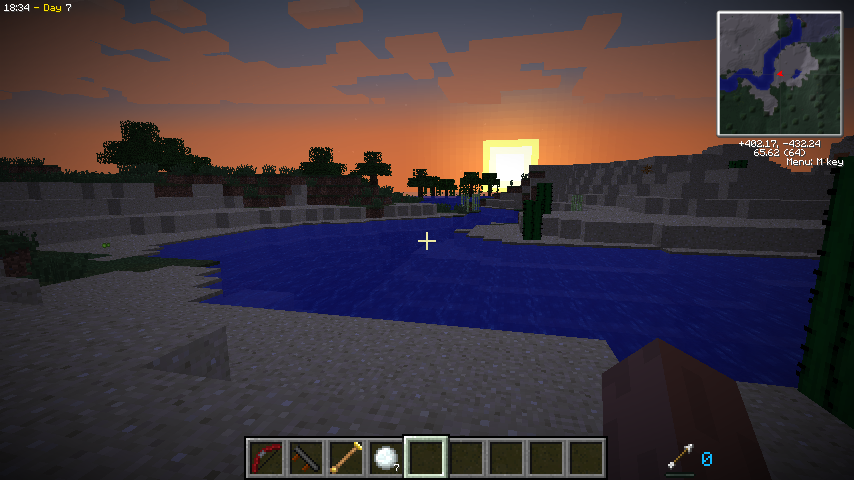
Вращение Земли Майнкрафтская (Accurate day/night-cycles Mod)
Accurate day/night-cycles and time-speed mod for Minecraft - Make your MC days last longer than 20 mins - Now with varying day lengths
 mod
mod CurseForge · Minecraft
Dual Screen Hud
Add dual screen support to Java Minecraft!
 mod
mod CurseForge · Minecraft
HD Realistic Vegetation
Ultra Realistic Trees, plants and rocks for you minecraft world