Minecraft version
Back to mods 
CurseForge · Minecraft mod
Armors HUD Revived (Liteloader Only)
Adds a HUD for armor in the bottom right corner
Choose a version Pick your version below, then grab the matching file.
Quick answer
Which Armors HUD Revived (Liteloader Only) release should I use?
Latest stable file Armors HUD Revived 1.2.0 for 1.12.r2
Game version 1.12.1, 1.12.2
Loader Not required
Armors HUD Revived (Liteloader Only) Armors HUD Revived 1.2.0 for 1.12.r2 targets 1.12.1, 1.12.2. The project page does not say whether this file belongs on the client, dedicated server, or both. No extra mods listed for this file.
Where it goes
Is Armors HUD Revived (Liteloader Only) required on the client, server, or both?
The project page does not say whether this file belongs on the client, dedicated server, or both.
Client Source doesn’t say
Dedicated server Source doesn’t say
Loader for this release No loader listed
Required install it here Optional supported, not mandatory Not supported do not install here Source doesn’t say do not assume
The source does not explicitly classify this release as client-only or server-only.
What else does Armors HUD Revived (Liteloader Only) Armors HUD Revived 1.2.0 for 1.12.r2 need?
Armors HUD Revived 1.2.0 for 1.12.r2. Change the file and its required mods may change too.
This file does not list any required mods. Do not add a library just because a different file uses it.
This file does not list any required or optional mods.
Before you install it
Add Armors HUD Revived (Liteloader Only) without breaking your instance.
Built for Armors HUD Revived (Liteloader Only) Armors HUD Revived 1.2.0 for 1.12.r2. Pick another file and the loader, install side or required mods may change.
- 01
Stick to this file
Use Armors HUD Revived 1.2.0 for 1.12.r2. It targets 1.12.1, 1.12.2; another release may have different loader, side or dependency requirements.
- 02
Bring the mods it needs
This file does not list any required mods. Do not add a library just because a different file uses it.
- 03
Put it on the correct side
The project page does not say whether this file belongs on the client, dedicated server, or both.
- 04
Pick the file you checked
Use the “Get this file” button beside Armors HUD Revived 1.2.0 for 1.12.r2. It opens that exact file at the source.
About this project
What does Armors HUD Revived (Liteloader Only) add?
{width=338 height=192}
This is a liteloader mod for minecraft versions 1.8.9 and up based heavily on Urushibara's Armors HUD Mod. It displays the equipped armor on screen right side so you can check the armor's damage any time. This mod requires LiteLoader 1.8.9 or newer to run. Download the latest compatible versions here.
Unlike the original, it is unavailable in any other form than a litemod, as this is the second true mod I've made and am unfamiliar with any modding system other than the new gradle development system for liteloader that began with 1.8.9. All I've done with this mod was decompile it from 1.8, fix some of the code to match 1.8.9 (and newer), and recompile it -- the code behind it all belongs to Urushibara
As of the 1.1 release, I've added new features that significantly change the mod from the simple bit of code contained in the original. For full details, see the changelog below.
Changelog
Version 1.1
-Added the ability to Toggle Armors HUD on and off through the liteloader config panel and via keybind
-Added the ability to move the HUD between bottom right, bottom left, and top center of the screen, also through config panel and keybind
-settings are saved when you change them, and reloaded when the game starts; the settings file is unversioned, so your preferences will sync between all different versions of minecraft which are running version 1.1 of the mod or newer
-Added a mod description in-game
-Reorganized the code and internal structure of the mod to make it compatible with an as of yet unnamed and unannounced project of mine that I'll refer to only as "the plan"
-Added support for 1.8.9 as well as syncing the mod to all subsequent versions of minecraft for the 1.1 release
Version 1.0.3
-Updated to 1.10; no revision for earlier versions released, though I did end up releasing a second version of 1.0.3 not too long after it was initially released to support the multiversion compatibility between 1.10 and 1.10.2
Version 1.0.2
-Updated to 1.9.4; no revision for 1.9 or 1.8.9 version released, as no functionality was changed
Version 1.0.1
-Fixed side by side compatibility with Pop Enchant Tags Revived
Version 1.0.0
-Initial port from 1.8 to 1.9 (skipped 1.8.9 because it was unstable at the time)
Previous Versions for 1.7.10 and 1.8 can be found on Urushibara's original post here.
Project description from CurseForge.
Pick your setup
Armors HUD Revived (Liteloader Only) by Minecraft version and loader
Choose the version and loader you play, then open the matching release.
Minecraft version
1.12.1
1 loader buildMinecraft version
1.12
1 loader buildMinecraft version
1.11.2
1 loader buildMinecraft version
1.11
1 loader buildMinecraft version
1.10.2
1 loader buildMinecraft version
1.10
1 loader buildMinecraft version
1.9.4
1 loader buildMinecraft version
1.9
1 loader buildMinecraft version
1.8.9
1 loader buildCheck the dependencies, then try the file in a copied instance before changing a world you care about.
Recent files
Armors HUD Revived (Liteloader Only) versions and loaders
Armors HUD Revived 1.2.0 for 1.12.r2
29 Sept 2017
Client Source doesn’t say Server Source doesn’t say Dependencies No extras listed Listed on Release listing
Check the 1.12.2 setup 1.12.11.12.2 release
Armors HUD Revived 1.2.0 for 1.12
14 Jul 2017
Client Source doesn’t say Server Source doesn’t say Dependencies No extras listed Listed on Release listing
Check the 1.12 setup 1.12 release
Armors HUD Revived 1.2.0 for 1.11.2
14 Jul 2017
Client Source doesn’t say Server Source doesn’t say Dependencies No extras listed Listed on Release listing
Check the 1.11.2 setup 1.11.2 release
Armors HUD Revived 1.2.0 for 1.11
14 Jul 2017
Client Source doesn’t say Server Source doesn’t say Dependencies No extras listed Listed on Release listing
Check the 1.11 setup 1.11 release
Armors HUD Revived 1.1 for 1.10.x
21 Jul 2016
Client Source doesn’t say Server Source doesn’t say Dependencies No extras listed Listed on Release listing
Check the 1.10.2 setup 1.10.21.10 release
Armors HUD Revived 1.1 for 1.9.4
21 Jul 2016
Client Source doesn’t say Server Source doesn’t say Dependencies No extras listed Listed on Release listing
Check the 1.9.4 setup 1.9.4 release
Armors HUD Revived 1.1 for 1.9
21 Jul 2016
Client Source doesn’t say Server Source doesn’t say Dependencies No extras listed Listed on Release listing
Check the 1.9 setup 1.9 release
Armors HUD Revived 1.1 for 1.8.9
21 Jul 2016
Client Source doesn’t say Server Source doesn’t say Dependencies No extras listed Listed on Release listing
Check the 1.8.9 setup 1.8.9 release
Looking for an older file? The official CurseForge project page is in Resources.
 mod
CurseForge · Minecraft
Life In The Rainforest
A companion mod to my other mod "Life On The Prairie" this time focused on the Rainforests of the Still Life world
 mod
CurseForge · Minecraft
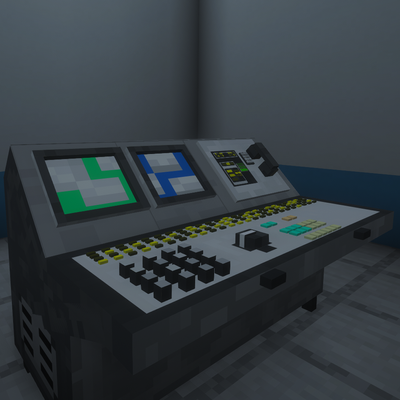
decorative consoles
A mod that adds decorative consoles, perfect for maps and more.
 mod
CurseForge · Minecraft
The Umbra (UmbraZ)
An optional, brutally hard dimension: the Umbra. Dread, elite monsters, a Warden-forged key, underground villages with levelling traders, new gear tiers and a boss. Requires ArcanaZ.