Just Enough Items (JEI) Optional for EZStorage 2 ezstorage-2.4.1-[1.11.2].jar
optionalMatching file found Matched file: jei_1.11.2-4.5.0.294.jar

CurseForge · Minecraft mod
Storage made easier.
Quick answer
EZStorage 2 ezstorage-2.4.1-[1.11.2].jar targets 1.11.2. The project page does not say whether this file belongs on the client, dedicated server, or both. No extra mods listed for this file.
Where it goes
The project page does not say whether this file belongs on the client, dedicated server, or both.
The source does not explicitly classify this release as client-only or server-only.
ezstorage-2.4.1-[1.11.2].jar. Change the file and its required mods may change too.
This file does not list any required mods. Do not add a library just because a different file uses it.
We only count dependency files that match this setup. A file for another loader does not fill the gap.
Before you install it
Built for EZStorage 2 ezstorage-2.4.1-[1.11.2].jar. Pick another file and the loader, install side or required mods may change.
Use ezstorage-2.4.1-[1.11.2].jar. It targets 1.11.2; another release may have different loader, side or dependency requirements.
This file does not list any required mods. Do not add a library just because a different file uses it.
The project page does not say whether this file belongs on the client, dedicated server, or both.
Use the “Get this file” button beside ezstorage-2.4.1-[1.11.2].jar. It opens that exact file at the source.
About this project
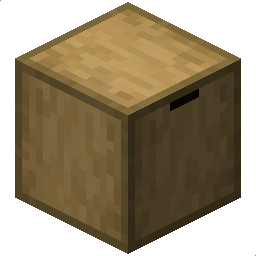
EZStorage 2 introduces a storage system that scales and evolves as players progress. Want to put 100,000 Cobblestone in 1 slot? No problem. Blocks in the mod can add a search bar, a crafting grid, additional storage, external access, security, and more. Also includes JEI integration for 1-click crafting from the system's internal inventory!
{width=718 height=424}
Blocks:
This mod is backwards-compatible with 1.9 and older EZStorage worlds. Unfortunately, it is not backwards-compatible with 1.9 and older EZ Extended worlds.
Thanks to ProfessorProspector for some of the mod's textures!
Project description from CurseForge.
Pick your setup
Choose the version and loader you play, then open the matching release.
Check the dependencies, then try the file in a copied instance before changing a world you care about.
Recent files
12 Feb 2018
4 May 2017
4 May 2017
1 May 2017
1 May 2017
ezstorage-2.3.0.jar
29 Apr 2017
5 Nov 2016
2 Oct 2016
1 Oct 2016
3 Sept 2016
2 Aug 2016
28 Jul 2016
Looking for an older file? The official CurseForge project page is in Resources.
 mod
modPortable, recoverable digital storage. Carry your items on chips, back them up, autocraft anything, with little robots helping out.
 mod
modA datapack that adds drawers in Minecraft.
 mod
modSafely stores equipped Trinkets items in Better Revive graves and restores them to their exact original slots.