Minecraft version
Back to mods 
CurseForge · Minecraft mod
ZC Village Information
View information about the nearest village. View information about the selected villager, including their inventory, and trades!. View the World Spawn area. Villages and Villagers are much easier to locate Make sure your village is within the World Spawn..
Choose a version Pick your version below, then grab the matching file.
Quick answer
Which ZC Village Information release should I use?
beta file ZC Villages-0.11.4-1.10.2.jar
Game version 1.10.2
Loader Not required
ZC Village Information ZC Villages-0.11.4-1.10.2.jar targets 1.10.2. The project page does not say whether this file belongs on the client, dedicated server, or both. No extra mods listed for this file.
Where it goes
Is ZC Village Information required on the client, server, or both?
The project page does not say whether this file belongs on the client, dedicated server, or both.
Client Source doesn’t say
Dedicated server Source doesn’t say
Loader for this release No loader listed
Required install it here Optional supported, not mandatory Not supported do not install here Source doesn’t say do not assume
The source does not explicitly classify this release as client-only or server-only.
What else does ZC Village Information ZC Villages-0.11.4-1.10.2.jar need?
ZC Villages-0.11.4-1.10.2.jar. Change the file and its required mods may change too.
This file does not list any required mods. Do not add a library just because a different file uses it.
This file does not list any required or optional mods.
Before you install it
Add ZC Village Information without breaking your instance.
Built for ZC Village Information ZC Villages-0.11.4-1.10.2.jar. Pick another file and the loader, install side or required mods may change.
- 01
Stick to this file
Use ZC Villages-0.11.4-1.10.2.jar. It targets 1.10.2; another release may have different loader, side or dependency requirements.
- 02
Bring the mods it needs
This file does not list any required mods. Do not add a library just because a different file uses it.
- 03
Put it on the correct side
The project page does not say whether this file belongs on the client, dedicated server, or both.
- 04
Pick the file you checked
Use the “Get this file” button beside ZC Villages-0.11.4-1.10.2.jar. It opens that exact file at the source.
About this project
What does ZC Village Information add?
Check out my other mod if you like: ZC Entity Information
Hello everyone,
I wrote this mod so I don't have to keep looking at the villages.dat file to see what is happening to my villages. It has expanded from there.
Features
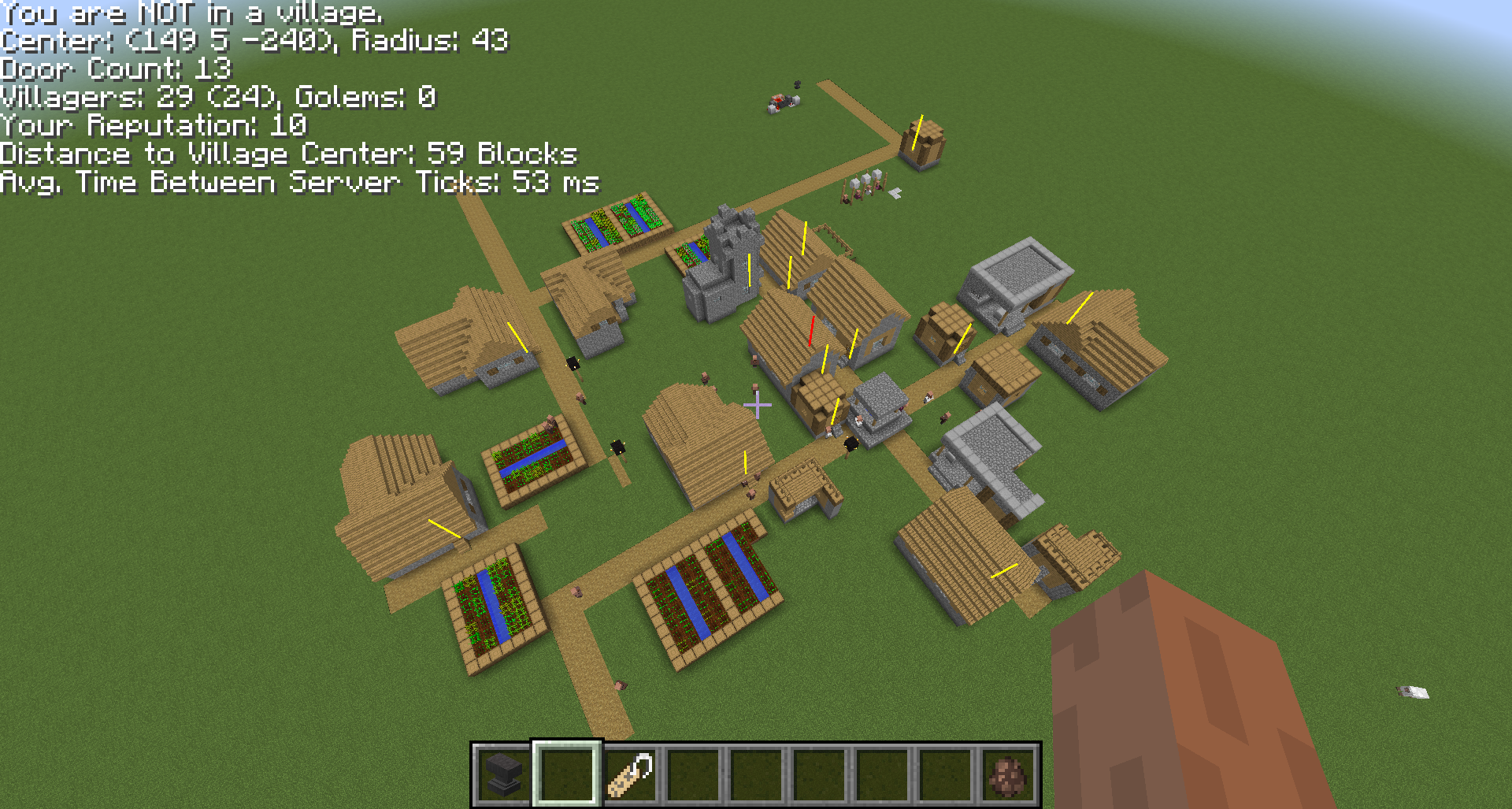
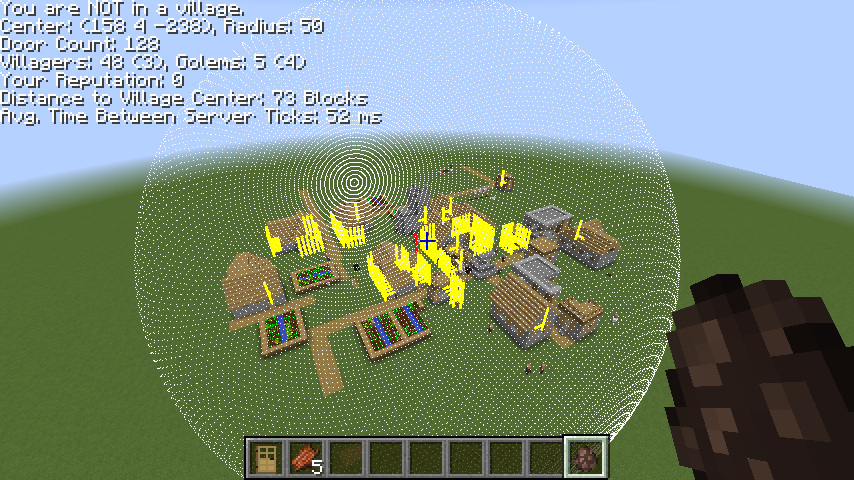
- Village information is displayed when you are near a village. (Image)
- Message from the server indicating you are inside. outside, or not near a village. Calculated on the server side.
- Village center location (X Y Z), Village radius.
- Number of doors in the village.
- Number of villagers in the village. (Villager cap), Number of iron golems. (Golem cap)
- Your reputation in the village.
- Distance to the village center. Calculated on the client side.
- The time between each server tick. The value is in milliseconds.
- Village information text color changes when you are inside the village. (Image)
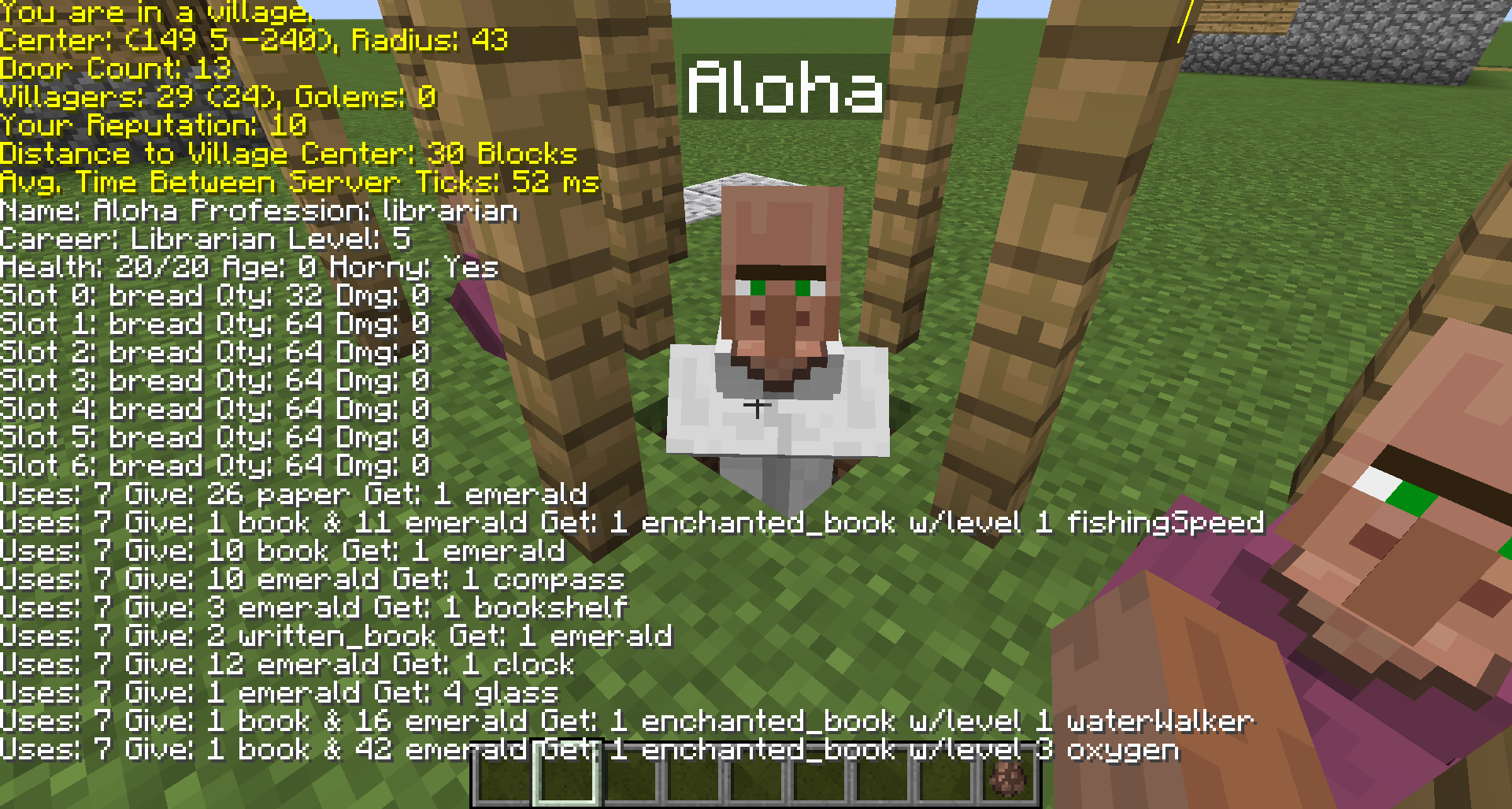
- When you look at a villager, details about that villager will be displayed. (Image)
- Draws a line at the center of the village.
- Draws a cuboid around the iron golem spawn area.
- Draws a line at each door location. (Image)
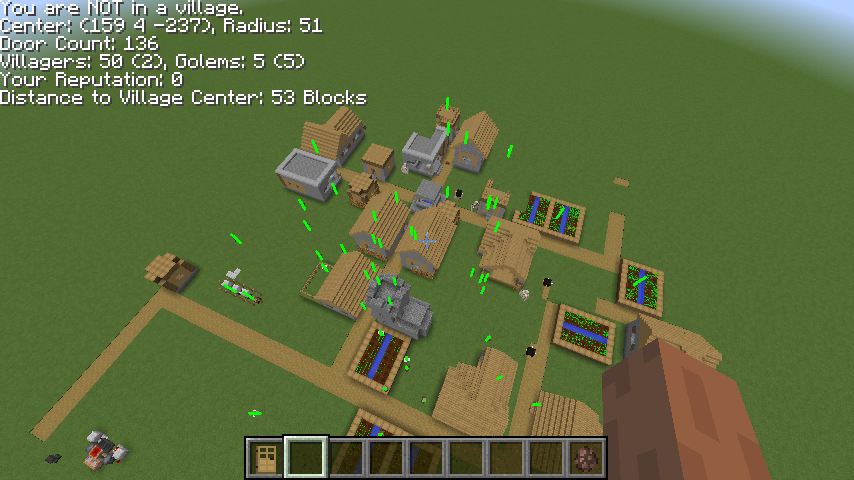
- Draws a line at each villager location. (Image)
- Draws a sphere of dots around the village border. (Image)
- Draws a cuboid around the World spawn area.
Key Bindings
- O - Toggles Village information text.
- P - Toggles Center Lines and Border Sphere display.
- First press; Village center line and Golem spawn area.
- Second Press; Door center lines.
- Third Press; Border sphere.
- Forth Press; Display all.
- L - Toggles Entity Center Lines
- First press; Villager center lines
- Second press; Golem center lines
- K - Toggle World Spawn box
- First press; World spawn area
- Second press; Redstone stays functional area
- Third press; Entity's do not despawn area
- Forth press; Display All
Commands
- "/villagedistance #" - If you are a level 4 OP you can issue the server command "/villagedistance #" to set the distance from the edge of a village before it is displayed to a player. The default is 128 blocks. Example: /villagedistance 128
Installation
This is BETA. Use at your own risk.
- Copy the .jar file to the mods directory on both the client and server.
Requirements
- 1.10.2 Compiled with Forge version: 1.10.2-12.18.1.2027
- 1.9.4 Compiled with Forge version: 1.9.4-12.17.0.1987
- 1.8.9 Compiled with Forge version: 1.8.9-11.15.1.1902-1.8.9
Images
If you are within "villagedistance" blocks of a village you will see this;
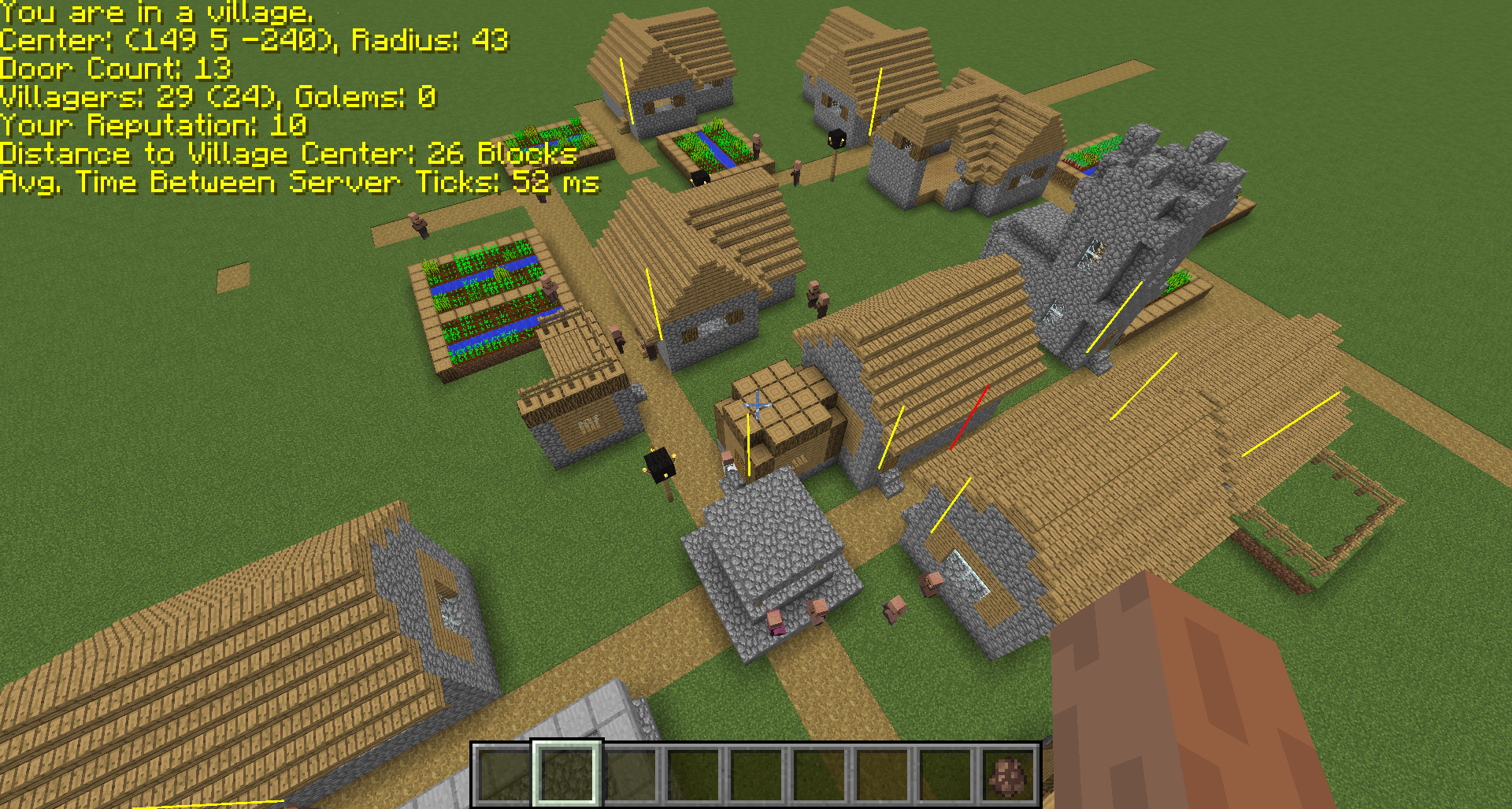
If you are outside the village radius you will see this;
When you look at a villager you will see information about them.
Village center line and door center lines.
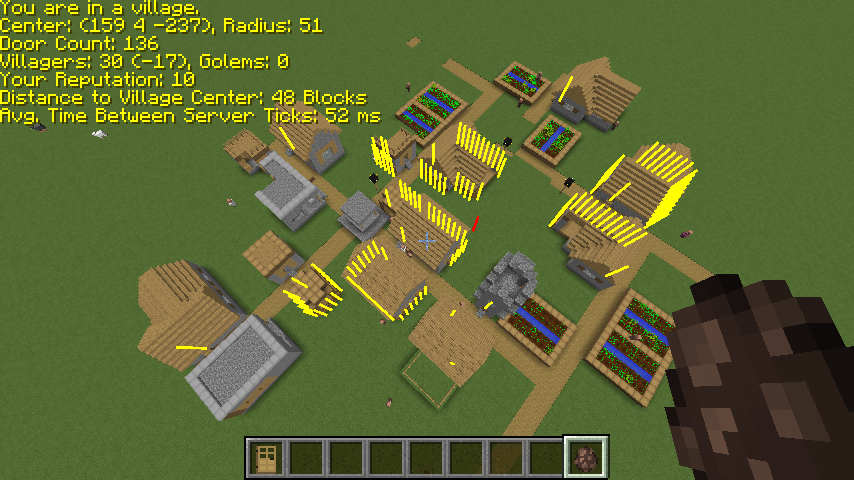
Display village border.
Find your villagers. Press L key.
You can configure the display colors using the mod config screen. You can also change the line lengths.
Let me know if you have any issues or comments.
Thanks, and happy village building.
Project description from CurseForge.
Pick your setup
ZC Village Information by Minecraft version and loader
Choose the version and loader you play, then open the matching release.
Minecraft version
1.10
1 loader buildMinecraft version
1.9.4
1 loader buildMinecraft version
1.8.9
1 loader buildCheck the dependencies, then try the file in a copied instance before changing a world you care about.
Recent files
ZC Village Information versions and loaders
ZC Villages-0.11.4-1.10.2.jar
30 Jul 2016
Client Source doesn’t say Server Source doesn’t say Dependencies No extras listed Listed on Release listing
Check the 1.10.2 setup 1.10.2 beta
ZC Villages-0.11.4-1.9.4.jar
30 Jul 2016
Client Source doesn’t say Server Source doesn’t say Dependencies No extras listed Listed on Release listing
Check the 1.10 setup 1.9.41.10 beta
ZC Villages-0.11.4-1.8.9.jar
30 Jul 2016
Client Source doesn’t say Server Source doesn’t say Dependencies No extras listed Listed on Release listing
Check the 1.8.9 setup 1.8.9 beta
Looking for an older file? The official CurseForge project page is in Resources.