Minecraft version
Back to mods 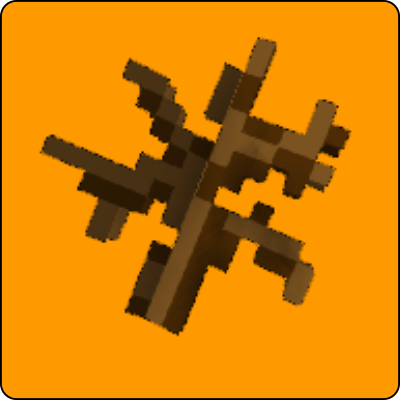
CurseForge · Minecraft mod
Deadbush Tools
The Mythical Deadbush Tools are back...
Choose a version Pick your version below, then grab the matching file.
Quick answer
Which Deadbush Tools release should I use?
Latest stable file deadbushtools-1.3.jar
Game version 1.16.5
Loader Not required
Deadbush Tools deadbushtools-1.3.jar targets 1.16.5. The project page does not say whether this file belongs on the client, dedicated server, or both. No extra mods listed for this file.
Where it goes
Is Deadbush Tools required on the client, server, or both?
The project page does not say whether this file belongs on the client, dedicated server, or both.
Client Source doesn’t say
Dedicated server Source doesn’t say
Loader for this release No loader listed
Required install it here Optional supported, not mandatory Not supported do not install here Source doesn’t say do not assume
The source does not explicitly classify this release as client-only or server-only.
What else does Deadbush Tools deadbushtools-1.3.jar need?
deadbushtools-1.3.jar. Change the file and its required mods may change too.
This file does not list any required mods. Do not add a library just because a different file uses it.
This file does not list any required or optional mods.
Before you install it
Add Deadbush Tools without breaking your instance.
Built for Deadbush Tools deadbushtools-1.3.jar. Pick another file and the loader, install side or required mods may change.
- 01
Stick to this file
Use deadbushtools-1.3.jar. It targets 1.16.5; another release may have different loader, side or dependency requirements.
- 02
Bring the mods it needs
This file does not list any required mods. Do not add a library just because a different file uses it.
- 03
Put it on the correct side
The project page does not say whether this file belongs on the client, dedicated server, or both.
- 04
Pick the file you checked
Use the “Get this file” button beside deadbushtools-1.3.jar. It opens that exact file at the source.
About this project
What does Deadbush Tools add?
Do you enjoy Deadbush Tools? Consider donating to keep up the updates for more exciting new content!
Donation Link: https://ko-fi.com/arionas_mc

The Mythical Deadbush Tools are back for Minecraft 1.16.5!
Have you ever wondered what can you craft with the useless Dead Bush? This mod adds 10 Deadbush Tools, 1 full set of Deadbush Armor, 2 Deadbush Throwables and the might Deadbush Mob!!!
Items:
- Deadbush Sword
- Deadbush Katana
- Deadbush Knife
- Deadbush Nunchaku (Has a 3D Model)
- Deadbush Battle Axe
- Deadbush Pickace
- Deadbush Axe
- Deadbush Shovel
- Deadbush Hoe
- Deadbush Spear (You can throw the spear just like a trident!)
Throwables:
- Deadbush Rain
- Deadbush Bomb
Armor:
- Deadbush Helmet
- Deadbush Chestplate
- Deadbush Leggings
- Deadbush Boots
And the Mighty Deadbush Mob:

Recipes:
- You can find all the Item Recipes in the "Images" section
Tip: Keep the Deadbush Mob away from the Villagers and have fun!!!
Project description from CurseForge.
Pick your setup
Deadbush Tools by Minecraft version and loader
Choose the version and loader you play, then open the matching release.
Minecraft version
1.8
1 loader buildCheck the dependencies, then try the file in a copied instance before changing a world you care about.
Recent files
Deadbush Tools versions and loaders
deadbushtools-1.3.jar
5 Jul 2021
Client Source doesn’t say Server Source doesn’t say Dependencies No extras listed Listed on Release listing
Check the 1.16.5 setup 1.16.5 release
DeadbushTools-1.2
DeadbushTools-1.2.jar
3 Sept 2016
Client Source doesn’t say Server Source doesn’t say Dependencies No extras listed Listed on Release listing
Check the 1.8 setup 1.8 release
DeadbushTools-1.1
DeadbushTools-1.1.jar
27 Jul 2016
Client Source doesn’t say Server Source doesn’t say Dependencies No extras listed Listed on Release listing
Check the 1.8 setup 1.8 release
DeadbushTools-1.0
DeadbushTools-1.0.jar
16 Jul 2016
Client Source doesn’t say Server Source doesn’t say Dependencies No extras listed Listed on Release listing
Check the 1.8 setup 1.8 release
Looking for an older file? The official CurseForge project page is in Resources.
 mod
CurseForge · Minecraft
RPG Waypoints Map Addon
Map addon for RPG Waypoints and Compass, supporting custom map images!
 mod
CurseForge · Minecraft
RPG Compass and Waypoints
A customizable compass and waypoints mod
 mod
CurseForge · Minecraft
Custom Mobs Framework
An advanced, high-performance, and fully configurable mob creation system, you just need to bring the models.