Minecraft version
Back to mods 
CurseForge · Minecraft mod
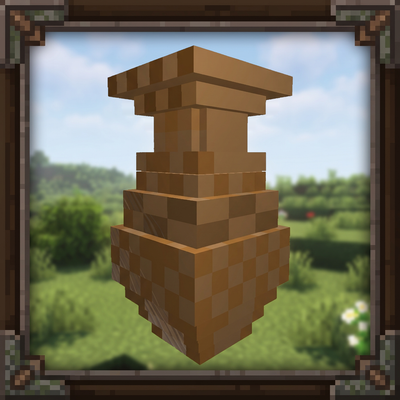
[SBM] Magic Mirror
Simple magic item that auto records a teleport location when entering caves or dungeons
Choose a version Pick your version below, then grab the matching file.
Quick answer
Which [SBM] Magic Mirror release should I use?
Latest stable file SBM-Magic-Mirror-forge-1.19.3-1.0.10.jar
Game version 1.19.3
Loader Forge
[SBM] Magic Mirror SBM-Magic-Mirror-forge-1.19.3-1.0.10.jar targets 1.19.3 with Forge. The project page does not say whether this file belongs on the client, dedicated server, or both. No extra mods listed for this file.
Where it goes
Is [SBM] Magic Mirror required on the client, server, or both?
The project page does not say whether this file belongs on the client, dedicated server, or both.
Client Source doesn’t say
Dedicated server Source doesn’t say
Loader for this release Forge
Required install it here Optional supported, not mandatory Not supported do not install here Source doesn’t say do not assume
The source does not explicitly classify this release as client-only or server-only.
What else does [SBM] Magic Mirror SBM-Magic-Mirror-forge-1.19.3-1.0.10.jar need?
SBM-Magic-Mirror-forge-1.19.3-1.0.10.jar. Change the file and its required mods may change too.
This file does not list any required mods. Do not add a library just because a different file uses it.
This file does not list any required or optional mods.
Before you install it
Add [SBM] Magic Mirror without breaking your instance.
Built for [SBM] Magic Mirror SBM-Magic-Mirror-forge-1.19.3-1.0.10.jar. Pick another file and the loader, install side or required mods may change.
- 01
Stick to this file
Use SBM-Magic-Mirror-forge-1.19.3-1.0.10.jar. It targets 1.19.3 with Forge; another release may have different loader, side or dependency requirements.
- 02
Bring the mods it needs
This file does not list any required mods. Do not add a library just because a different file uses it.
- 03
Put it on the correct side
The project page does not say whether this file belongs on the client, dedicated server, or both.
- 04
Pick the file you checked
Use the “Get this file” button beside SBM-Magic-Mirror-forge-1.19.3-1.0.10.jar. It opens that exact file at the source.
About this project
What does [SBM] Magic Mirror add?
[SBM] Magic Mirror
Concept
This mod was suggested by Kodos on Discord as a way to quickly exit dungeons and caves. When a user has a magic mirror in their inventory it will start recording location data. After 1 min of time above ground it will charge up and start working. Once charged it will record the first location when a user exits above ground. Five seconds after not returning to the surface the mirror will mark a teleport location. With a location marked the user can activate the mirror for a few seconds to teleport back to the location.
Tutorial
Tutorial by darkcow/darkguardsman
Configs
How long in ticks the user has to wait before teleporting [range: -1 ~ 1200, default: 100]
I:Activation_Time=100 this is in ticks, 20 ticks per second
Should mirrors be found inside of dungeons as loot [default: true]
B:EnableAsDungeonLoot=true right now this is the only way to get items short of using recipe editors
Sets the max distance for the mirror to continue to save and allow teleportion [range: -1 ~ 9999999, default: 200]
I:Max_Teleport_Distance=200 measure in x/z coord plan, y is ignored, set to -1 to ignore range check
How to get the mirror
The mirror can be found in dungeon loot. If you wish for it to be craftable install a mod that allows adding recipes.
Single Block Mod
The Single Block Mod series is dedicated to creating a wide range of simple single purpose mods. Focusing for most on having one block/unit of content refined to offer as many options and choices as possible. This makes many of the mods in the series perfect for filling gaps in modpacks. Allowing pack developers to reduce the need to include larger mods to complete a feature list.
Contact
Issues or bugs
If you have any issues please report them to our issue tracker on Github.com. You can get to the issue tracker by clicking the issue button at the top of the mod page. If you have a crash report please paste it into a site like pastebin.com before submitting to improve readability of the issue ticket.
Project description from CurseForge.
Pick your setup
[SBM] Magic Mirror by Minecraft version and loader
Choose the version and loader you play, then open the matching release.
Minecraft version
1.19.2
1 loader buildMinecraft version
1.19.1
1 loader buildMinecraft version
1.19
1 loader buildMinecraft version
1.18.2
1 loader buildMinecraft version
1.18.1
1 loader buildMinecraft version
1.18
1 loader buildMinecraft version
1.17.1
1 loader buildMinecraft version
1.17
1 loader buildMinecraft version
1.16.5
1 loader buildMinecraft version
1.16.4
1 loader buildMinecraft version
1.16.3
1 loader buildShowing the newest 12 of 17 game versions. Older files are in the list below.
Check the dependencies, then try the file in a copied instance before changing a world you care about.
Recent files
[SBM] Magic Mirror versions and loaders
SBM-Magic-Mirror-forge-1.19.3-1.0.10.jar
12 Dec 2022
Client Source doesn’t say Server Source doesn’t say Dependencies No extras listed Listed on Release listing
Check the 1.19.3 · Forge setup 1.19.3Forge release
SBM-Magic-Mirror-1.19.2-1.0.9.jar
6 Nov 2022
Client Source doesn’t say Server Source doesn’t say Dependencies No extras listed Listed on Release listing
Check the 1.19.2 · Forge setup 1.19.2Forge1.19.11.19 release
SBM-Magic-Mirror-1.19-1.0.8.jar
17 Jun 2022
Client Source doesn’t say Server Source doesn’t say Dependencies No extras listed Listed on Release listing
Check the 1.19.2 · Forge setup 1.19.2Forge1.19.11.19 release
SBM-Magic-Mirror-1.18-1.0.7.jar
2 Dec 2021
Client Source doesn’t say Server Source doesn’t say Dependencies No extras listed Listed on Release listing
Check the 1.18.2 · Forge setup 1.18.11.18.2Forge1.18 release
SBM-Magic-Mirror-1.17.1-1.0.6.jar
27 Jul 2021
Client Source doesn’t say Server Source doesn’t say Dependencies No extras listed Listed on Release listing
Check the 1.17.1 · Forge setup 1.17.11.17Forge release
SBM-Magic-Mirror-1.16.5-1.0.5.jar
27 Jul 2021
Client Source doesn’t say Server Source doesn’t say Dependencies No extras listed Listed on Release listing
Check the 1.16.5 setup 1.16.51.16.4 release
SBM-Magic-Mirror-1.16.3-1.0.4.jar
30 Sept 2020
Client Source doesn’t say Server Source doesn’t say Dependencies No extras listed Listed on Release listing
Check the 1.16.3 · Forge setup 1.16.3Forge release
SBM-Magic-Mirror-1.16.2-1.0.3.jar
5 Sept 2020
Client Source doesn’t say Server Source doesn’t say Dependencies No extras listed Listed on Release listing
Check the 1.16.2 setup 1.16.2 beta
SBM-Magic-Mirror-1.15.2-1.0.1.jar
25 Jan 2020
Client Source doesn’t say Server Source doesn’t say Dependencies No extras listed Listed on Release listing
Check the 1.15.2 setup 1.15.2 release
SBM-Magic-Mirror-1.14.4-1.0.0.jar
15 Oct 2019
Client Source doesn’t say Server Source doesn’t say Dependencies No extras listed Listed on Release listing
Check the 1.14.4 setup 1.14.4 release
SBM-Magic-Mirror-1.12.2
SBM-Magic-Mirror-1.12.2-1.0.0b20190608175011.jar
8 Jun 2019
Client Source doesn’t say Server Source doesn’t say Dependencies No extras listed Listed on Release listing
Check the 1.12.2 setup 1.12.2 alpha
SBM-Magic-Mirror-1.7.10-0.0.1b13-universal.jar
11 Sept 2016
Client Source doesn’t say Server Source doesn’t say Dependencies No extras listed Listed on Release listing
Check the 1.7.10 setup 1.7.10 release
Looking for an older file? The official CurseForge project page is in Resources.