Minecraft version
Back to mods 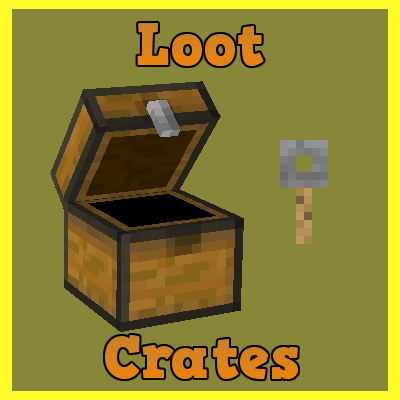
CurseForge · Minecraft mod
Loot Crates
Randomizable loot for servers.
Choose a version Pick your version below, then grab the matching file.
Quick answer
Which Loot Crates release should I use?
Latest stable file loot-crates-1.15.2-2.1.0.jar
Game version 1.15.2
Loader Not required
Loot Crates loot-crates-1.15.2-2.1.0.jar targets 1.15.2. The project page does not say whether this file belongs on the client, dedicated server, or both. No extra mods listed for this file.
Where it goes
Is Loot Crates required on the client, server, or both?
The project page does not say whether this file belongs on the client, dedicated server, or both.
Client Source doesn’t say
Dedicated server Source doesn’t say
Loader for this release No loader listed
Required install it here Optional supported, not mandatory Not supported do not install here Source doesn’t say do not assume
The source does not explicitly classify this release as client-only or server-only.
What else does Loot Crates loot-crates-1.15.2-2.1.0.jar need?
loot-crates-1.15.2-2.1.0.jar. Change the file and its required mods may change too.
This file does not list any required mods. Do not add a library just because a different file uses it.
This file does not list any required or optional mods.
Before you install it
Add Loot Crates without breaking your instance.
Built for Loot Crates loot-crates-1.15.2-2.1.0.jar. Pick another file and the loader, install side or required mods may change.
- 01
Stick to this file
Use loot-crates-1.15.2-2.1.0.jar. It targets 1.15.2; another release may have different loader, side or dependency requirements.
- 02
Bring the mods it needs
This file does not list any required mods. Do not add a library just because a different file uses it.
- 03
Put it on the correct side
The project page does not say whether this file belongs on the client, dedicated server, or both.
- 04
Pick the file you checked
Use the “Get this file” button beside loot-crates-1.15.2-2.1.0.jar. It opens that exact file at the source.
About this project
What does Loot Crates add?
This mod adds in the ability to make inventories which give random sets of items, based on the name of the inventory.
To make a crate you must first make the crate name in the .xml which is defaulted to TestCrate1, Then use an anvil ingame to rename a crate to the exact same name TestCrate1
This entire server side utility requires you to make all your edits in the xml provided in the config folder labeled lootcrate.xml
This is a cutdown version for my example.
Heres how to add custom number of items:
<Crates>
    <Crate name="TestCrate1">
        <Key id="minecraft:stick" color="red" name="NameHere">
            <Tag>{display:{Lore:["LoreHere"]}}</Tag>
        </Key>
        <Reward r="10">
            <Item id="minecraft:redstone" n="10"/>
            <Item id="minecraft:emerald"/>
        </Reward>
Here is how you determine % chance of getting item:
        <Reward r="10">
            <Item id="minecraft:emerald"/>
        </Reward>
        <Reward r="10">
            <Item id="minecraft:emerald"/>
        </Reward>
        <Reward r="5">
            <Item id="minecraft:emerald"/>
        </Reward>
        <Reward r="5">
            <Item id="minecraft:emerald"/>
        </Reward>
This is how the % works out:
r=10 = 30%
r=10 = 30%
r=5   = 15%
r=5   = 15%
Total of 100%
Commands:
/lc reload (can edit the .xml and /lc reload ingame without restarting server!)
/lckey player TestCrate1 (For config example above)
Project description from CurseForge.
Pick your setup
Loot Crates by Minecraft version and loader
Choose the version and loader you play, then open the matching release.
Minecraft version
1.14.4
1 loader buildMinecraft version
1.12.2
1 loader buildMinecraft version
1.10.2
1 loader buildMinecraft version
1.9.4
1 loader buildCheck the dependencies, then try the file in a copied instance before changing a world you care about.
Recent files
Loot Crates versions and loaders
loot-crates-1.15.2-2.1.0.jar
26 May 2020
Client Source doesn’t say Server Source doesn’t say Dependencies No extras listed Listed on Release listing
Check the 1.15.2 setup 1.15.2 release
loot_crates-1.15.2-2.0.0.jar
22 Feb 2020
Client Source doesn’t say Server Source doesn’t say Dependencies No extras listed Listed on Release listing
Check the 1.15.2 setup 1.15.2 release
loot_crates-1.14.4-2.0.0.jar
22 Feb 2020
Client Source doesn’t say Server Source doesn’t say Dependencies No extras listed Listed on Release listing
Check the 1.14.4 setup 1.14.4 release
lootcrate-1.12.2-1.0.1.jar
2 Aug 2018
Client Source doesn’t say Server Source doesn’t say Dependencies No extras listed Listed on Release listing
Check the 1.12.2 setup 1.12.2 release
lootcrate-1.0.0.jar
23 Dec 2017
Client Source doesn’t say Server Source doesn’t say Dependencies No extras listed Listed on Release listing
Check the 1.12.2 setup 1.12.2 release
lootcrate-0.0.5.jar
14 Nov 2016
Client Source doesn’t say Server Source doesn’t say Dependencies No extras listed Listed on Release listing
Check the 1.10.2 setup 1.9.41.10.2 release
lootcrate-0.0.4.jar
23 Oct 2016
Client Source doesn’t say Server Source doesn’t say Dependencies No extras listed Listed on Release listing
Check the 1.10.2 setup 1.9.41.10.2 release
lootcrate-0.0.3.jar
20 Oct 2016
Client Source doesn’t say Server Source doesn’t say Dependencies No extras listed Listed on Release listing
Check the 1.10.2 setup 1.9.41.10.2 release
lootcrate-0.0.2.jar
20 Oct 2016
Client Source doesn’t say Server Source doesn’t say Dependencies No extras listed Listed on Release listing
Check the 1.10.2 setup 1.9.41.10.2 release
Looking for an older file? The official CurseForge project page is in Resources.
 mod
CurseForge · Minecraft
Better Survival Fly
Creative style flight for authorized players who stay in Survival.
 mod
CurseForge · Minecraft
Quest Plus
A next-gen questing mod featuring an immersive 3D tablet, advanced objectives, custom rewards, multiplayer support, mod support and an intuitive web editor.
 mod
CurseForge · Minecraft
Marketwise
A server economy: coins, a server price list to sell to, and a player auction house in a chest menu. /bal, /pay, /sell, /ah.