Minecraft version
Back to mods 
CurseForge · Minecraft mod
All the Blocks
Custom decorative blocks to add an interesting new look to your base.
Choose a version Pick your version below, then grab the matching file.
Quick answer
Which All the Blocks release should I use?
Latest stable file alltheblocks-1.11.2-1.1.0
Game version 1.11.2
Loader Not required
All the Blocks alltheblocks-1.11.2-1.1.0 targets 1.11.2. The project page does not say whether this file belongs on the client, dedicated server, or both. No extra mods listed for this file.
Where it goes
Is All the Blocks required on the client, server, or both?
The project page does not say whether this file belongs on the client, dedicated server, or both.
Client Source doesn’t say
Dedicated server Source doesn’t say
Loader for this release No loader listed
Required install it here Optional supported, not mandatory Not supported do not install here Source doesn’t say do not assume
The source does not explicitly classify this release as client-only or server-only.
What else does All the Blocks alltheblocks-1.11.2-1.1.0 need?
alltheblocks-1.11.2-1.1.0. Change the file and its required mods may change too.
This file does not list any required mods. Do not add a library just because a different file uses it.
This file does not list any required or optional mods.
Before you install it
Add All the Blocks without breaking your instance.
Built for All the Blocks alltheblocks-1.11.2-1.1.0. Pick another file and the loader, install side or required mods may change.
- 01
Stick to this file
Use alltheblocks-1.11.2-1.1.0. It targets 1.11.2; another release may have different loader, side or dependency requirements.
- 02
Bring the mods it needs
This file does not list any required mods. Do not add a library just because a different file uses it.
- 03
Put it on the correct side
The project page does not say whether this file belongs on the client, dedicated server, or both.
- 04
Pick the file you checked
Use the “Get this file” button beside alltheblocks-1.11.2-1.1.0. It opens that exact file at the source.
About this project
What does All the Blocks add?
This mod adds custom decorative blocks to add an interesting new look to your base. For now I have some basic cinder blocks, path blocks, tiles, bricks and a silly blinds model I am trying out. Next update will add many color options for the tiles but feel free to suggest other ideas.
{width=1024 height=768}
{width=673 height=356}
{width=673 height=356}
Project description from CurseForge.
Pick your setup
All the Blocks by Minecraft version and loader
Choose the version and loader you play, then open the matching release.
Check the dependencies, then try the file in a copied instance before changing a world you care about.
Recent files
All the Blocks versions and loaders
alltheblocks-1.11.2-1.1.0
alltheblocks-1.11.2-1.1.0.jar
14 Jan 2017
Client Source doesn’t say Server Source doesn’t say Dependencies No extras listed Listed on Release listing
Check the 1.11.2 setup 1.11.2 release
alltheblocks-1.11.2-1.0.0
alltheblocks-1.11.2-1.0.0.jar
11 Jan 2017
Client Source doesn’t say Server Source doesn’t say Dependencies No extras listed Listed on Release listing
Check the 1.11.2 setup 1.11.2 release
Looking for an older file? The official CurseForge project page is in Resources.
 mod
CurseForge · Minecraft
Antisolar Blocks
1,130 blocks already and more is to come. Focused on new rocks and plants this building mod is meant to fit in with vanilla while sprucing up the limited minecraft palette.
 mod
CurseForge · Minecraft
Better Combat x Immersive Tree Chop
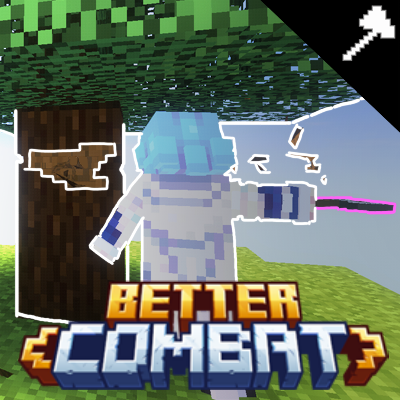
Adds compatibility between Better Combat and Immersive Tree Chop, your weapon swings can now cut down trees. highly configurable chop strength, also allows The Leveling mod to gain experience per swing . planning to add compat for farmer's delight
 mod
CurseForge · Minecraft
xYuzoSound
A client-side audio overhaul for Fabric that replaces vanilla UI, weapon, and block sounds with sharper, heavier, and more satisfying samples. Works on vanilla servers. Supports Minecraft 1.21 – 26.3.