Baubles Optional for Quality Tools QualityTools-1.0.7_for_1.12.2.jar
optionalMatching file found Matched file: Baubles-1.12-1.5.2.jar

CurseForge · Minecraft mod
Adds random 'qualities' to tools, affecting their attack damage, dig speed, armor protection, etc.
Quick answer
Quality Tools QualityTools-1.0.7_for_1.12.2.jar targets 1.12.2. The project page does not say whether this file belongs on the client, dedicated server, or both. All 1 required mods have matching files.
Where it goes
The project page does not say whether this file belongs on the client, dedicated server, or both.
The source does not explicitly classify this release as client-only or server-only.
QualityTools-1.0.7_for_1.12.2.jar. Change the file and its required mods may change too.
Install Potion Core first. We found matching files for this game-version and loader setup.
We only count dependency files that match this setup. A file for another loader does not fill the gap.
Before you install it
Built for Quality Tools QualityTools-1.0.7_for_1.12.2.jar. Pick another file and the loader, install side or required mods may change.
Use QualityTools-1.0.7_for_1.12.2.jar. It targets 1.12.2; another release may have different loader, side or dependency requirements.
Install Potion Core first. We found matching files for this game-version and loader setup.
The project page does not say whether this file belongs on the client, dedicated server, or both.
Use the “Get this file” button beside QualityTools-1.0.7_for_1.12.2.jar. It opens that exact file at the source.
About this project
{width=640 height=400}
Is your sword sharp? Maybe it's a bit longer than normal? Wait, is your helmet dented?
Introducing Quality Tools!
This mod gives tools, armor, and weapons random qualities when they enter your inventory, inspired by Terraria tools. All the qualities, as well as the tools that can get them, are completely configurable.
{width=274 height=240}
Here are a few more examples:
{width=288 height=241}
{width=295 height=260}
{width=334 height=213}
{width=325 height=174}
{width=324 height=200}
It also adds a 'reforging station', which you can use to change your tool's quality.
{width=966 height=503}
Use the reforging station by placing your tool in the top slot, and the material you would use to repair it in the bottom slot, then clicking the button.
{width=204 height=157}
If the tool isn't normally repairable, there is a config file that has custom reforging materials for it. For instance, iron ingots for shears. You can add materials there for modded tools that don't have repair items.
It should automatically use tools and their repair items from other mods as well, like these leggings from Botania.
{width=209 height=154}
There is also support for Baubles, so any items that can go in baubles slots can get qualities. As an example for this, and in case you don't have any other mods that use baubles, I added a simple emerald ring and amulet (which can be reforged using emeralds).
Reforging Station:
{width=248 height=143}
Emerald Ring:
{width=245 height=142}
Emerald Amulet:
{width=248 height=143}
by Mischief Of Mice:
Install this as a regular forge mod (there are many tutorials out there if you don't know how).
It also requires Potion Core as a coremod:
https://mods.curse.com/mc-mods/minecraft/242872-potion-core
And has support for baubles:
https://mods.curse.com/mc-mods/minecraft/227083-baubles
Optional: Resource pack that remodels the reforging station, made by kniggebrot/CREE7EN
https://minecraft.curseforge.com/projects/quality-tools-reforging-station-variant
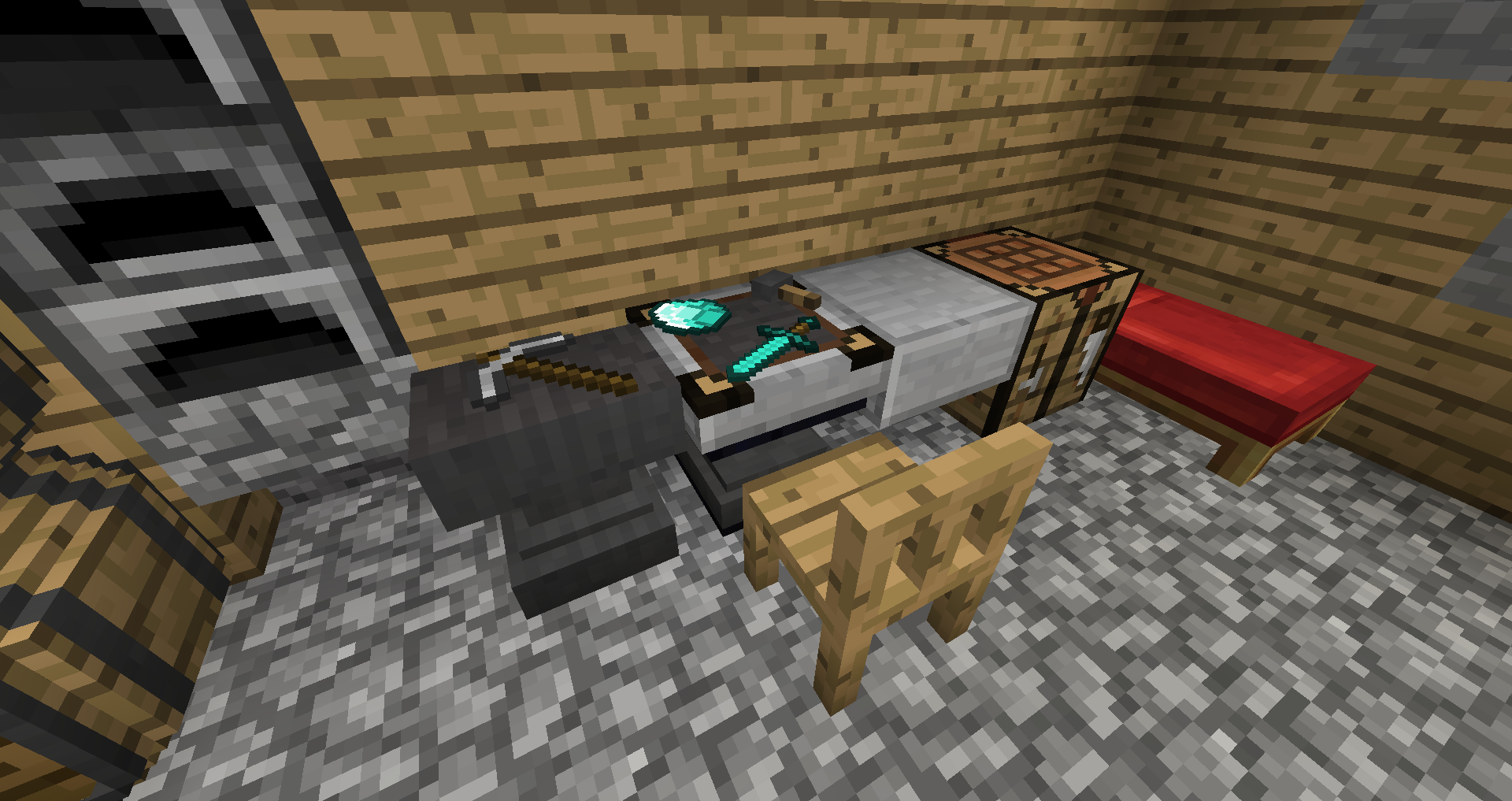
That's about it! You can use this mod in modpacks if you like, and remember to report any bugs that you find. If you want to post a comment, you should do so on the minecraftforum page, as I will be more likely to see it.
Enjoy the mod!
Project description from CurseForge.
Pick your setup
Choose the version and loader you play, then open the matching release.
Check the dependencies, then try the file in a copied instance before changing a world you care about.
Recent files
29 Jun 2019
13 Feb 2018
13 Feb 2018
8 May 2017
8 May 2017
3 May 2017
3 May 2017
24 Apr 2017
24 Apr 2017
12 Apr 2017
12 Apr 2017
8 Apr 2017
Looking for an older file? The official CurseForge project page is in Resources.