Just Enough Items (JEI) Optional for Armor Tweaker armortweaker-1.11.2-1.0.0.2.jar
optionalMatching file found Matched file: jei_1.11.2-4.5.0.294.jar

CurseForge · Minecraft mod
Allows users to modify armor and armor material stats, as well as create new armor materials.
Quick answer
Armor Tweaker armortweaker-1.11.2-1.0.0.2.jar targets 1.11.2. The project page does not say whether this file belongs on the client, dedicated server, or both. All 2 required mods have matching files.
Where it goes
The project page does not say whether this file belongs on the client, dedicated server, or both.
The source does not explicitly classify this release as client-only or server-only.
armortweaker-1.11.2-1.0.0.2.jar. Change the file and its required mods may change too.
Install CraftTweaker, MTLib first. We found matching files for this game-version and loader setup.
We only count dependency files that match this setup. A file for another loader does not fill the gap.
Before you install it
Built for Armor Tweaker armortweaker-1.11.2-1.0.0.2.jar. Pick another file and the loader, install side or required mods may change.
Use armortweaker-1.11.2-1.0.0.2.jar. It targets 1.11.2; another release may have different loader, side or dependency requirements.
Install CraftTweaker, MTLib first. We found matching files for this game-version and loader setup.
The project page does not say whether this file belongs on the client, dedicated server, or both.
Use the “Get this file” button beside armortweaker-1.11.2-1.0.0.2.jar. It opens that exact file at the source.
About this project
I noticed that there is no mod that allows you to change armor stats (which I needed to nerf some armor). So I made this.
Then I realized that there was actually a mod that allowed to change armor properties, but I believe that mine is more flexible. Also it uses MineTweaker/CraftTweaker .zs scripts.
Changing armor stats:
import mods.vanilla.ItemArmor;

var leatherHelmet = ItemArmor.get(<minecraft:leather_helmet>);
//Change material
leatherHelmet.material = <armorMaterial:DIAMOND>;
//Defence amount
leatherHelmet.damageReduceAmount = 5;
//Durability
leatherHelmet.maxDamage = 200;
//Armor toughness
leatherHelmet.toughness = 2;
Changing armor material properties:
var materialLeather = <armorMaterial:LEATHER>;
//Changes visual appearance:
materialLeather.textureName = "minecraft:gold";
//Modifier that affects the durability of all armor parts
materialLeather.maxDamageFactor = 10;
//Defence amount for feet, legs, chest, head
materialLeather.damageReductionAmountArray = [2, 5, 6, 2];
//Affects the chance of good enchantments on enchantment table
materialLeather.enchantability = 25;
//Armor toughness
materialLeather.toughness = 3;
//IItemStack that will be used to repair armor
materialLeather.repairMaterial = <minecraft:feather>;
Creating new material:
import mods.vanilla.ArmorMaterial;

//material name, texture name, durability modifier, damage reduction array, enchantability, toughness
var magicIron = ArmorMaterial.add("MAGIC_IRON", "minecraft:gold", 20, [3, 6, 7, 3], 25, 1);
You can list all armor with their stats using this chat command:
/minetweaker armor items
And this one will list all armor materials with their properties:
/minetweaker armor materials
This mod requires CraftTweaker and MTLib.
Project description from CurseForge.
Pick your setup
Choose the version and loader you play, then open the matching release.
Check the dependencies, then try the file in a copied instance before changing a world you care about.
Recent files
12 Aug 2017
12 Aug 2017
12 Aug 2017
Looking for an older file? The official CurseForge project page is in Resources.
 mod
Stop reading long tooltips mid-fight! ETag displays colorful enchantment initials in the 4 corners of your items and books—working standalone in Survival inventory and seamlessly inside JEI.
 mod
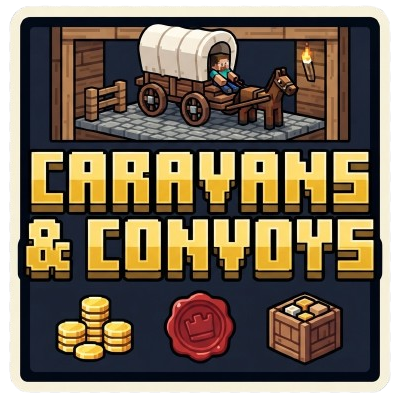
Place a dock, post an offer, and horse-drawn wagons haul goods between docks on their own, guarded by soldiers on the road.
 mod
Trigger raid‑style events at custom Points of Interest where players sacrifice items for rewards and hidden enemy challenges.