Best match for your filtersDurabilityNotifier-fabric-1.21-2.0.0.jar
Game version1.21, 1.21.1
LoaderFabric
Durability Notifier DurabilityNotifier-fabric-1.21-2.0.0.jar targets 1.21, 1.21.1 with Fabric. The project page does not say whether this file belongs on the client, dedicated server, or both. All 2 required mods have matching files.
Where it goes
Is Durability Notifier required on the client, server, or both?
The project page does not say whether this file belongs on the client, dedicated server, or both.
ClientSource doesn’t say
Dedicated serverSource doesn’t say
Loader for this releaseFabric
Required install it hereOptional supported, not mandatoryNot supported do not install hereSource doesn’t say do not assume
The source does not explicitly classify this release as client-only or server-only.
Matching file found Matched file: [Fabric 1.21] v15.0.140
Fabric API Needed by Durability Notifier DurabilityNotifier-fabric-1.21-2.0.0.jar
required
Matching file found Matched file: [1.21.1] Fabric API 0.116.18+1.21.1
We only count dependency files that match this setup. A file for another loader does not fill the gap.
Before you install it
Add Durability Notifier without breaking your instance.
Built for Durability Notifier DurabilityNotifier-fabric-1.21-2.0.0.jar on Fabric. Pick another file and the loader, install side or required mods may change.
01
Stick to this file
Use DurabilityNotifier-fabric-1.21-2.0.0.jar. It targets 1.21, 1.21.1 with Fabric; another release may have different loader, side or dependency requirements.
02
Bring the mods it needs
Install Cloth Config API (Fabric/Forge/NeoForge), Fabric API first. We found matching files for this game-version and loader setup.
03
Put it on the correct side
The project page does not say whether this file belongs on the client, dedicated server, or both.
04
Pick the file you checked
Use the “Get this file” button beside DurabilityNotifier-fabric-1.21-2.0.0.jar. It opens that exact file at the source.
About this project
What does Durability Notifier add?
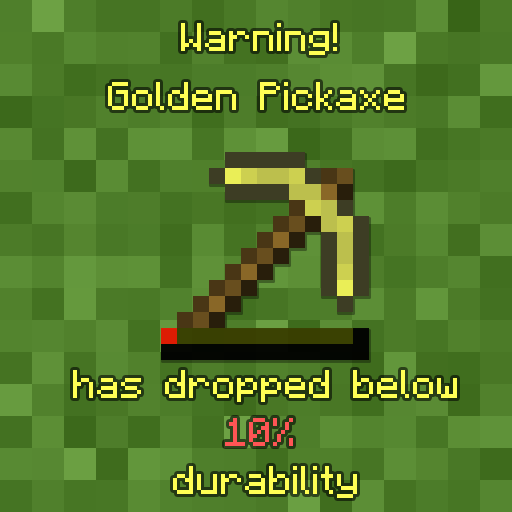
Durability Notifier is a small client-side mod that uses various methods to notify the player when there tool is low on durability. It uses subtle methods like using sound or potion effects and is fully configurable via the in-game configuration menu for ease. So, you can configure the mod how you like it.
For more information on what settings are available see the detailed explanation for the configuration below.
The mod tries to stay as vanilla server friendly as possible. The only feature that doesn't work while connected to a vanilla server is the GiveFatigue feature.
GiveFatigue - if true gives the player mining fatigue when the tool hit it's max so you won't accidentally break the tool. (Defaults to false) Has been temporarily disabled since 1.13+
Percentage - is the percentage from 1 between 100 of durability of the tool it checks for (Defaults to 10)
PlaySound - if true plays a noise to the player if they try to use their tool while it's low on durability (Defaults to false)
SendMessage - if true displays the message that your tool is low on durability (Defaults to true)
SendMessageColor - chooses what color/colour the message will be. (Defaults to YELLOW)
soundlocation - specifies the soundlocation of the sound that "PlaySound" will play. If the sound location inserted is false it will say so in the log.
volume - changes the volume that "PlaySound" uses to play the sound.
FAQ:
Where's the config located? It's located within your instances "config" folder
How can I change the config in-game? You can't unless you install Configured