MysticalLib Needed by blockcraftery-1.12.2-1.3.1.jar
requiredMatching file found Matched file: mysticallib-1.12.2-1.13.0.jar

CurseForge · Minecraft mod
Customizable building blocks!
Quick answer
blockcraftery-1.12.2-1.3.1.jar targets 1.12.2. The project page does not say whether this file belongs on the client, dedicated server, or both. All 1 required mods have matching files.
Where it goes
The project page does not say whether this file belongs on the client, dedicated server, or both.
The source does not explicitly classify this release as client-only or server-only.
blockcraftery-1.12.2-1.3.1.jar. Change the file and its required mods may change too.
Install MysticalLib first. We found matching files for this game-version and loader setup.
We only count dependency files that match this setup. A file for another loader does not fill the gap.
Before you install it
Built for blockcraftery-1.12.2-1.3.1.jar. Pick another file and the loader, install side or required mods may change.
Use blockcraftery-1.12.2-1.3.1.jar. It targets 1.12.2; another release may have different loader, side or dependency requirements.
Install MysticalLib first. We found matching files for this game-version and loader setup.
The project page does not say whether this file belongs on the client, dedicated server, or both.
Use the “Get this file” button beside blockcraftery-1.12.2-1.3.1.jar. It opens that exact file at the source.
About this project
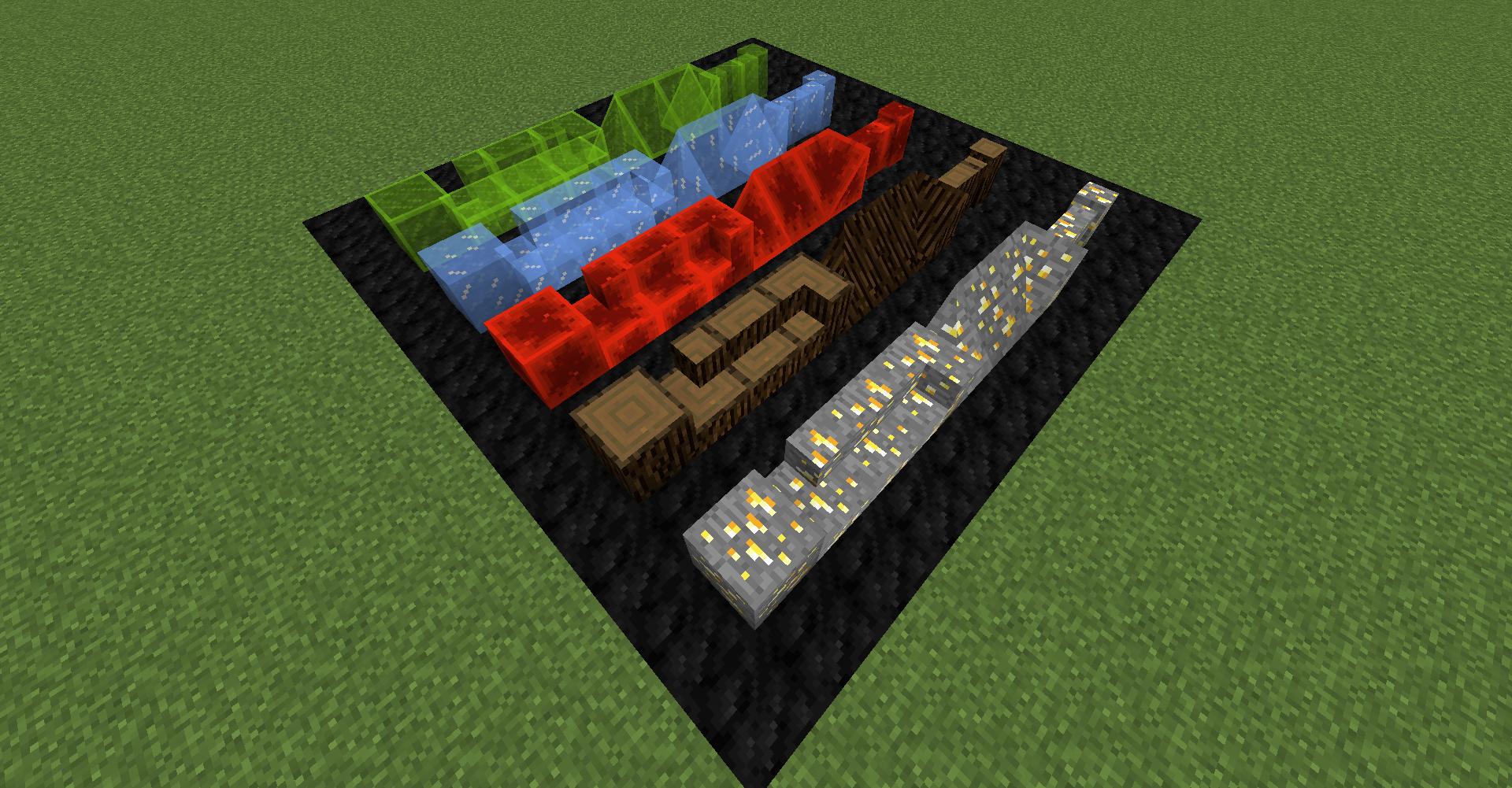
Blockcraftery is a mod that provides a very simple feature: Framed Blocks. Framed blocks can be placed in the world, then can be given another block's texture by right-clicking.
Framed blocks also come in a variety of shapes! Currently, the mod provides the following shapes:
All Framed blocks come in reinforced variants, which are both explosion proof and fire proof. Any framed block can also be right-clicked with glowstone dust to turn it into a light source, even pressure plates!
Each can be textured to your heart's desire. There are many more frames coming soon, as well as new mechanics planned to make decorating even easier.
I am an official Akliz partner. Akliz provides fantastic support for all their servers, and has incredibly fast single-thread servers. If you want to support me, and net yourself a server, use the link above for a discount on an Akliz server.
If you have any other questions, ask them in our discord here.
Follow EpicSquid here for frequent progress updates!
You can also support me directly on Patreon here.
Project description from CurseForge.
Pick your setup
Choose the version and loader you play, then open the matching release.
Check the dependencies, then try the file in a copied instance before changing a world you care about.
Recent files
28 May 2019
27 May 2019
28 Feb 2019
31 Oct 2018
29 Sept 2017
Looking for an older file? The official CurseForge project page is in Resources.