Minecraft version
Back to mods 
CurseForge · Minecraft mod
Animated Crosshair
Customize or animate your Minecraft crosshair
Choose a version Pick your version below, then grab the matching file.
Quick answer
Which Animated Crosshair release should I use?
Latest stable file Animated Crosshair v1.0 (1.12-1.12.2)
Game version 1.12.1, 1.12, 1.12.2
Loader Not required
Animated Crosshair v1.0 (1.12-1.12.2) targets 1.12.1, 1.12, 1.12.2. The project page does not say whether this file belongs on the client, dedicated server, or both. No extra mods listed for this file.
Where it goes
Is Animated Crosshair required on the client, server, or both?
The project page does not say whether this file belongs on the client, dedicated server, or both.
Client Source doesn’t say
Dedicated server Source doesn’t say
Loader for this release No loader listed
Required install it here Optional supported, not mandatory Not supported do not install here Source doesn’t say do not assume
The source does not explicitly classify this release as client-only or server-only.
What else does Animated Crosshair v1.0 (1.12-1.12.2) need?
Animated Crosshair v1.0 (1.12-1.12.2). Change the file and its required mods may change too.
This file does not list any required mods. Do not add a library just because a different file uses it.
This file does not list any required or optional mods.
Before you install it
Add Animated Crosshair without breaking your instance.
Built for Animated Crosshair v1.0 (1.12-1.12.2). Pick another file and the loader, install side or required mods may change.
- 01
Stick to this file
Use Animated Crosshair v1.0 (1.12-1.12.2). It targets 1.12.1, 1.12, 1.12.2; another release may have different loader, side or dependency requirements.
- 02
Bring the mods it needs
This file does not list any required mods. Do not add a library just because a different file uses it.
- 03
Put it on the correct side
The project page does not say whether this file belongs on the client, dedicated server, or both.
- 04
Pick the file you checked
Use the “Get this file” button beside Animated Crosshair v1.0 (1.12-1.12.2). It opens that exact file at the source.
About this project
What does Animated Crosshair add?
Create completely custom crosshairs of any color, size, animation, etc.! The possibilities are endless.
About
This mod was designed to allow users to create any crosshair they like without the limitations built into Vanilla Minecraft. Change the size, color, and more with just a few clicks! The mod comes with 8 different crosshairs built in, but you are able to make your own with PNG files and JSON (more on this later!).
Privacy Policy: https://github.com/bugfroggy/AnimatedCursor/wiki/Privacy-Policy
Getting Started
This mod only introduces one command: /crosshair. This will pop up a GUI where you can swap between which cursor you're using with the arrow buttons or customize a crosshair by clicking on "Configure." Pressing "Save" will apply the crosshair that is currently selected.
If you're only interested in using one of the crosshairs built into the mod, then that's it! You're done! Maybe you want to customize your crosshair, though.. Change its animation speed, size, or color...
Configuring Your Crosshair
Configuration of individual crosshairs fortunately isn't hard either. If there is some slight modification you'd like to make, it's easy! From the /crosshair menu, click on the "Configure" button with the crosshair you'd like to change selected.
In this menu you're able to edit the scale, framerate, and frame count of your crosshair.
- Scale - How large your crosshair is. 1.0 is Minecraft's default size.
- Framerate - How fast the animation is, if there is one (specifically how many frames there should be every second)
- Frame count - Total number of frames in the animation
This might be enough for you, but there's one final configuration menu you can use: the colors menu!
Adjust the color of the crosshair by sliding the red, green, and blue sliders until you find the color that you'd like. The "Negative Color" option lets you toggle vanilla Minecraft's feature that makes the crosshair's colors invert when hovering over bright colors.
Installing a Crosshair
If you have a .png file and a .properties file for a crosshair that you'd like to install, you can do so. All crosshair files are stored in .minecraft/crosshair/assets/animatedcrosshair/ (.minecraft being wherever your Minecraft folder is). All you have to do is simply move the two files into this folder and you're good to go! You shouldn't have to restart the game if you have one running already.
Available Crosshairs
Not all crosshairs are installed by default on your client. There are some that I have made and some that others have made that you will have to install yourself if you wish to use them. You can find more crosshairs at https://github.com/bugfroggy/AnimatedCursor/wiki/Crosshairs
Making Your Own Crosshair
While making your own crosshair is more advanced, it isn't too hard!
What you'll need:
- Image editing software (I recommend Paint.NET)
- A text editor
Step One
Understand the animation system. All animations are stored in a .png image file, each frame being 1/16th by 1/16th of the image's size. If you want your crosshair to be 32x32 pixels, then you'd need to create a new image canvas that is 512x512 (512 / 32 = 16). White backgrounds are rendered, so make sure to make the background transparent by deleting all that white space that you don't want visible!
When it comes time to render a crosshair in a PNG file, the frames are picked in an up-to-down, left-to-right basis. For example, here's a sample grid to demonstrate the size of each frame and where they are in order:

The mod will loop through each box at the framerate set in the config until the box that it's currently on is beyond the number of total frames in the animation (also set in the config), at which point it loops back to the beginning.
Step Two
Create a new canvas in the side that you'd like and add in each crosshair frame for the animation. If you only want one frame (i.e. no animation), then you only need to fill in the top-left corner. Continue putting each frame into its appropriate section of pixels until you're done.
Step Three
All animations should be stored in .minecraft/crosshair/assets/animatedcrosshair/ (.minecraft being wherever your Minecraft folder is). Save your new image file as a .png to that folder. The file should be named whatever you want it to be called in the game (although the name must be all lowercase!)
Step Four
Create a new .properties file with the same name as your image in the same folder. For example, if your image file is titled "crosshair.png", then your properties file should be "crosshair.properties". Open the file with a text editor and paste the following code into it, and save:
{
  "frame": 0,
  "frameCount": 1,
  "frameRate": 0,
  "negativeColor": true,
  "crosshairScale": 1,
  "colorModifier": {
    "value": -1,
    "falpha": 0
  },
  "chromaColor": false
}
This file contains all the settings corresponding to your crosshair. It might be easiest to edit this file from in-game, to make sure you don't make any mistakes, so we can just close it now.
Step Five
Start the game, do /crosshair, and navigate until you find your crosshair. Hopefully it will show up! If it doesn't, then you've done something wrong. Feel free to ask for help! You should be able to now click on "Configure" to change all the settings for your crosshair. Once you're done, click "Save" and voila! You've just made yourself a crosshair!
FAQ
Will this affect my PVP skills?
It likely depends on your crosshair. I have tried a multiple of crosshairs and to my surprise it had no noticeable effect on how good I was at PVP.
I want a different crosshair, but I don't know how to make one.
If you have a GIF or a general idea of a crosshair you'd like but aren't able to make it yourself, feel free to DM me on Twitter (@bugfroggy) and I can do my best to make it for you if I have the time. Please try to make it yourself first (I of course reserve the right to refuse any requests).
I just made a crosshair. How do I include it on the downloads page?
Contact bugfroggy using your preferred method with the .properties file and the .png file so I can review it and add the download if necessary.
Project description from CurseForge.
Pick your setup
Animated Crosshair by Minecraft version and loader
Choose the version and loader you play, then open the matching release.
Minecraft version
1.12.1
1 loader buildMinecraft version
1.12-Snapshot
1 loader buildMinecraft version
1.12
1 loader buildMinecraft version
1.11.2
1 loader buildMinecraft version
1.11.1
1 loader buildMinecraft version
1.11-Snapshot
1 loader buildMinecraft version
1.11
1 loader buildMinecraft version
1.10.2
1 loader buildMinecraft version
1.10.1
1 loader buildMinecraft version
1.10-Snapshot
1 loader buildMinecraft version
1.10
1 loader buildShowing the newest 12 of 20 game versions. Older files are in the list below.
Check the dependencies, then try the file in a copied instance before changing a world you care about.
Recent files
Animated Crosshair versions and loaders
Animated Crosshair v1.0 (1.12-1.12.2)
AnimatedCrosshair1.12-1.0.jar
18 Nov 2017
Client Source doesn’t say Server Source doesn’t say Dependencies No extras listed Listed on Release listing
Check the 1.12.2 setup 1.12.11.121.12.21.12-Snapshot release
Animated Crosshair v1.0 (1.9-1.11.2)
AnimatedCrosshair1.9-1.0.jar
18 Nov 2017
Client Source doesn’t say Server Source doesn’t say Dependencies No extras listed Listed on Release listing
Check the 1.11.2 setup 1.9.11.9.31.10-Snapshot1.9.4 release
Animated Crosshair v1.0 (1.8.8-1.8.9)
AnimatedCrosshair1.8.8-1.0.jar
18 Nov 2017
Client Source doesn’t say Server Source doesn’t say Dependencies No extras listed Listed on Release listing
Check the 1.8.9 setup 1.8.81.8.9 release
Looking for an older file? The official CurseForge project page is in Resources.
 mod
CurseForge · Minecraft
Cinematic Interactions: Modded Stations
An add-on for Cinematic Interactions: work Farmer's Delight pots, Cultural Delights ovens and vats, Tide's angling table and more by hand, in the world, instead of in a GUI.
 mod
CurseForge · Minecraft
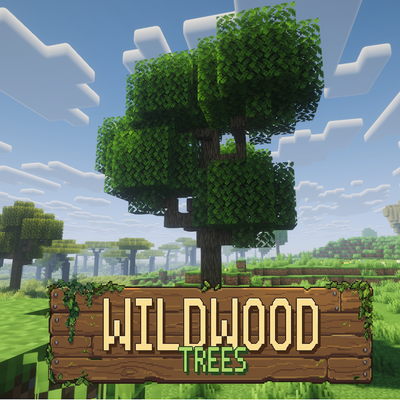
WildWoods Trees - Realistic Trees, Chop, Falling & Dynamic
Dynamic, performance-friendly realistic trees: tall and tapered, chopped notch by notch, felled like the real thing. Resource pack ready.
 mod
CurseForge · Minecraft
nintendoswitch.27 s dungeons 2 content
explore heaven a new sift dimension with cool mobs wired stuff and magical features key features to open the ancient city portal use the new rift to craft it use the echo shard