Carbon Config Needed by Scavenge-Neoforge-1.21-2.0.2
requiredMatching file found Matched file: CarbonConfig-Neoforge-1.21-2.0.2
CurseForge · Minecraft mod
Apply a custom Rightclick behavior to any block!
Quick answer
Scavenge-Neoforge-1.21-2.0.2 targets 1.21 with NeoForge. The project page does not say whether this file belongs on the client, dedicated server, or both. All 1 required mods have matching files.
Where it goes
The project page does not say whether this file belongs on the client, dedicated server, or both.
The source does not explicitly classify this release as client-only or server-only.
Scavenge-Neoforge-1.21-2.0.2. Change the file and its required mods may change too.
Install Carbon Config first. We found matching files for this game-version and loader setup.
We only count dependency files that match this setup. A file for another loader does not fill the gap.
Before you install it
Built for Scavenge-Neoforge-1.21-2.0.2. Pick another file and the loader, install side or required mods may change.
Use Scavenge-Neoforge-1.21-2.0.2. It targets 1.21 with NeoForge; another release may have different loader, side or dependency requirements.
Install Carbon Config first. We found matching files for this game-version and loader setup.
The project page does not say whether this file belongs on the client, dedicated server, or both.
Use the “Get this file” button beside Scavenge-Neoforge-1.21-2.0.2. It opens that exact file at the source.
About this project
Scavenge is a mod that allows you to apply custom RightClick/LeftClick behaviors
to any Block. On top of that you can add LootPools to these behaviors that are dropped when the conditions are met. These things are loaded from JsonFiles and act closely to a Scripting language.
On top of that you can add certain unque features/conditions when rightclicking these blocks.
For example:
1.10.2-1.12.2 Documentation: ClickMe
Anything below this is the 1.16 Documentation:
If you want a good tutorial on How to make Scavenge Scripts.
Xaikii had written some examples and tutorials on how Scripts work. ClickMe
Ported Addon to 1.16:
Documentation is now part of the mod. How to view it:
Set "printExamples" to true and the documentation will be generated in the Minecraft Folder in the "scavenge_doc" folder.
The documentation is sorted by Plugin -> TypeOfProperty -> PropertyName.
To simplify the finding of the Documentation. Also since its autogenerated. It can only get lost if all Scavenge Jars get lost.
Also If you install plugins they will also generate documentation automatically with it. And it would be sorted by the addon Plugins.
1.16.5 version also can now Dump Loaded Scripts. They will look a tiny bit different because it depends on how the Property is implemented but it will make debugging a lot easier. If something didn't get added in the script the dump can not see it either because the Mod dumps the parsed scripts.
This is also a config entry. Note: This also works with Multiplayer.
How to add a Scavenge Script:
Scavenge now works with Resource Packs. It will automatically load all files that are in the "datapacks/DATAPACK_NAME/data/DOMAIN/scavenge_scripts" folder.
And will automatically reload them on resource packs reload. They will be automatically synced over to the client so no more "server->client" manual Syncing. Its done automatically.
Since the tool has a JEI plugin i had to install a JEI hack that reloads JEI 1 tick after scripts got reloaded because JEI does not support any mod that has recipe/data autosyncing. (This can get fast into the 2-3 digit reload range if jei does not fix this problem)
What has Changed outside of ResourcePacks now:
Effects are now only executed on server, while conditions are tested both on server & client. So there can be desyncs if you store data unsynchronized.
Math Operations/Conditions are now a lot more enforced then before because more flexibility even if the code is bigger.
Error Messages can now be directly added into Conditions so no longer the separate section with messages. And for effects there is a Message Effect.
Conditions can by default now be inverted. (Addons can not be guaranteed to support that)
Scavenge now uses Vanilla LootPools and you can just link them to the lootpool. It will try to show them in JEI but accuracy for more random/complex loot may not look as good.
Math Operations/Conditions have now bit support.
Examples for everything are generated. (Again Addons can not guaranteed to support that)
Project description from CurseForge.
Pick your setup
Choose the version and loader you play, then open the matching release.
Check the dependencies, then try the file in a copied instance before changing a world you care about.
Recent files
Scavenge-Neoforge-1.21-2.0.2.jar
22 Jun 2026
Scavenge-1.21-2.0.2.jar
22 Jun 2026
Scavenge-1.20-2.0.2.jar
22 Jun 2026
Scavenge-1.19.2-2.0.2.jar
22 Jun 2026
Scavenge-1.21-2.0.1.1.jar
17 Feb 2026
Scavenge-1.20-2.0.1.jar
17 Feb 2026
Scavenge-1.20-2.0.1.jar
28 Feb 2025
Scavenge-Neoforge-1.21-2.0.1.jar
28 Jun 2024
Scavenge-1.19.2-2.0.1.jar
15 Apr 2023
Scavenge-1.19.2-2.0.0.jar
8 Nov 2022
Scavenge-1.16.5-2.0.6.jar
8 Nov 2021
Scavenge-1.16.5-2.0.5.jar
18 Oct 2021
Looking for an older file? The official CurseForge project page is in Resources.
 mod
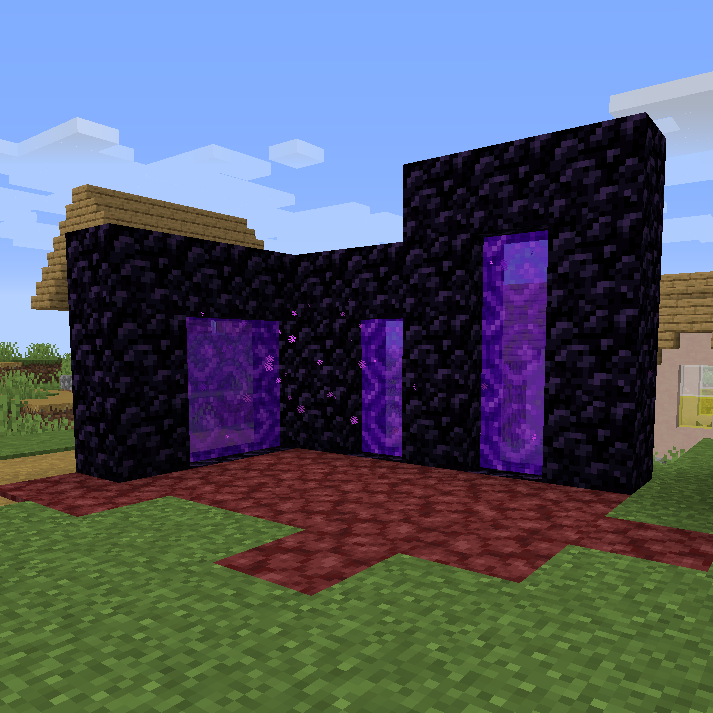
🔮 Allows the creation of smaller nether portals, specifically 1x2, 1x3 and 2x2.
 mod
Shared engine library for the Astral Dice mod family.
 mod
Did you ever want two new ores? Did you want Netherite upgrades, each focused on a specific use? Did you want alloys? New structures focused on Overworld exploration? A new boss? Then Cardinalia will be right up your alley!