Minecraft version
Back to mods 
CurseForge · Minecraft mod
DecoBlocks Classic
A mod where you can decorate all you want
Choose a version Pick your version below, then grab the matching file.
Quick answer
Which DecoBlocks Classic release should I use?
Latest stable file 1.7.10 Decoblocks 1.4.0 Final
Game version 1.7.10
Loader Not required
DecoBlocks Classic 1.7.10 Decoblocks 1.4.0 Final targets 1.7.10. The project page does not say whether this file belongs on the client, dedicated server, or both. No extra mods listed for this file.
Where it goes
Is DecoBlocks Classic required on the client, server, or both?
The project page does not say whether this file belongs on the client, dedicated server, or both.
Client Source doesn’t say
Dedicated server Source doesn’t say
Loader for this release No loader listed
Required install it here Optional supported, not mandatory Not supported do not install here Source doesn’t say do not assume
The source does not explicitly classify this release as client-only or server-only.
What else does DecoBlocks Classic 1.7.10 Decoblocks 1.4.0 Final need?
1.7.10 Decoblocks 1.4.0 Final. Change the file and its required mods may change too.
This file does not list any required mods. Do not add a library just because a different file uses it.
This file does not list any required or optional mods.
Before you install it
Add DecoBlocks Classic without breaking your instance.
Built for DecoBlocks Classic 1.7.10 Decoblocks 1.4.0 Final. Pick another file and the loader, install side or required mods may change.
- 01
Stick to this file
Use 1.7.10 Decoblocks 1.4.0 Final. It targets 1.7.10; another release may have different loader, side or dependency requirements.
- 02
Bring the mods it needs
This file does not list any required mods. Do not add a library just because a different file uses it.
- 03
Put it on the correct side
The project page does not say whether this file belongs on the client, dedicated server, or both.
- 04
Pick the file you checked
Use the “Get this file” button beside 1.7.10 Decoblocks 1.4.0 Final. It opens that exact file at the source.
About this project
What does DecoBlocks Classic add?
A mod where you can decorate anything such as clay, porcelain, powder for more looks and even laboratory blocks too.
- This also includes tools and ores too. [NYI]
- It also displays either a small medium or large logo [NYI]
- Want Ceramics, Use porcelain.
- Iron Blocks are not lab blocks? use Lab Blocks [NYI]
- Stone Bricks Boring Why not Other kinds too
Here is Q/A.
[Q] Can I use in modpacks?
[A] Of course you can.
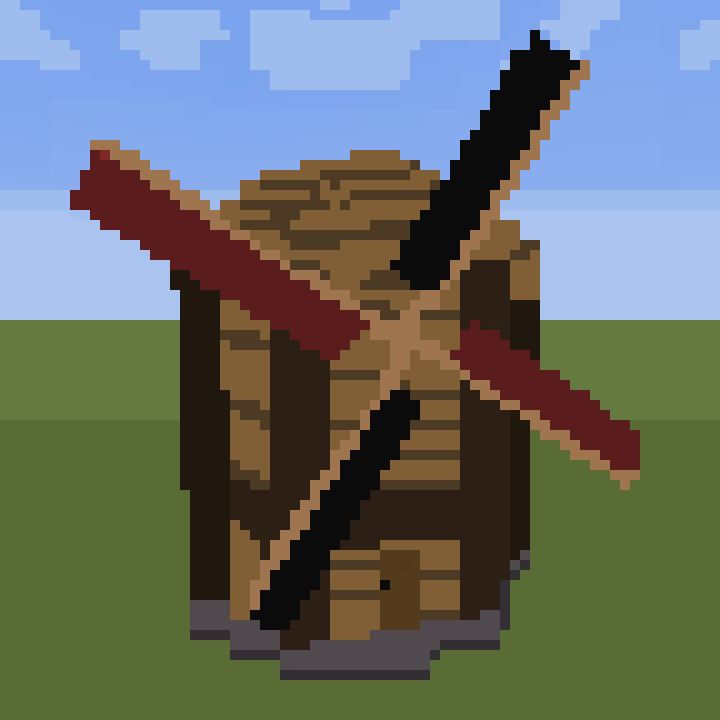
Images

If you have any questions, issues, bugs, crashes, or even others too.
Project description from CurseForge.
Pick your setup
DecoBlocks Classic by Minecraft version and loader
Choose the version and loader you play, then open the matching release.
Check the dependencies, then try the file in a copied instance before changing a world you care about.
Recent files
DecoBlocks Classic versions and loaders
1.7.10 Decoblocks 1.4.0 Final
decoblocks-1.7.10-1.4.0-F.jar
10 Aug 2018
Client Source doesn’t say Server Source doesn’t say Dependencies No extras listed Listed on Release listing
Check the 1.7.10 setup 1.7.10 release
1.7.10 Decoblocks 1.3.0 Final
decoblocks-1.7.10-1.3.0-F.jar
6 May 2018
Client Source doesn’t say Server Source doesn’t say Dependencies No extras listed Listed on Release listing
Check the 1.7.10 setup 1.7.10 release
1.7.10 Decoblocks 1.2.1
decoblocks-1.7.10-1.2.1.jar
18 Mar 2018
Client Source doesn’t say Server Source doesn’t say Dependencies No extras listed Listed on Release listing
Check the 1.7.10 setup 1.7.10 release
1.7.10 Decoblocks 1.2.0-R3
decoblocks-1.7.10-1.2.0-R3.jar
4 Mar 2018
Client Source doesn’t say Server Source doesn’t say Dependencies No extras listed Listed on Release listing
Check the 1.7.10 setup 1.7.10 release
1.7.10 Decoblocks 1.2.0-R2
decoblocks-1.7.10-1.2.0-R2.jar
25 Feb 2018
Client Source doesn’t say Server Source doesn’t say Dependencies No extras listed Listed on Release listing
Check the 1.7.10 setup 1.7.10 release
1.7.10 Decoblocks 1.2.0-R1
decoblocks-1.7.10-1.2.0-R1.jar
23 Feb 2018
Client Source doesn’t say Server Source doesn’t say Dependencies No extras listed Listed on Release listing
Check the 1.7.10 setup 1.7.10 release
1.7.10 Decoblocks 1.2.0
decoblocks-1.7.10-1.2.0.jar
18 Feb 2018
Client Source doesn’t say Server Source doesn’t say Dependencies No extras listed Listed on Release listing
Check the 1.7.10 setup 1.7.10 release
1.7.10 Decoblocks 1.1.3
decoblocks-1.7.10-1.1.3.jar
10 Feb 2018
Client Source doesn’t say Server Source doesn’t say Dependencies No extras listed Listed on Release listing
Check the 1.7.10 setup 1.7.10 release
1.7.10 Decoblocks 1.1.2
decoblocks-1.7.10-1.1.2.jar
3 Feb 2018
Client Source doesn’t say Server Source doesn’t say Dependencies No extras listed Listed on Release listing
Check the 1.7.10 setup 1.7.10 release
1.7.10 Decoblocks 1.1.1
1.7.10-decoblocks-1.1.1.jar
29 Jan 2018
Client Source doesn’t say Server Source doesn’t say Dependencies No extras listed Listed on Release listing
Check the 1.7.10 setup 1.7.10 release
1.7.10 Decoblocks 1.1.0
1.7.10-decoblocks-1.1.0.jar
28 Jan 2018
Client Source doesn’t say Server Source doesn’t say Dependencies No extras listed Listed on Release listing
Check the 1.7.10 setup 1.7.10 release
1.7.10 Decoblocks 1.0
1.7.10-decoblocks-1.0.jar
23 Jan 2018
Client Source doesn’t say Server Source doesn’t say Dependencies No extras listed Listed on Release listing
Check the 1.7.10 setup 1.7.10 release
Looking for an older file? The official CurseForge project page is in Resources.
 mod
CurseForge · Minecraft
Genetic Animals
adds real genetics and some fantasy genetics to your animals! Every breed of every supported animal is included. Also adds tons of realism upgrades.
 mod
Modrinth · Minecraft
Better With Everything
A fork of BWM that includes BWA and FIXES the broken guide. Maybe something more.
 mod
CurseForge · Minecraft
Card Jitsu
Play Card-Jitsu in Minecraft! Duel your friends or ninja penguins with elemental cards, earn your belts and become a ninja!