Bibliotheca Needed by E-Vaporate-4.20.69.jar
requiredMatching file found Matched file: bibliotheca-1.3.6-1.12.2.jar

CurseForge · Minecraft mod
Vape Naysh Yall
Quick answer
E-Vaporate-4.20.69.jar targets 1.12.2. The project page does not say whether this file belongs on the client, dedicated server, or both. All 1 required mods have matching files.
Where it goes
The project page does not say whether this file belongs on the client, dedicated server, or both.
The source does not explicitly classify this release as client-only or server-only.
E-Vaporate-4.20.69.jar. Change the file and its required mods may change too.
Install Bibliotheca first. We found matching files for this game-version and loader setup.
We only count dependency files that match this setup. A file for another loader does not fill the gap.
Before you install it
Built for E-Vaporate-4.20.69.jar. Pick another file and the loader, install side or required mods may change.
Use E-Vaporate-4.20.69.jar. It targets 1.12.2; another release may have different loader, side or dependency requirements.
Install Bibliotheca first. We found matching files for this game-version and loader setup.
The project page does not say whether this file belongs on the client, dedicated server, or both.
Use the “Get this file” button beside E-Vaporate-4.20.69.jar. It opens that exact file at the source.
About this project
E-Vaporate is a mod made for the modding competition ModOff 2. The mod allows you to create vape juices in a blender from all types of food and vape it instead of eating the food.


//minecraft.curseforge.com/projects/e-vaporate/settings/" rel="noopener nofollow" target="_blank">https://minecraft.curseforge.com/projects/e-vaporate/settings/[img]https:/i.imgur.com/rtvtHWh.gif[/img]" alt="" />
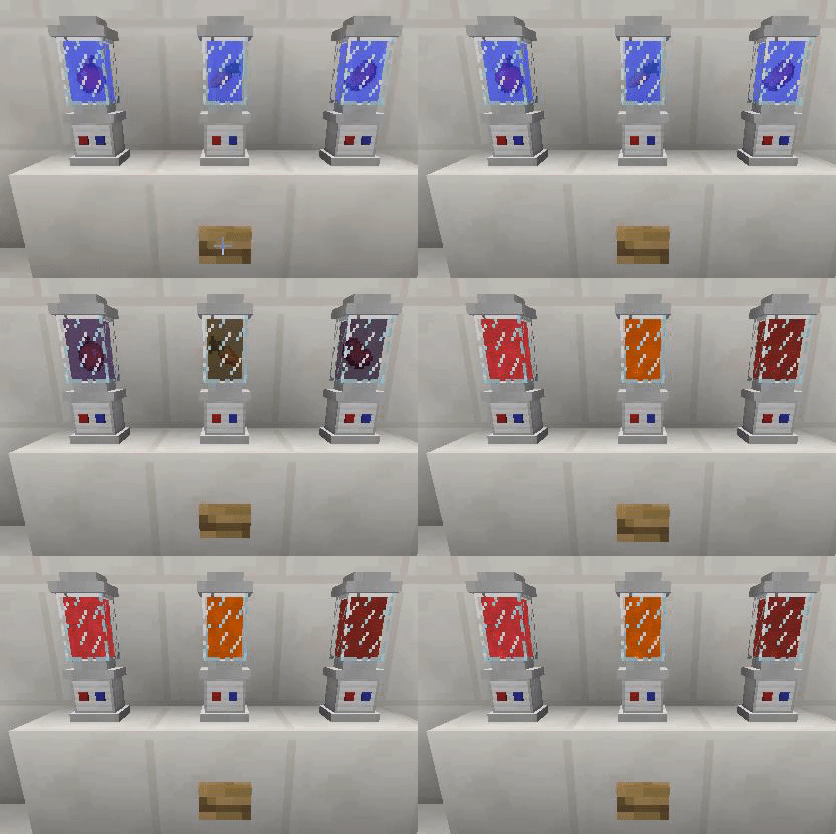

Remember you need to be hungry to be able to use the vape.

The vape liquid gives you as many charges as the amount of items you insert into the blender. The maximum stack size a blender can take is 64 and the max amount of charges in the vape is also 64. The vape also grabs the hunger and saturation value from the food with a 1:1 ratio.


The mod also comes with Limited Edition Steampunk Vape and Limited Edition Steampunk Blender for the duration of ModOff 2.

Project description from CurseForge.
Pick your setup
Choose the version and loader you play, then open the matching release.
Check the dependencies, then try the file in a copied instance before changing a world you care about.
Recent files
15 Jun 2018
5 Feb 2018
4 Feb 2018
2 Feb 2018
1 Feb 2018
Looking for an older file? The official CurseForge project page is in Resources.
 mod
AliveCombat makes Minecraft combat more alive by refining vanilla mechanics with smoother attacks and smarter targeting in a lightweight, fully client-side mod.
 mod
Automatically hides player nametags upon joining a world or server for better immersion, PvP, and roleplay.
 mod
Client first mod, paint block gradients and 3D-noise fills from your inventory.
